EasyManua.ls Logo

Swann SWADS-140DCM - User Manual

Swann SWADS-140DCM
24 pages
Print Icon
To Next Page IconTo Next Page
Loading...
CAPTURE
ACCIDENTS &
INCIDENTS ON
THE ROAD
TRACK EXACT
MOVEMENTS &
LOCATIONS
FULL
HD
EN
Instruction Manual
READ ME
FIRST
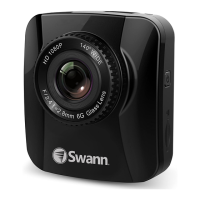
Navigator HD
Dash Camera
Portable Vehicle Recorder with GPS Tracking
Question and Answer IconNeed help?

Do you have a question about the Swann SWADS-140DCM and is the answer not in the manual?

Summary

Important Safety Notice

Camera Setup

Mount to Vehicle

Connect to Power

Turning On and Off

Video Mode

Recording Videos

Information on loop recording, clip duration settings, and visual indicators during video capture.

Protecting Videos

GPS Connection

Viewing and Managing Videos

Photo Mode

Taking Photos

Procedure for capturing still images with the dash camera.

Connecting to Computer

Connecting to TV

Settings Screen Overview

Motion Detection

GPS Stamp Settings

USB Function

Format Card

Install Navigator GPS Software

Configuring Map Data

Summary

Important Safety Notice

Camera Setup

Mount to Vehicle

Connect to Power

Turning On and Off

Video Mode

Recording Videos

Information on loop recording, clip duration settings, and visual indicators during video capture.

Protecting Videos

GPS Connection

Viewing and Managing Videos

Photo Mode

Taking Photos

Procedure for capturing still images with the dash camera.

Connecting to Computer

Connecting to TV

Settings Screen Overview

Motion Detection

GPS Stamp Settings

USB Function

Format Card

Install Navigator GPS Software

Configuring Map Data

Swann SWADS-140DCM Specifications

General IconGeneral
Model NumberSWADS-140DCM
TypeCar Navigation system
GPSYes
TouchscreenYes
Rear Camera InputYes
SD Card SlotYes
USB PortYes
Operating SystemWindows CE 6.0