EL RANGE / DE
40
EL RANGE / DE
41
EL RANGE / ENEL RANGE / EN
Always use leakproof batteries.
Warning: Do not use rechargeable batteries!
• Screw the battery cover back on.
Batteries
Batteries must not be disposed of in household
waste. You are legally obliged to return used
batteries. You can return used batteries locally
(for example at your retailer or at a waste recy-
cling center) free of charge. Batteries are marked with the
symbol of a crossed-out wheeled waste container as well
as the chemical symbol for the hazardous substance they
contain: “Cd” for cadmium, “Hg” for mercury, and “Pb” for
lead.
Please help us to protect our environment from damaging
pollutants.
More coverage Less coverage
Color of target object Light Dark
Surface Shiny Matt
Angle to target object Vertical Acute
Size of object Large Small
Sunlight Weak (cloudy) Strong (sunny)
Atmospheric
conditions
Clear Hazy
Structure of object Uniform (house wall) Not uniform (bush, tree)
8. GENERAL INFORMATION
8.1 COVERAGE
The following factors influence the maximum measurement
range:
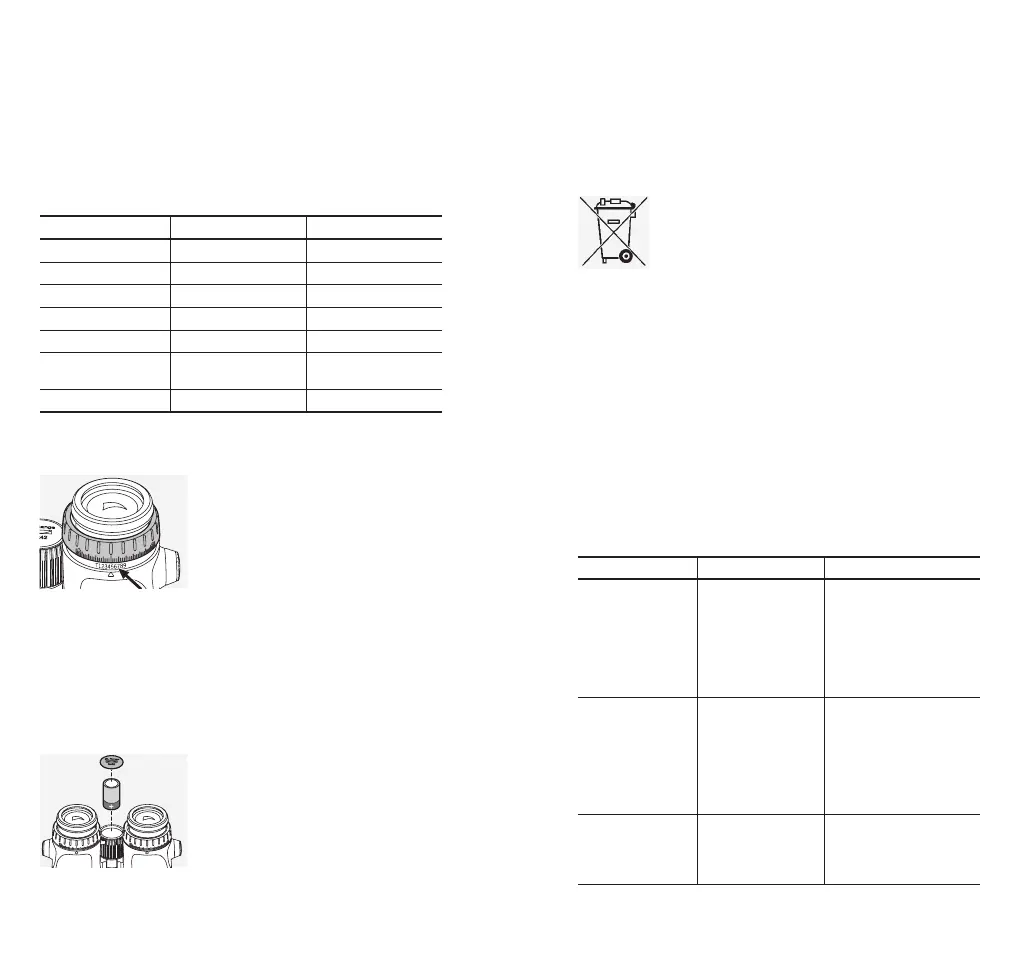
8.2 SERIAL NUMBER
You will find the serial number of
your binoculars on the right eyepiece
adapter. You will need to lift up the
right diopter adjustment ring.
8.3 CHANGING THE BATTERY
The battery symbol indicates when the battery is low. You can
still take about 100 measurements after the battery symbol
has appeared for the first time.
Changing the battery
• Open the battery compartment
cover in the focusing wheel using
the BT tool supplied. Remove the
dead battery.
• Insert the new CR2 battery. Please
check the polarities are correct, as
marked inside the compartment.
8.4 TROUBLESHOOTING AND DISPLAY
Problem Cause Solution
The image doesn’t
fill the entire field of
view (vignetting).
The eyecup setting is
not correctly adjusted
for viewing with or
without glasses.
If you wear glasses, twist
in the eyecup as far as it
will go. If you do not wear
glasses, unscrew the eye
-
cup to the desired position
(see section 3.1 Adjusting
the twist-in eyecup).
When measuring
distance, the display
shows “-----”.
1. Measurements out-
side the measurement
range.
2. The object is not
sufficiently reflective.
3. The target is not
in focus.
1. See the enclosed
technical data sheet.
2. See Section 8.1
Coverage.
3. See Section 3.5
Adjusting the focus.
When measuring
distance, the display
shows “co” (clean
optic).
1. The measurement
range is not reached.
2. The objective lens
is dirty.
1. See technical data.
2. Clean the objective lens.



 To Next Page