The device is a K30 Series Card Printer, designed for printing on cards using dye sublimation retransfer technology. It is accompanied by an Electronic Manual and a "READ ME FIRST" booklet for safe and proper use.
Function Description:
The K30 Series Card Printer is a card printing device that utilizes dye sublimation retransfer for high-quality card printing. It supports automatic paper feed and offers a recording density of 300 dpi with 256 levels of gradation for Y, M, and C colors, and 2 levels for Resin K. The printer can be connected via USB 2.0 (Hi-speed/Full Speed) or Ethernet (100BASE-TX/10BASE-T).
Key internal mechanisms include a card feeder unit for feeding cards, a retransfer heating roller for transferring images from film to card, and a thermal head for printing images onto the retransfer film. Optional components include a bend remedy unit for correcting card bending, a non-contact IC encoder for writing data to non-contact IC cards, a contact IC encoder for writing data to contact IC cards, and a magnetic encoder for writing data to magnetic stripe cards. For double-sided printing, a card turn-over unit is available to invert cards. A cleaning roller helps remove dust and dirt from cards.
The printer features a card hopper for loading cards and an NG card outlet for discharging cards that encounter errors or jams. It also has an air suction fan opening for internal cooling and a security slot for anti-theft devices.
Important Technical Specifications:
- Recording System: Dye sublimation retransfer
- Paper Feed Mode: Automatic
- Recording Density: 300 dpi
- Reproduction Gradation: 256 levels for Y, M, C; 2 levels for Resin K
- Interface: USB 2.0 (Hi-speed/Full Speed), Ethernet (100BASE-TX/10BASE-T)
- Operating Environment Conditions:
- AD series Ink Ribbon / Retransfer Film: Temperature 15 °C to 30 °C, Humidity 35 % to 70 % (no condensation)
- AD series (Peel-off ink, UV ink): Temperature 17 °C to 28 °C, Humidity 35 % to 60 % (no condensation)
- BA series Ink Ribbon / Retransfer Film: Temperature 20 °C to 30 °C, Humidity 35 % to 70 % (no condensation)
- Storage Environment Conditions:
- Printer unit: Temperature -15 °C to 55 °C, Humidity 20 % to 80 %
- Printing media (retransfer film or ink ribbon) / card: Temperature 5 °C to 25 °C, Humidity 40 % to 60 %
- Power Supply: AC 100V - 120V, 50Hz / 60Hz; AC 220V - 240V, 50Hz / 60Hz
- Current Consumption: 3.5 A (100V system), 1.6 A (200V system)
- Power Consumption: 310 W (maximum power when all options are installed)
- Mass: Approx. 13.5 kg (single-sided printer, including bend remedy unit); Approx. 13.5 kg (double-sided printer, excluding optional built-in items)
- Dimensions: 343mm x 335mm x 322mm (W x H x D)
- Card Thickness Adjustment: 0.25 mm to 1.00 mm (factory preset at 0.76 mm)
Usage Features:
The printer's operation panel includes a sliding knob to open/close the printer door, operation buttons for selecting and confirming information, and an LCD panel to display settings, operating status, and error messages. Status icons indicate USB or network connection and security lock status.
The operation panel allows users to:
- Reset the printer.
- Enter and exit setting modes.
- Navigate through setting items using Next and Enter buttons.
- Change settings using the Change button.
- Scroll through displayed characters.
The printer's display shows various operating statuses, including:
- Starting up: Boot Up.
- Initializing: Initializing.
- Preheating: Preheating.
- Ready: Ready.
- Feeding card or discharging NG card: Moving.
- Printing: Printing.
- Test print in progress: Testing.
- Loading card: Loading.
- Downloading: Downloading.
- Magnetic encoding in progress: MG Encoding.
- IC encoding: IC Encoding.
- Adjusting heating roller to preset temperature: Heating.
- Retransferring: Retransfer.
- Cleaning: Cleaning.
- Power Saving mode: Sleeping.
The printer offers various setting modes accessible via the operation panel or status monitor:
- Cleaning: Settings for cleaning card feed roller, heating roller, or magnetic head.
- Counter Reset: Resets free and error counters.
- Test Print: Prints built-in test patterns or different settings (Printer Setting, Network Setting, Lami Setting).
- Download: Updates firmware.
- Transport Mode: Sets the printer for transport, preventing malfunction.
- Media: Displays settings for ink type (YMCK, YMCKPO, YMCKK, YMCKUV), film type (1000, 750), and card thickness (Standard, Thin).
- Print: Settings for YMC, Black, and UV density levels, Black Mode (Standard, Fine), and peel-off ink density (PO Level).
- Retransfer: Settings for retransfer heating roller temperature (Temp Level) and front/back side retransfer speed (Speed). Includes MG Peel Mode for magnetic stripe cards and Standby Mode for laminator connection.
- Bend Remedy: Settings for bend remedy heating roller temperature (Temp Level) and speed.
- Heat Roller: Settings for Power Saving mode and HR Control.
- Setting: Display mode, counter type (Total Cnt, Head Cnt, Free Cnt, Cleaning Cnt, Error Cnt), contrast, buzzer sound (On/Off), and unit number (No.1-No.10).
- Option: Displays availability and type of magnetic encoder, non-contact IC encoder, contact IC encoder, bend remedy unit, and card turn over unit.
- MG: Settings for ISO Type (Loco, Hico), JIS Type (Loco, Hico), and Retry Count for magnetic stripe card data writing/reading.
- Network: Settings for Printer Name, Host IF (LAN, USB), IPv4/IPv6 configuration, Session Time Out, MAC Address, IPSec Mode, and IPSec Type.
Software Settings:
The printer driver offers extensive settings through various tabs:
- [Setup] Tab: Orientation (Portrait/Landscape) and number of copies. Allows saving/loading settings.
- [Print] Tab: Enables/disables printing, double-sided printing, back-side first printing, and specifies print mode (YMC, K, YMCK, YMC+UV, K+UV, YMCK+UV). Includes options for Resin K ink usage (Extraction, Page split, Security erase, Rotate by 180), printing area, color adjustment, look-up table, and dithering.
- [Printing area] Dialog Box: Defines rectangular regions for peel-off ink or areas not to be printed with YMCKUV inks, specifying X, Y, W, H coordinates, ink type (PO, YMCK), and card side (Front/Back). Also sets PO ink energy.
- [Color] Dialog Box: Adjusts brightness, contrast, hue, and gamma levels.
- [Look up table] Dialog Box: Manages YMCK conversion tables (.CSV) or full color conversion data (.LUT) for color adjustment.
- [Dither] Dialog Box: Settings for image adjustment (Dark, 0, Light).
- [UV ink] Dialog Box: Configures UV ink printing, including front/back side settings, extraction (Text/File), page split, no printing color, MAC address position (Upper Right/Lower Left), file information (image file to print), and number of panels for retransfer film (Auto, 1 panel, 2 panels).
- [Printer settings] Dialog Box: Adjusts YMC, Resin K, UV, and PO ink print levels, Resin K print mode (Standard/Fine), MG peel mode (Standard/MG Stripe), Standby mode (Front wait/Back wait), and Back side cooling.
- [Encode] Tab: Configures encoding for optional encoders: Non-contact IC, Contact IC, Magnetic. Includes settings for card turn-over after encoding, Write Retry count, Coercivity, Inline type (Default, Type B, Type C, None), and starting from magnetic encoding or printing after encoding.
- [Laminate] Tab: Settings for optional laminator, including Laminate Mode (Default, Pass Through, Laminate), HR Control, Counter, Film Type, Position, and Temperature.
- [Configuration] Tab: Specifies installed optional devices (Turn over unit, Bend remedy unit, Non-contact IC encoder, ISO Contact IC encoder, JIS Contact IC encoder, ISO Magnetic encoder, JIS Magnetic encoder, Laminator) and enables/disables printer settings.
- [Version] Tab: Displays printer driver version and copyright information.
Status Monitor:
The Status Monitor software displays the printer and laminator status and allows adjustment of settings. It shows:
- Printer Status: Ready, Initializing, Busy, Error (with error code).
- Laminator Status: Ready, Initializing, Busy, Error.
- Media Status: Remaining card quantity (Enough/None).
- Ink Quantity: Remaining ink ribbon quantity (in 50 levels).
- Film Quantity: Remaining retransfer film quantity (in 10 levels).
- Ink: Information on loaded ink ribbon.
- Film: Type of retransfer film loaded.
- Print Counter: Total correctly printed cards.
- Printer Selection: Allows switching between multiple connected printers.
- Document Information: Owner and document name during printing.
Maintenance Features:
The manual outlines several maintenance procedures:
- Routine Servicing: Recommended by authorized personnel to prevent errors.
- Cleaning Roller: Wash with water daily to remove dirt and dust. Replace annually.
- Card Load Roller: Clean with alcohol and a wiper when dirty to prevent card jams.
- Fan Filter: Clean with a vacuum cleaner after approximately 10,000 cards. Replace annually.
- Card Feed Roller / Heating Roller: Clean after approximately 1,000 cards. Use a cleaning card.
- Magnetic Head: Clean after approximately 1,000 cards. Use a magnetic head cleaning card with alcohol.
- Bobbin Holders: Clean each time ink ribbon or retransfer film is replaced to prevent printing errors.
- Thermal Head: Clean after approximately 10,000 images to prevent lines on cards. Use alcohol and a cotton swab.
Troubleshooting:
The manual provides a comprehensive list of error codes and corresponding actions for various issues, including:
- No Card: Cards run out or card hopper not installed.
- Jam (Hopper, TurnOver, MG, Transfer, Discharge, Retran.): Card jams at various locations. Procedures for removing jammed cards are provided, including using jog dials.
- Film Search / Film Run Out: Retransfer film broken or run out.
- MG Test Err: Magnetic encoder self-diagnosis error.
- Ink Error / Ink Search / Ink Run Out: Incorrect, broken, or run out ink ribbon.
- Door Open: Printer door open or cleaning unit not installed.
- Hardware errors (44, AB, AC, D8): Hardware failures.
- Heating roller errors (TR Heater F1, TR Thermister F2, RR Overheat F3, RR Heater F4, RR Thermister F5, TR Overheat F0, HR Overheat C2, Head Overheat F8, Cam Error C1): Issues with heating rollers, thermistors, or thermal head temperature.
- Overcool F6: Operating ambient temperature too low.
- Power Intrpt C3: Instantaneous power interruption.
- Printer Driver Errors: Printer not found, communication errors, command errors, encoding program errors, user program errors, magnetic encoding command errors, ink ribbon recognition errors, LUT file errors, UV file errors.
- Laminator Errors: Card loading failure, card jams, film run out, film broken/not detected, marks on film, laminator door open, film cassette detached, thermostat broken, heating roller temperature issues, internal temperature issues, hardware errors, cam errors, operating ambient temperature too low, film supply/takeup encoder errors.
The manual also includes a troubleshooting sheet for users to document symptoms before seeking repair.

 Need help?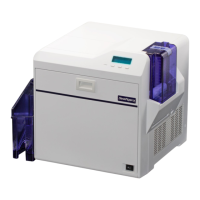

 To Next Page
 General