EasyManua.ls Logo

Swing Caddie SC100 - User Manual

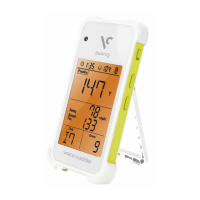
Swing Caddie SC100
3 pages
Print Icon
To Next Page IconTo Next Page
Loading...
Warranty
www.voicecaddie.com
Swing Caddie
UComm Technology, Inc.
One Year Limited Warranty
Voice Caddie warrants this hardware product against defects in materials and workmanship for a
period of one year from the date of original retail purchase. If a defect exists, at its option Voice
Caddie will (1) repair the product at no charge, (2) exchange the product with a product that is new or
like-new and is at least functionally equivalent to the original product, or (3) refund the purchase price
of the product. Voice Caddie shall have no obligation to repair, replace or refund until the customer
returns the defective product to Voice Caddie. This warranty does not apply: (1) to damage caused
by accident, abuse, misuse, misapplication, or non-Voice Caddie products; (2) to damage caused by
service performed by anyone who is not a Voice Caddie Authorized Service Provider; or (3) to a
product or part that has been modified without the written permission of Voice Caddie.
For more information on Voice Caddie’s warranty and return policy, please visit www.voicecaddie.com.
Basic Usage
Unit Selection: Press and hold the – button on the Swing Caddie.
Mode Selection: Press the M (MODE) button on the Swing Caddie
or on the remote control.
Club Selection: Press the C (CLUB/STATS) button on the
Swing Caddie or select your desired club on the remote control.
PRACTICE TARGETRANDOM
W1 W3 W4 W5 W6 W7 U3 U4 U5 U6
U7 I4 I5 I6 I7 I8 I9 PW AW SW
YARD METER
MPH KM
/H
User Manual
SC100
Positioning Swing Caddie:
1~1.5 meters (40~60 inches)
directly behind the ball
1~1.5 meters
Ball Swing Caddie
Range: 30~300 meters/yards
Positioning
Data for practice swings are not stored or displayed.
Swing Caddie measures carry distance and does not account for run.
1
The range of the remote control may be reduced in direct sunlight.
2
3
Data for aberrant shots are not stored or displayed.
4
Data for shots that fly to the far left or right may not be accurate.
5
Notes
Battery Type
Battery Life
Dimensions
Weight
Operating
Temperature
1.5V AAA Battery (4x)
up to 20 hours
150.5 x 77.0 x 25.5 mm
(5.92 x 30.03 x 1.00 in)
206 g (including battery)
0 - 50°C (32 - 122˚F)
Specifications
Voice Caddie USA
Attn: Repairs
7035 Orangethorpe Ave. Suite I
Buena Park, CA 90621
Telephone: 714-690-3978
Email: support@voicecaddie.com
Mailing Address
SC100 / Pouch / Remote Control / 4x AAA Batteries / User Manual
Package Contents
Caution: Inserting the battery reversely may result in explosion.
6
Caution: Swing Caddie is recommended for indoor use.
7
Question and Answer IconNeed help?

Do you have a question about the Swing Caddie SC100 and is the answer not in the manual?

Summary

Swing Caddie SC100 User Manual Overview

Positioning Guidelines

Place 1-1.5 meters behind the ball for optimal performance and range.

Basic Usage and Controls

Instructions for unit selection, mode, and club selection.

Warranty and Product Information

One Year Limited Warranty

Covers defects in materials and workmanship for one year from purchase.

Important Notes and Cautions

Covers carry distance, remote range, data logging, and safety warnings.

Product Specifications

Details on battery, dimensions, weight, and operating temperature.

Mailing Address for Support

Contact information for Voice Caddie USA repairs and inquiries.

Swing Caddie Operating Modes

Practice Mode

Provides immediate feedback on the preceding shot, including speed and distance.

Target Mode

Set a target distance and receive shot accuracy scores.

Random Mode

Displays random target distances and scores accuracy for each shot.

Stats Mode

Displays average statistics for each club and overall performance.

Sleep Mode

Conserves battery by entering a low-power state, displays time played.

FCC Compliance Statement

Radio Frequency Interference

Statement on compliance with FCC limits for Class B digital devices.

Operational Cautions

Guidance on preventing interference and avoiding unauthorized modifications.

Radiation Exposure Limits

Information on installation and operation for uncontrolled environments.

Summary

Swing Caddie SC100 User Manual Overview

Positioning Guidelines

Place 1-1.5 meters behind the ball for optimal performance and range.

Basic Usage and Controls

Instructions for unit selection, mode, and club selection.

Warranty and Product Information

One Year Limited Warranty

Covers defects in materials and workmanship for one year from purchase.

Important Notes and Cautions

Covers carry distance, remote range, data logging, and safety warnings.

Product Specifications

Details on battery, dimensions, weight, and operating temperature.

Mailing Address for Support

Contact information for Voice Caddie USA repairs and inquiries.

Swing Caddie Operating Modes

Practice Mode

Provides immediate feedback on the preceding shot, including speed and distance.

Target Mode

Set a target distance and receive shot accuracy scores.

Random Mode

Displays random target distances and scores accuracy for each shot.

Stats Mode

Displays average statistics for each club and overall performance.

Sleep Mode

Conserves battery by entering a low-power state, displays time played.

FCC Compliance Statement

Radio Frequency Interference

Statement on compliance with FCC limits for Class B digital devices.

Operational Cautions

Guidance on preventing interference and avoiding unauthorized modifications.

Radiation Exposure Limits

Information on installation and operation for uncontrolled environments.

Swing Caddie SC100 Specifications

General IconGeneral
DisplayLCD
Battery Life20 hours
ModesPractice, Target
Measurement TechnologyDoppler Radar
Ball Speed Range20 - 200 mph
Swing Speed Range30 - 150 mph
Launch Monitor TypeRadar
Measurement ParametersBall Speed, Carry Distance, Swing Speed
PowerBattery
Operating Temperature32°F to 104°F