05
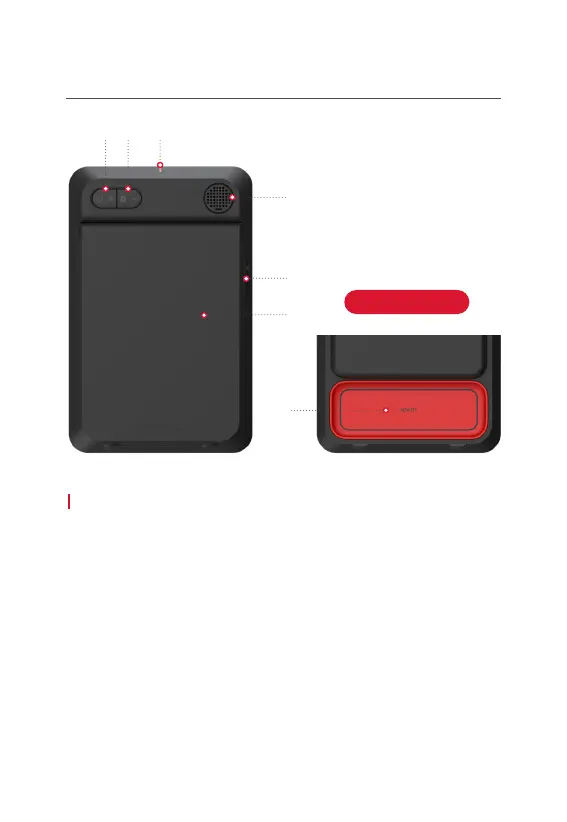
Product Components(Back Side)
Device Button
1. Power/+ : SC4 turned on or off by pressing the [Power/+] button
for 2 seconds. Press the [Power/+] button shortly to increase volume.
2. Settings/- : Change the setting by pressing the [Settings/-] button for 2 seconds.
Press the [Settings/-] button shortly to decrease volume.
3. Alignment Line(Red Range Line) : Align SC4, ball, and alignment line
(Red Range Line).
4. Speaker : Shot data voice output
5. USB port (Cap) : Open the USB port cap, connect the cable to charge SC4 or
connect the computer to update the software.
6. Stand : Open the stand fully and mount it.
7. Remote Control Magnet : Attach the remote control to the magnet and store it.
(Push the remote out to the side)
① ② ③
④
⑤
⑥
⑦
Open the Stand



 To Next Page