Installation Guide
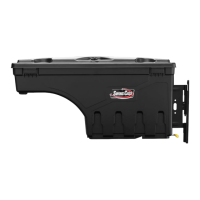
SC300P - Passenger Side
Dodge Ram 2002 - Current
For Warranty Issues, Contact UnderCover Directly
(866) 900-8800 www.undercoverinfo.com
Form # SC300PII
Modied Aug 2015
Hardware Included
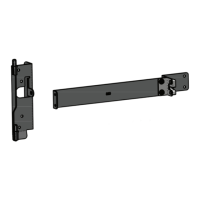
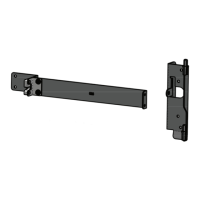
1. Truck Bracket
2. Striker Bracket
3. Mounting Screws (qty 6)
4. Assembly Nuts (qty 2)
1
2
3
4
1
2
1. BRACKET ASSEMBLY - Attach the striker bracket to
the truck bracket using the two (2) assembly nuts.
2. INSTALLING MOUNTING BRACKET ASSEMBLY - Position the bracket to the light well/wheel well area. It
is not necessary to remove the tie down on 2009 - Current Ram trucks.
(Note: 2002-2008 Dodge Ram - Must remove tie down on this model)
Line the top hole in the bracket with the dimple in the lightwell indicated on the inset drawing. Using
the six (6) self drilling screws provided, attach the bracket to the truck . Be careful not to overtighten and
strip out the holes.
P
SC300P

 Need help?
 General

 To Next Page