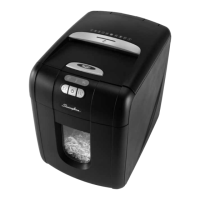
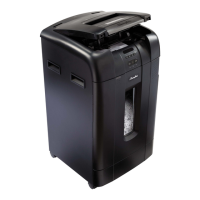
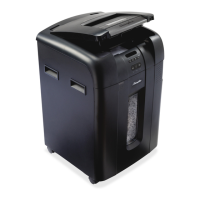
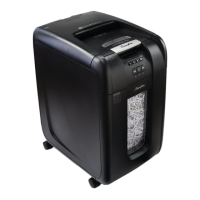
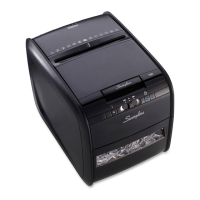
The Swingline Stack-and-Shred 100X & 100M are paper shredders designed for light to heavy use, offering hands-free shredding capabilities. These models are part of a broader Stack-and-Shred series, providing various sheet capacities and security levels.
Function Description:
The Stack-and-Shred 100X/100M is designed to automatically shred up to 100 sheets from its auto-feed chamber. It can also handle up to 6 sheets through a manual feed slot. The auto-feed mechanism is engineered to process paper fastened with staples and paper clips, minimizing the risk of paper jams by pulling only a few sheets at a time into the cutting mechanism. The shredder features an auto mode for hands-free operation, where it automatically starts shredding once paper is loaded and the door is closed. It also includes a reverse function for clearing paper jams and a continuous jam boost feature. For safety, the shredder stops if the bin or loading door is opened during operation, and a 'cross shaped' integral safety device prevents operation when the loading door is open.
Important Technical Specifications (for 100X/100M models):
- Security Level: P3 (for 100X) and P5 (for 100M).
- Bin Capacity (sheets): 150 sheets.
- Hands-Free Sheet Capacity: 100 sheets.
- Manual Feed Sheet Capacity: 6 sheets (80gsm).
- Bin Capacity (Gallons): 7 gallons.
- Run Time from Cold: 10 minutes.
- Volts / Hz: 120V/60Hz.
- Amperage: 1.5 Amps.
- Motor Watts: 100X: 200 Watts, 100M: 350 Watts.
- Auto Shutdown: After 2 minutes of inactivity.
- Duty Cycle: 5 min ON / 30 min OFF.
- Shreds: Staples, paper clips, credit cards.
- Does NOT Shred: Heavy duty staples (leg length > 6mm), large clips (length > 32mm), plastic sheets, laminated documents, plastic folders, bulldog clips, bound documents, adhesive labels, magazines, or other documents bound by multiple staples or clips.
- Shredding Capability (Auto-feed chamber): 100 sheets of stapled paper (25mm within corner, 26/6 and 24/6 or smaller staples), small sized paper loaded centrally.
- Shredding Capability (Manual feed slot): 100 sheets of paper clip paper (25mm within corner, small/medium paper clips with max. wire thickness = 0.9 mm), >80/100gsm paper. A3 folded in half (max. 2 sheets).
- Shredding Capability (General): A3 single sheet folded in half to make A4, thick paper or card, multiple folded sheets (e.g., A3 sheets folded in half), glossy paper or a sheet covered with print on both sides.
Usage Features:
- Easy Setup: After unpacking, the bin is pulled out, and a recyclable paper bag is fitted. The shredder is then connected to the mains supply, and the on/off button at the back is switched to 'on'.
- Auto Mode: Pressing the central Auto button (✔) illuminates the blue standby symbol, setting the shredder into auto mode.
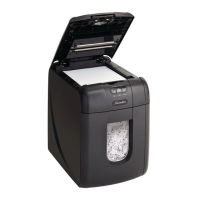
- Loading Paper: The loading door is opened by pressing its button. Up to 100 sheets can be loaded into the feed chamber, ensuring not to exceed the "100 MAX" level. The shredder starts automatically once the loading door is closed. If paper remains after the first attempt, opening and re-closing the door a second time can initiate shredding.
- Manual Feed: For up to 6 sheets, the manual feed entry slot can be used, provided the auto-feed chamber is empty.
- Sleep Mode: If left in auto mode for more than 2 minutes without use, the shredder automatically enters sleep mode to save power. It will automatically operate from standby mode when paper is inserted into the manual feed entry slot. Opening the loading door, emptying the bin, or pressing any button will return it to auto mode.
- Reverse Function: A reverse button (K) is available to clear paper jams, illuminating the jam indicator. To resume shredding, the shredder is turned on using the ON/OFF switch and returned to the auto position.
- Credit Card Shredding: Credit cards can be shredded by inserting them into the opening on top of the manual feed entry slot while the shredder is in auto mode. Users are encouraged to separate shredded paper and credit card shards for recycling purposes.
- Safety Functions: The shredder stops if the bin or loading door is opened during shredding, and the bin full indicator illuminates. A 'cross shaped' integral safety device prevents operation when the loading door is open.
Maintenance Features:
- Self-Cleaning Cutters: After emptying and replacing a full bin, the shredder runs forward for 4 seconds, stops for 2 seconds, and then reverses for 4 seconds to clear any remaining paper from the cutter mechanism. This unique feature helps prevent jams.
- Jam Clearance: In case of a paper jam, the jam indicator (8) illuminates. The shredder will attempt to clear the jam automatically by reversing and forwarding the engine three times. If unsuccessful, the jam can be cleared manually using the reverse (K) and continuous jam boost (►) buttons, or by opening the loading door, removing the stack of paper, and pulling the jammed paper free.
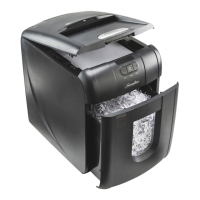
- Bin Full Indication: The shredder will not function when the bin is full, and the bin full symbol () is illuminated. To empty, pull open the bin slowly, then push it back into place and press the auto button to resume shredding.
- Overheating Protection: If used continuously for over 10 minutes, the shredder may overheat, and the cool down indicator (1) will flash red. The shredder will automatically restart once it has cooled down.
- Lubrication: Only oil sheets should be used for lubrication, inserted into the manual feed slot (NOT the auto-feed chamber). Using other lubricants or directly oiling the shredder is not recommended as it can contaminate the feed rollers.
- Roller Cleaning: The rollers on the auto-feed mechanism can be wiped clean with a dry cloth to maintain maximum product performance.
- Infra-red Sensor Cleaning: The auto-start infra-red sensor, located in the paper feed entry-slot, can occasionally become covered in paper-dust. If this causes the shredder to run despite no paper being fed, switch the shredder off and carefully clean the sensor using a cotton-swab.
- Service: It is recommended that these machines are serviced every 6 to 12 months by a Swingline service engineer.

 Need help?
 General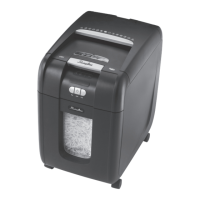

 To Next Page