6
Assembly
Contents of Box:
• Trimmer
• Parts bag containing:
•
Manual
•
Engine manual
• Safety goggles
• Bottle of engine oil
• 4 sets of .155 trimmer line
Tools Required:
• ½” wrench
Installation of handles
•
Remove loose fasteners from lower handles.
•
Pivot handles up and align lower hole in handles with hole on trimmer frame.
Install hardware removed in previous step. Snug, but do not tighten bolts.
•
Pivot upper handles to fit the lower handles. Tighten knobs.
•
Adjust handles for comfortable operation.
•
Tighten all bolts.
•
Hold the control bail against the handle and slowly pull the engine recoil
handle rope out. Thread the rope through the holder in the center of the
lower handle.
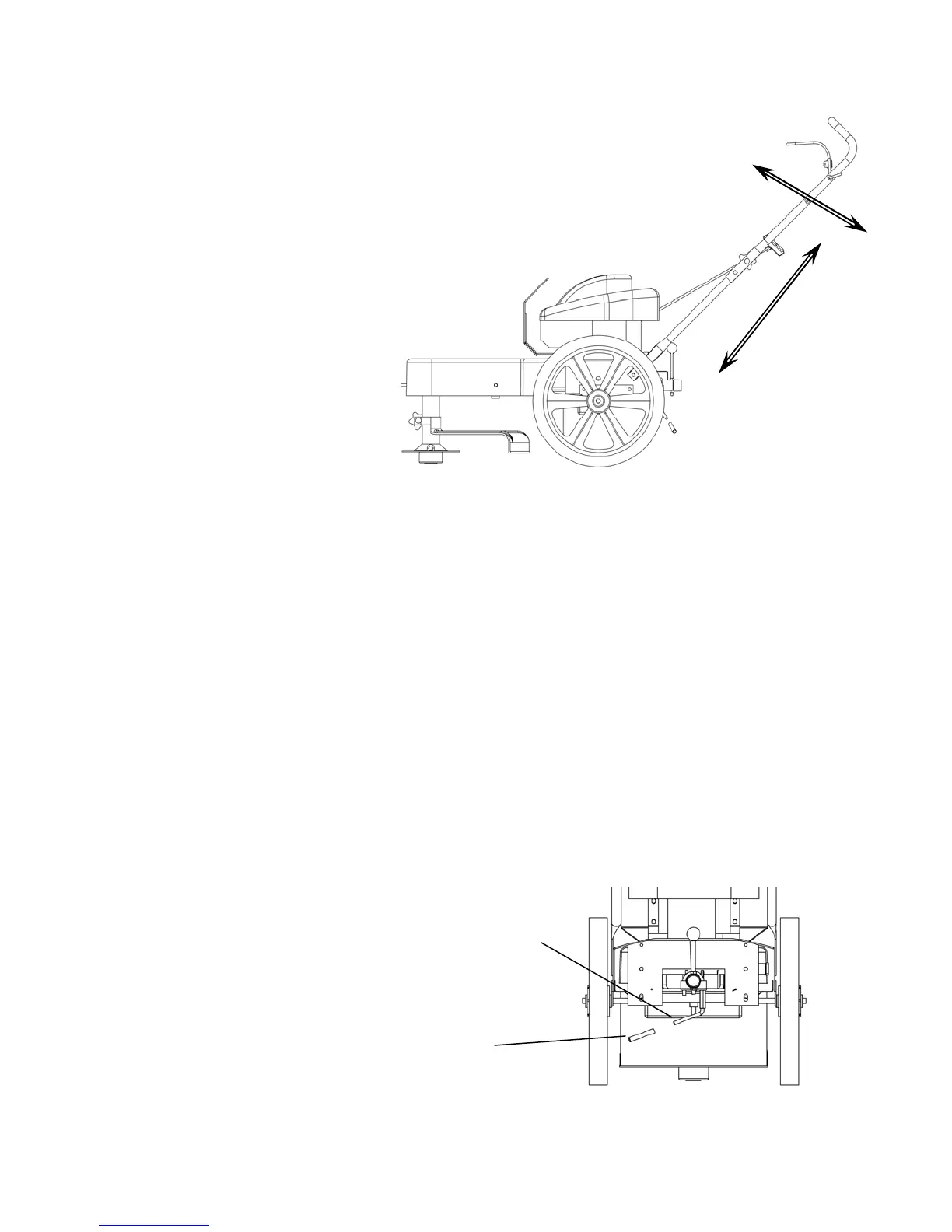
Handles may be adjusted up and down and in and out for comfortable operation.
Handle Adjustment
Install Yellow Plastic Sleeve On Tilt Handle
Applying soap to handle may ease installation
Slip yellow sleeve over handle



 To Next Page