8. Delayed start timer: Setting the timer is optional. To start the cooking process later, press 'timer'
once every half hour (up to a maximum of 9 hours) and the 'timer indicator light' will illuminate. The
first two red numbers indicate the time in hours for a delayed start. The last two green numbers
indicate the (cooking) pressure holding time in minutes.
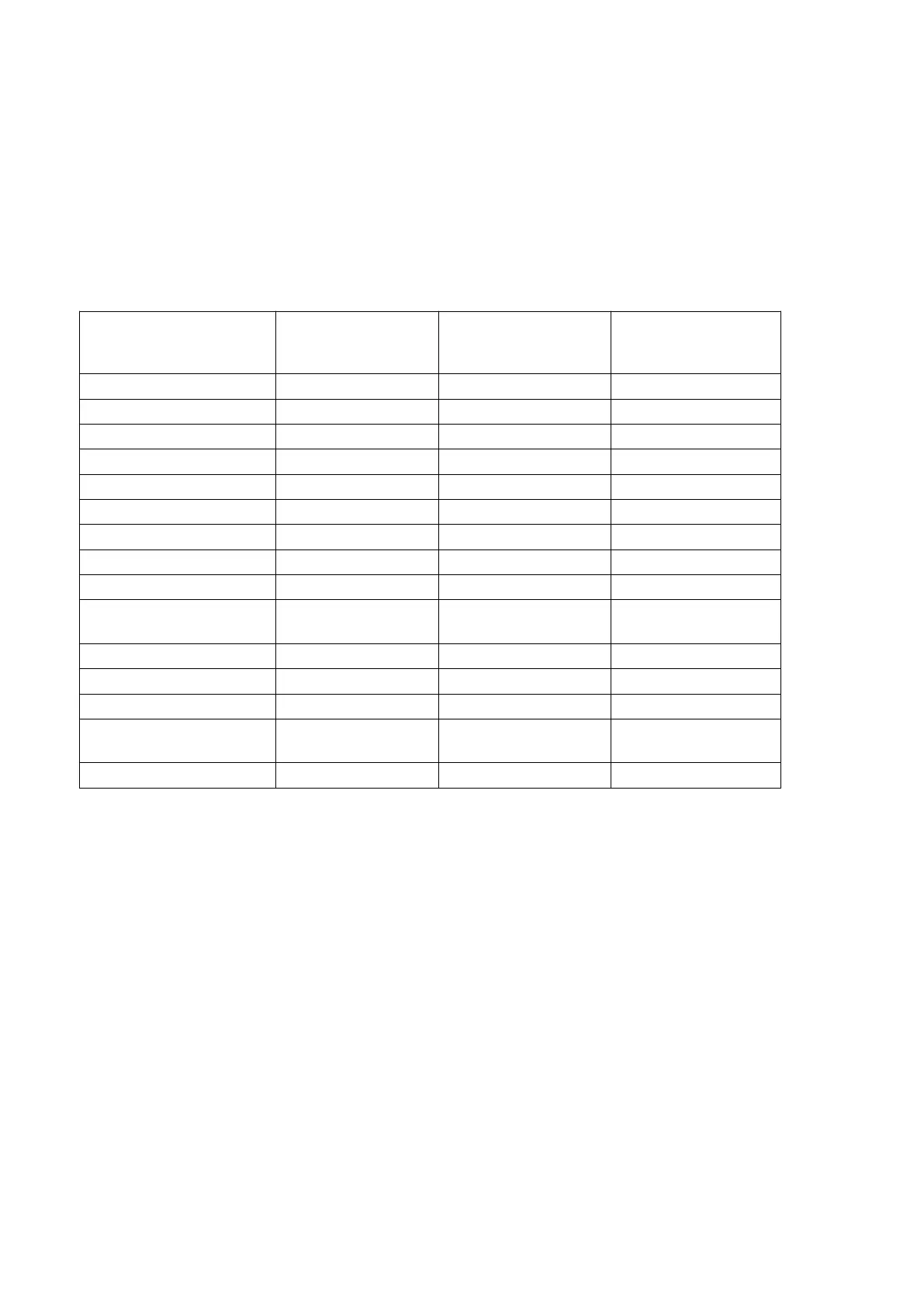
Note: The 1st column of the table below shows the preset cooking times for different types of food.
These are the pressure hold times once the cooker has reached the correct pressure. If these times do
not suit your food, you can adjust the cooking times by pressing the appropriate menu button
repeatedly until the desired time is displayed. The 2nd and 3rd columns in the table below show the
minimum and maximum cooking times programmed for each menu button.
Suggested
cooking time
(mins)
Minimum cooking
time (mins)
Maximum cooking
time (mins)
Vegetables with meat
sauce
Baked shrimp with black
pepper
For example, if you want to cook soup, press the 'soup button' and the green numbers will show "25"
(the suggested pressure hold time). To increase this to 32 minutes, repeatedly press the "soup" button
until the green numbers display "32".
Note: Press the 'warm/cancel button' to cancel a setting at any time.
9. At the end of the cooking time, an alarm will beep three times. The relevant menu indicator will go
out and the display will show “bb” to indicate the end of cooking and the start of the keep warm
cycle. The 'warm/cancel indicator' will flash if the pressure inside is high. It will stop flashing but
stay on when the pressure inside is low.
10. To stop the heating cycle and to serve the food, press the 'warm/cancel' button. Pressing this
button when no parameters have been set and the cooker is not in work mode will activate the
keep warm cycle. To cancel this cycle, press the button again and the indicator will go out.
Please read important notes before proceeding to point 11:
Important notes
When cooking soup or other food containing liquid, do not release steam immediately after the
“warm/cancel” indicator starts flashing. Allow the steam to flow out naturally until the float valve has
dropped and no longer floats. Otherwise, the food may splash out with the steam. A wet towel on
the lid can speed up the cooling time.


 To Next Page