Need help?
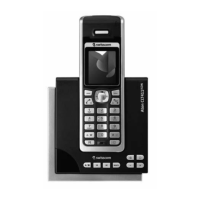
Do you have a question about the Swisscom Fixnet Top A321 ISDN and is the answer not in the manual?
Proper disposal methods for phone components to ensure ecological responsibility.
Lists all items included in the product packaging.
Describes optional accessories available for the telephone.
Instructions for installing software for customising ringtones and pictures.
Guidance on optimal placement of the base station for best range.
Information on using a repeater to extend telephone range.
Instructions for positioning and environmental considerations for the base station.
Explains how the base station and handset communicate securely.
Steps to connect the telephone cable and mains adapter.
Instructions for preparing the handset for operation.
Guide on how to correctly insert batteries into the handset.
Process for charging the handset batteries for the first time.
Describes the guided setup procedure for the telephone.
Explains how to set up and manage multiple phone numbers.
How to switch between different user profiles or MSNs.
Identifies and describes the functions of all keys on the handset.
Explains the meaning of icons shown on the handset display.
Overview of the telephone's menu structure and navigation.
Details the features and controls of the base stations.
Steps to initiate, accept, and end calls.
Using handsfree, secrecy, redial, group call, keypad lock, and internal calls.
Handling enquiries, brokering, and call transfers.
Setting up and managing a conference call.
Adding, editing, deleting, and dialling from contacts.
Transferring contacts and managing SIM card data.
Querying and saving information from the ETV® service.
Viewing, dialling, saving, and deleting call records.
Customising ringtones and volumes for calls.
Activating/deactivating various beep tones for phone events.
Using the phone for baby surveillance and quick emergency dialling.
Information about built-in games.
Viewing costs of last call, total calls, and setting display options.
Setting reminders and alarms.
Managing phone's time and date.
Setting up automatic redirection of incoming calls.
Managing caller identification and suppressing your number.
Procedures for transferring calls and setting up conferences.
Basic SMS functions, writing messages, inbox, outbox, drafts.
Templates, memory, service centre, and alerts.
Managing messages and settings via handset or base station.
Configuring answer machine pick-up delay, message length, and language.
Setting PIN, remote activation, PIN alarm, and operating remotely.
Customising display appearance and language.
Configuring call features and system security.
Settings for PBX connection and signal range.
Configuring multiple subscriber numbers.
Registering, deregistering, and selecting handsets/base stations.
Using EAC for external calls and PBX compatibility.
Restoring defaults and resolving common issues.
Regulatory information, CE symbol, and guarantee terms.
Information on repairs, maintenance, help, and cleaning.
 General
| Brand | Swisscom |
|---|---|
| Model | Fixnet Top A321 ISDN |
| Category | Cordless Telephone |
| Language | English |

 To Next Page