
 Need help?
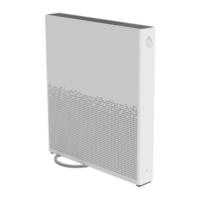
Do you have a question about the Swisscom Internet-Box 3 and is the answer not in the manual?
Initial step to power down the Internet-Box before proceeding with setup or cable changes.
Procedure for disconnecting the existing cable from the previous internet connection.
Instructions for connecting the new internet cable, specifying options for DSL or Fiber connections.
Guidance on connecting the power adapter to the Internet-Box for operation.
Visual indicators on the Internet-Box to confirm successful setup and operational status.
 General
| DECT | Yes |
|---|---|
| Type | Router |
| Telephony | Yes |
| Manufacturer | Swisscom |
| Model | Internet-Box 3 |
| DSL Support | Yes |
| VoIP Support | Yes |
| Frequency Bands | 2.4 GHz |
| Ethernet Ports | 4 |
| WAN Port | 1 |
| Security | WPA, WPA2 |

 To Next Page