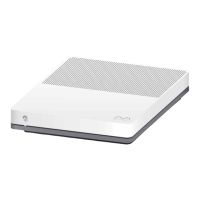
Good Internet connection (via DSL, fibre optics)
Flashes red: No Internet connection
> install the 4G stick.
Flashes white: Internet connection via 4G stick
Declaration of Conformity
The 4G stick is CE-certified. Arcadyan as manufacturer, declares that the 4G stick is in compliance
with the essential requirements and other relevant provisions of the Radio Equipment Directive (RED). The
declaration of conformity may be consulted at www.swisscom.ch/internetbox-doc
Homologation and WEEE
The icon indicates, that the product shall not be treated as household waste. Instead it shall be
submitted to Swisscom. The 4G stick, manufactured by Arcadyan, was designed to meet the
obligation of homologation and to comply with essential requirements and other relevant provisions of
European Directive WEEE (Waste of Electrical and Electronic Equipment) 2012/19/EU.
Manufacturer
Arcadyan Germany Technology GmbH, Koelner Strasse 10B, 65760 Eschborn, Germany
Position the Internet-Box close to a window
If the 4G stick LED lights up green (2G reception), you have to change the
position of the Internet-Box. Place the Internet-Box closer to a window. If
you have 3G reception, we also recommend changing the position if this
enables you to connect via 4G.
USB extension cable
Rather than moving the Internet-Box so that the 4G stick is closer to
the window, you can instead use a USB extension cable. Make sure you
use an active USB extension cable for cable lengths greater than five
metres. You can use a standard USB extension cable for lengths under
five metres.
a) Remove the 4G stick. Reboot the Internet-Box and re-insert the
4G stick.
b) Wait 2 minutes after rebooting. The LED behaviour of the 4G stick
indicates the quality of reception (see LED behaviour).
In case of a DSL / fibre optics failure the Internet-Box will automatically
connect via the 4G stick and you can continue to enjoy your services with
restriction (excluding Swisscom TV).
After the failure, the Internet-Box automatically reconnects via your
DSL / fibre optics connection.
Flashes: the 4G stick is in stand-by mode.
Connection in progress.
4G: excellent connection
> recommended for 4G stick operation
3G: adequate connection for 4G stick operation
> improve reception*
2G: inadequate connection for 4G stick operation
> improve reception*
* 2G
/
3G: Improve reception by changing the position of the 4G stick
(refer to «If mobile reception is inadequate» for more details).
If mobile reception is inadequate
If your Internet connection does not work
with the 4G stick
4G stick LED behaviour
LED
B2C-TSP-UID 11044804 10/24
Swisscom (Switzerland) Ltd.
Postfach
3050 Bern
www.swisscom.chwww.swisscom.ch
0800 800 800
With Internet Mobile Connect, your Swisscom services (excluding Swisscom TV)
will continue to be available during a network fault.
Security information
Internet-Box LED behaviour
Connect the 4G stick to the Internet-Box
Internet Mobile Connect EN
Internet-Box 4 and newer
Internet-Box 3
Internet-Box 2
Internet-Box standard / plus
usb 2.0 port
mobile port
3g/lte port
usb 3.0 port


 To Next Page
 Need help?
 General