Internet-BoxInternet-Box
WLAN-Box
WLAN-Box
ON
Ethernet cable
Room 3
WLAN-Box 3
WLAN-Box 3
Room 1
Room 2
Internet-Box
2
7
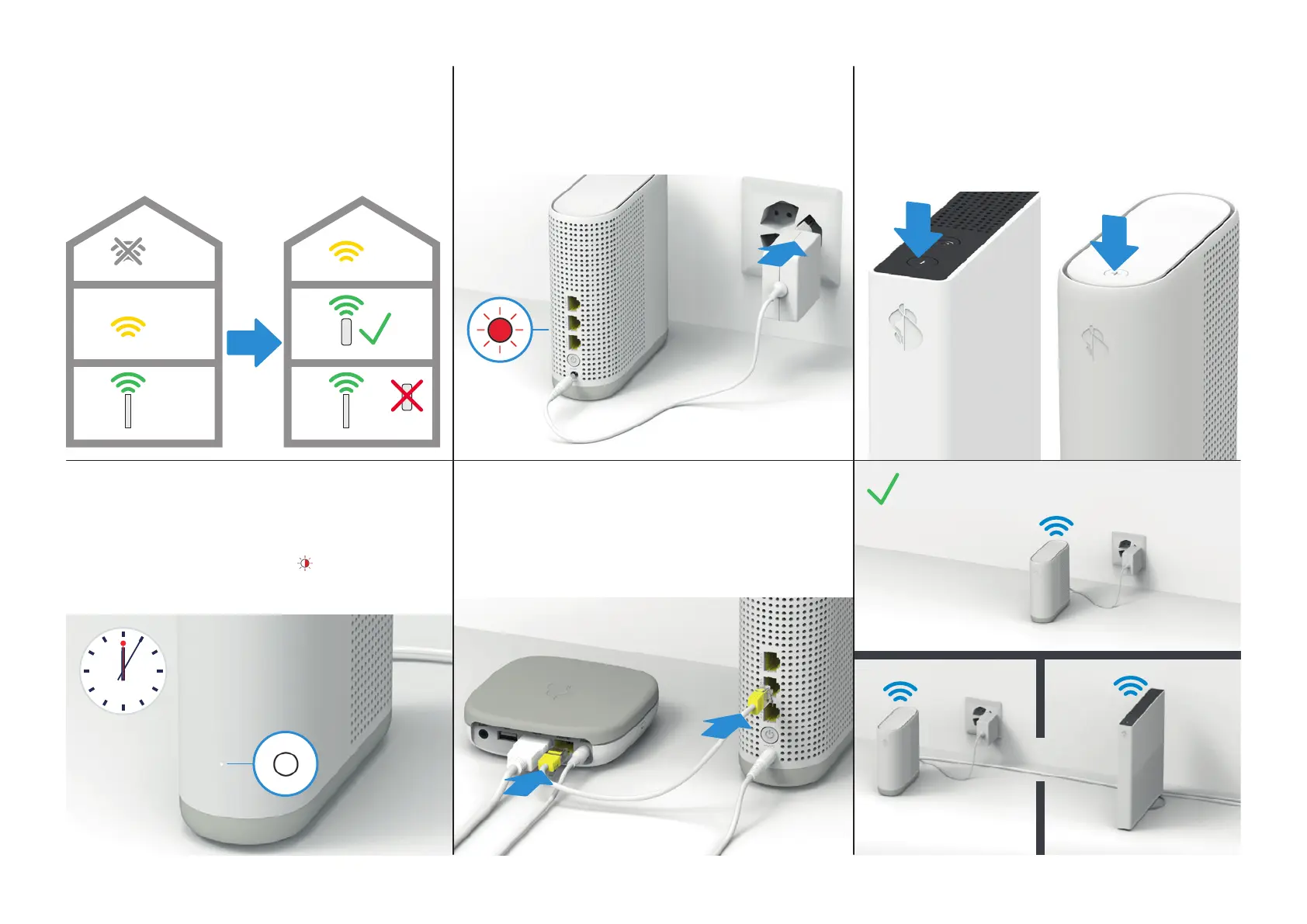
Pairing: press the +button on the Internet-Box
and WLAN-Box 3 within 2 minutes.
Even if you connect the WLAN-Box 3 via Ethernet cable you
must still pair the devices using the +buttons.
Both +buttons then flash white.
Your WLAN-Box 3 is now ready.
Example installation:
5
b WLAN connection: find the best position.
The WLAN-Box 3 can be connected directly via WLAN:
install the WLAN-Box 3 halfway between your
Internet-Box and an area not covered by WLAN.
See also > page 4
6
Connect the WLAN-Box 3 to the power and
switch it on.
Then wait 2 minutes until the Status LED lights up red (5a)
or flashes red (5b).
1
2
WLAN-Box 3Internet-Box
8
Wait until the LED lights up white
constantly (approx. 5 minutes).
The WLAN settings are automatically transferred from
the Internet-Box. The status LED
flashes red and white
in alternation during the process.
See also > page 3
9
Optional: If you are using a TV-Box, connect it
now using the Ethernet cable.
Up to 3 devices can be connected via Ethernet to the
WLAN-Box 3.
See also > page 4


 To Next Page