5
WLAN password
Where do I find my WLAN name (SSID) and WLAN password?
• In app:
• In My Swisscom: swisscom.ch/login
• Also in the web portal: http://internetbox.home
of the Internet-Box > WLAN > Settings
If you do not know the password for the web portal
> «Set new password»
Online help
For more information enter:
swisscom.ch/wlan-box3
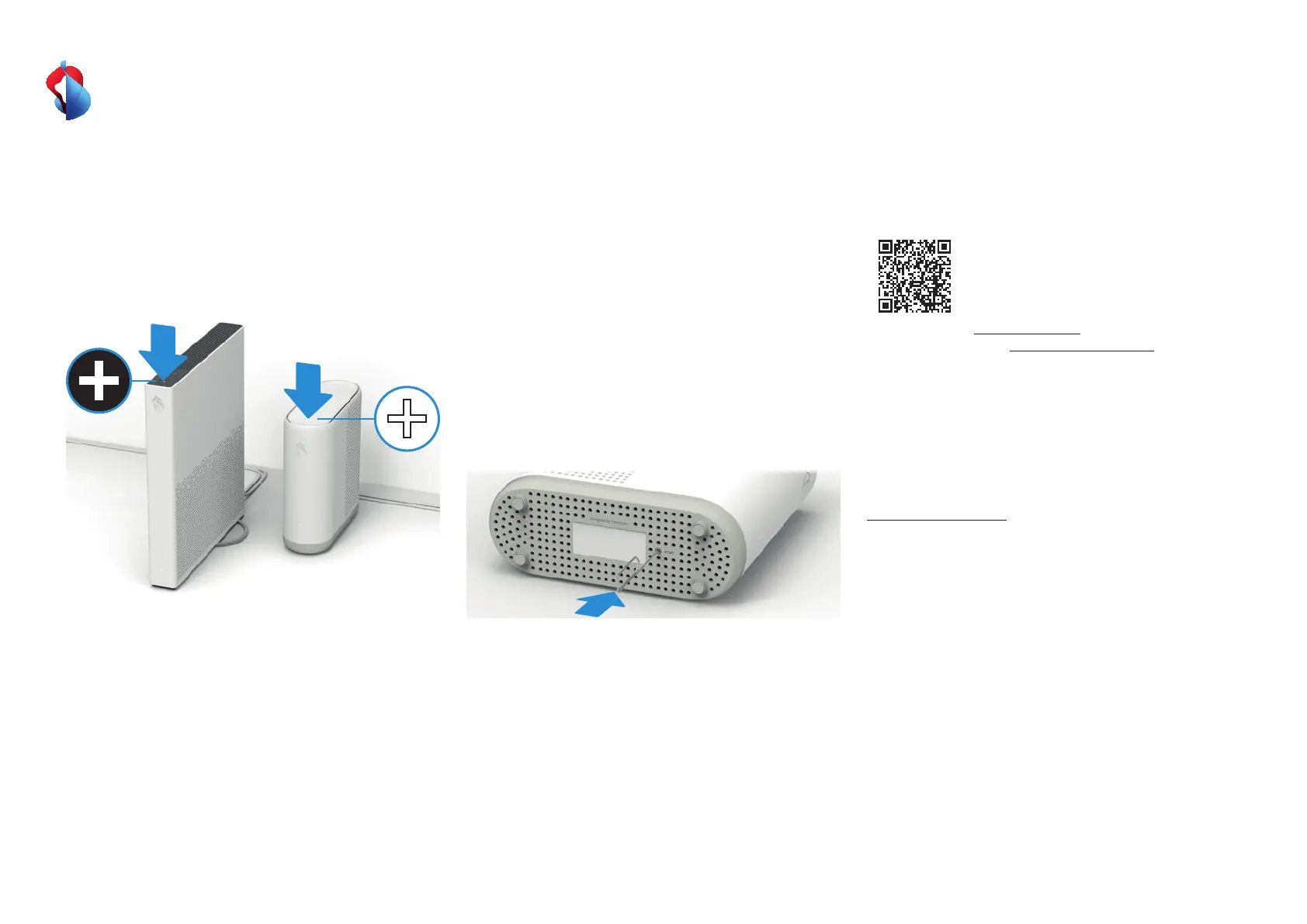
What is pairing?
Before you can use the WLAN-Box 3 in the desired position, you
have to connect (pair) it with the existing WLAN network. Once
they are paired, you can position WLAN-Boxes in your home
anywhere you like. You can connected paired WLAN-Boxes to the
Internet-Box via WLAN or Ethernet cable.
What to do: press both + buttons (Internet-Box and
WLAN-Box 3) within 2 minutes to automatically pair the
2 devices.
You can connect your WPS-ready devices with the WLAN at the
touch of a button, either with the Internet-Box or with a paired
WLAN-Box 3.
1
2
My WLAN-Box 3 is not
working
• Are you using an Internet-Box 2 (or newer) and is the WLAN
switched on? > step 3
• Is your WLAN-Box 3 switched on? > step 6
• Is your WLAN-Box 3 paired? (use buttons, not the web portal)
> step 7
• Does the status LED light up other than white?
> Monitor LED behaviour.
• Reboot the Internet-Box and WLAN-Box 3.
If the WLAN-Box 3 still doesn‘t work or you want to restore the
default settings, perform a reset and follow the instructions on
page 1 from step 5 onwards.
Swisscom (Switzerland) Ltd
Postfach
3050 Bern
swisscom.ch/internetbox-help
0800 800 800
B2C-TSP-UID 09/22 EN


 To Previous Page