Need help?
Do you have a question about the SwissPhone RES.Q and is the answer not in the manual?
Steps to enter the user menu using navigation keys and confirm selections.
How to deactivate the key lock by pressing two keys simultaneously.
Information shown on the display when the DOWN key is held.
Explains various symbols that can appear in the status line.
How to receive, alert, and scroll through new messages.
How to send confirmations like 'On my way' or 'Be there'.
How to enter a PIN to unlock the device on startup.
How to transmit an emergency call by pressing and holding the OK key.
Device's automatic re-transmission of position after an emergency call.
Simulating an emergency call to verify transmission.
Details on using the mains power device for charging.
Recommendations for safe battery handling and charging.
Important safety warnings regarding device operation and environment.
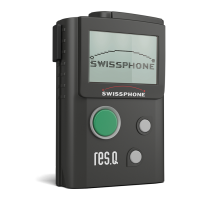
The Swissphone RES.Q is a robust and versatile terminal designed for reliable communication in critical situations. It combines a digital alerting receiver, a cellular module, and an optional GPS module, all housed in a user-friendly design with simple operation via three keys and a graphic display.
The primary function of the RES.Q is to receive and display digital alerting messages. Upon receiving a message, the device alerts the user with an audible signal, vibration, and illuminated display. Messages are stored in the "Read messages" memory and can be scrolled through using the OK and DOWN keys. New, unread messages are indicated on the main display.
A key feature is the ability to transmit user confirmations after a message has been read. Users can select predefined responses (e.g., "On my way," "Be there in 20 min.") and transmit them via the cellular feedback channel to a command and control centre. This feedback is processed and evaluated, providing critical information on response status. If "Quit" is selected, no confirmation is transmitted. There's a pre-defined delay after which transmitting a user confirmation is no longer possible.
The device also includes a "Call reminder" feature, which, if configured, will re-alert the user about unread messages after a pre-set time. This function is deactivated once all messages have been read. The last received message can be quickly accessed by pressing the OK key, displaying the message header with reception time, capcode name/index, and an arrow indicating more text. Messages can be managed within the "Read messages" menu, allowing for permanent deletion of individual messages or the entire list. Important messages can be protected and moved to a "Protected messages" menu to prevent accidental deletion.
An integrated alarm clock function allows users to set an alarm with options for "Snooze" (re-alerts after 5 minutes) or "Stop" (silences the alarm but keeps it active for the next day). The alarm can even activate the device if it's switched off at the set alert time.
The RES.Q features an "Emergency call function" (SOS emergency call). By pressing and holding the OK key for 2 seconds, a pre-alarm timer begins. If the OK key remains pressed until the timer counts down to zero, an emergency call is triggered and transmitted to the command and control centre for approximately 20 seconds. The display indicates "Emergency call triggered" and then "Emergency call sent." Releasing the OK key during the pre-alarm period aborts the call. An alarm siren is activated upon transmission to signal local help. After an emergency call, the device attempts "Repeat position finding" to determine its current GPS position, indicated by a flashing GPS symbol. Emergency calls, including test calls, are logged in the "Emergency call log" with details like incident type, transmission quality, and date/time. A "Emergency call test" function allows users to simulate an emergency call to verify its transmission to the station.
Swissphone disclaims responsibility and guarantee for the document's contents. Operating instructions are subject to change.
 General
| Brand | SwissPhone |
|---|---|
| Model | RES.Q |
| Category | Security System |
| Language | English |

 To Next Page