IP10S / IP10 user guide 11 02P182000Aen
Getting started
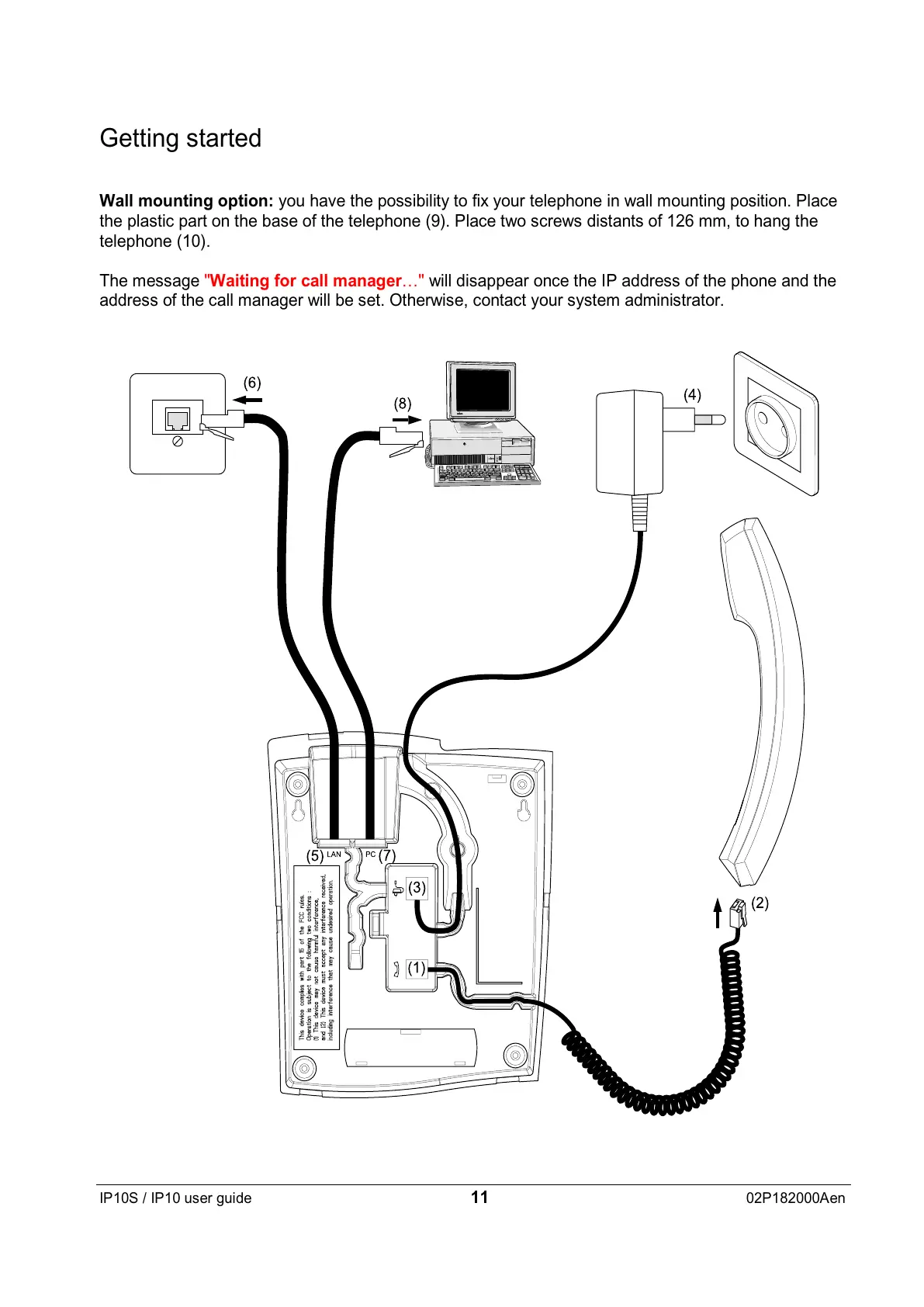
Wall mounting option: you have the possibility to fix your telephone in wall mounting position. Place
the plastic part on the base of the telephone (9). Place two screws distants of 126 mm, to hang the
telephone (10).
The message "Waiting for call manager…" will disappear once the IP address of the phone and the
address of the call manager will be set. Otherwise, contact your system administrator.


 To Next Page