7
Installation
Step 1: Add your SwitchBot Curtain 3 Rod to our app.
Open our app and sign in to your account. Tap “+” at the top right-hand corner of the
home page, find the Curtain icon, and select. Then follow the instructions to add your
SwitchBot Curtain 3 Rod.
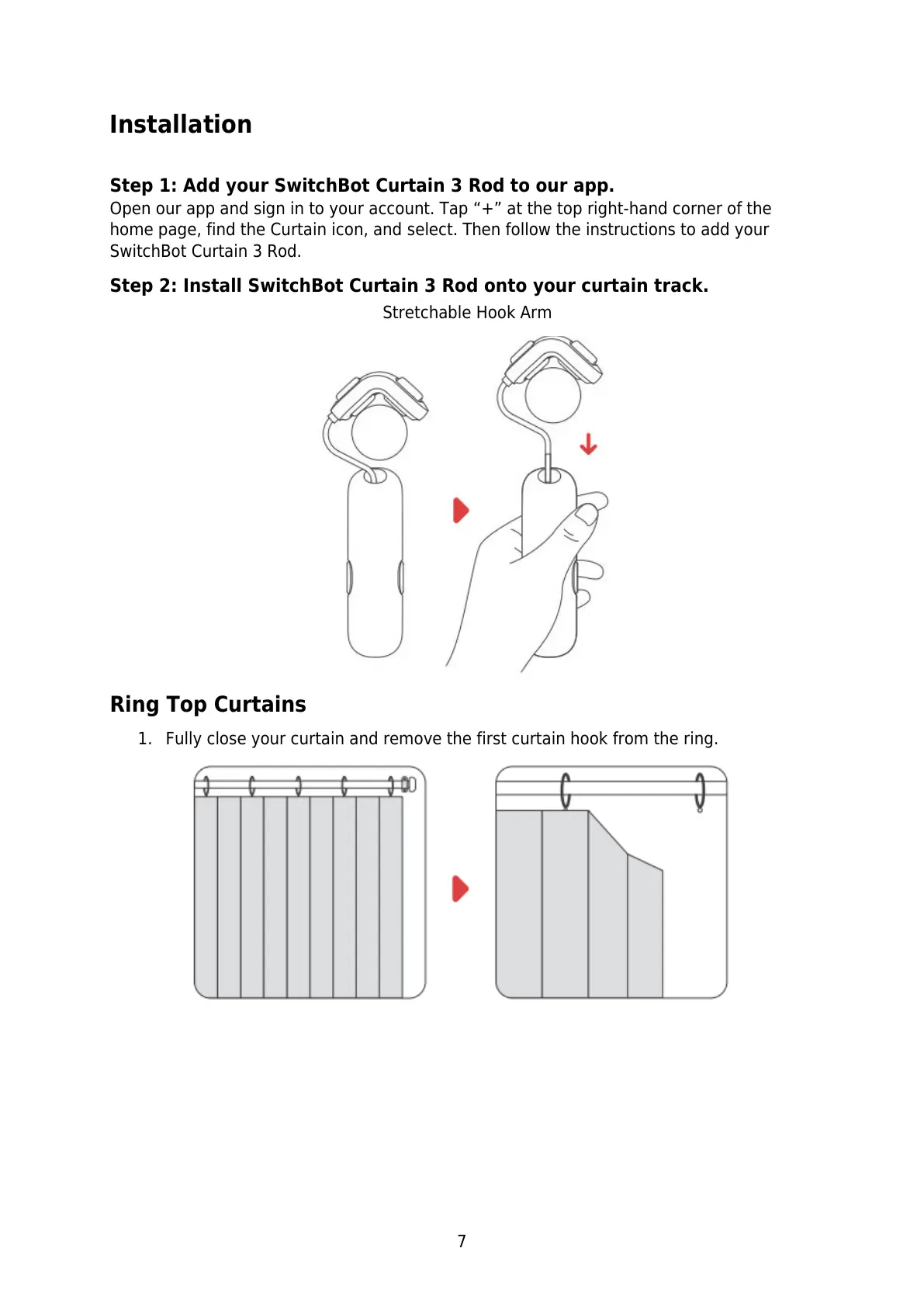
Step 2: Install SwitchBot Curtain 3 Rod onto your curtain track.
Ring Top Curtains
1. Fully close your curtain and remove the first curtain hook from the ring.



 To Next Page