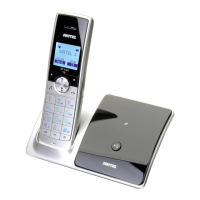
Operating Elements
161
Icons and texts in the display
Icon Description
Indicates the battery capacity (full, half empty, almost empty).
Segments empty: The batteries must be charged.
Run−through segments: The batteries are being charged; Page 158.
Segments on: The batteries are fully charged.
Connection to the base unit.
Flashing: Poor or no connection.
On: Good connection.
Flashing: A call has been received; Page 171.
On: A call is currently in progress; Page 171.
Missed calls.
New calls have been registered in the call list; Page 179.
You have opened the phone book; Page 175.
The entry or display has more characters to the right; Page 176.
The entry or display has more characters to the left; Page 176.
On: The answering machine is on; Page 183.
Flashing: New messages recorded on the answering machine; Page 185.
Or: The memory capacity of the answering machine is full.
Delete messages; Page 186
The ringing tone has been switched off; Page 174.
The microphone is deactivated (muted); Page 175.
The handsfree facility is activated; Page 175.
The key lock function is activated; Page 171.
The alarm clock is switched on; Page 181.
Answering machine provided in the telephone network.
VMWI − Supplementary service offered by telephone network providers;
Page 193.


 To Next Page