Need help?
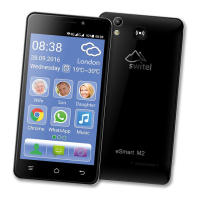
Do you have a question about the switel eSmart M2 and is the answer not in the manual?
Overview of the phone's physical layout and key components.
Step-by-step guide for inserting SIM, memory cards, and battery.
Instructions and best practices for charging the phone's battery.
Procedures for powering the mobile phone on and off.
Initial setup guide for new users upon first startup.
Instructions for securing and unlocking the phone's display.
Information on physical buttons, including the SOS function.
Guide to using the on-screen keyboard for typing input.
How to activate the dedicated emergency call feature.
Details the procedure when the SOS button is activated.
How to stop an ongoing emergency call.
Configuration options for the emergency call feature.
 General
| Display Size | 5.0 inches |
|---|---|
| Rear Camera Resolution | 5 MP |
| SIM Card Slots | Dual SIM |
| Bluetooth | Yes |
| FM Radio | Yes |
| Display | IPS LCD |
| Resolution | 480 x 854 pixels |
| RAM | 1 GB |
| Internal Storage | 8 GB |
| Rear Camera | 5 MP |
| Front Camera | 2 MP |
| Battery | 2000 mAh |
| Wi-Fi | Yes |
| GPS | Yes |
| Weight | 145 g |
| Processor | Quad Core 1.3 GHz |
| Expandable Storage | microSD up to 32 GB |
| Network | 3G |

 To Next Page