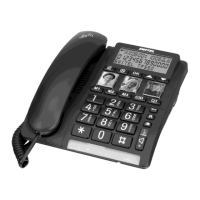
Character table
Each number button has been allocated certain
characters.
Button Letters/symbols:
1................... [Space character] + & - / X 1 Pe
2................... A B C Å Ä Æ æ å ä ß 2
3................... D E F ë 3
4................... G H I ï 4
5................... J K L 5
6................... M N O Ñ ñ Ö ö 6
7................... P Q R S 7
8................... T U V Ü ü 8
9................... W X Y Z 9
*.................... ` @ ( ) * < >
0.................... : ? = 0
#................... $ _ % ! ; #
Storing contacts
1. Press .
2. Press and hold until SAVE? is displayed.
Press .
3. Enter the phone number. Press .
4. Enter the name. Press the corresponding digit
key for the first letter, one or more times, see
Character table.
5. Press . SAVED is displayed.
If you need to insert a pause in the phone number
press (Up-key /4). Mistakes can be erased
with .
Dialing from the phonebook
1. Press .
2. Scroll using . Quick search by pressing
the corresponding digit key for the first letter, one
or more times, see Character table.
3. Press OK, and lift the handset.
Edit contacts
1. Press .
2. Scroll to the desired entry using
3. Press and hold until EDIT? is displayed.
4. Press and hold .
5. Correct/change the number using and .
Press .
6. Correct/change the name, see Character table.
Press . SAVED is displayed.
Deleting contacts
1. Press .
2. Scroll to the desired contact using .
3. Press
,
the display shows DELETE?.
4. Hold
down until the number disappears.
Tip: To delete all contacts, press and hold
until
DELETE ALL? is displayed.
Retrieving and dialing incoming numbers
1. Press CID (7)
2. Press to scroll through received phone
numbers/calls.
3. Press OK and lift the handset.
Deleting phone numbers
1. Scroll to the desired number using .
2. Press , DELETE? is displayed or press and
hold
until DELETE ALL? is displayed.
3. Hold down until the number disappears.
Transferring numbers to the phonebook
1. Press CID.
2. Scroll to the desired entry using .
3. Press and hold until COPY NUMBER is
displayed.
4. Press and hold . SAVED is displayed.
Messages
Apart from phone numbers, the display can show:
OUT OF AREA - no information received, e.g. an
International call.
PRIVATE - the call comes from a withheld number
or a PBX.
- number not previously seen
- several calls have been received from this
contact.
- a call was recveived while using the Call
Waiting function.
MESSAGE WAITING / - indicating a waiting
message. Message indication can be erased
manually with


 To Next Page