EasyManua.ls Logo

Swordfish 1000XCD - User Manual

Swordfish 1000XCD
2 pages
Print Icon
To Next Page IconTo Next Page
Loading...
Operating Instructions
Bedienungsanleitung
Mode d’emploi
Istruzioni per l’uso
Instrucciones de funcionamiento
Instructies
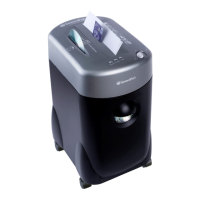
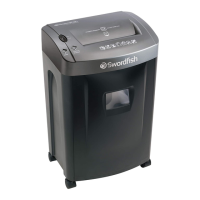
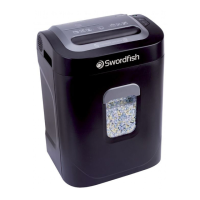
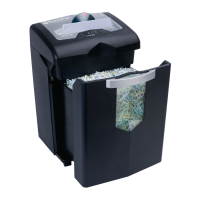
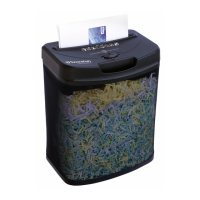
Space-Saver Cross Cut Shredder 1000XCD
Main switch auto-off-rev
CD/DVD slot max. 1 unit per go
2m/min shredding speed
Level 3 security confetti
15 litre waste bin
Installation
 
 
Operation
The switch on your Swordfish shredder enables you to select one of the followings settings:
• auto- with this setting the shredder is automatically started by inserting paper into the feed
slot. With the electrical cord plugged in, the slide switch in the auto position and the shredder
ready LED will light up
• rev-
of paper that has not passed through properly
• off- this setting turns off all functions of the shredder
Capacity
This Swordfish shredder will shred:
• up to 10 sheets of 80gsm paper per pass, with a max width of 220mm
• single credit cards through the designated credit card slot in the middle of the paper feed opening
• single CDs or DVDs. Hardened steel rollers emboss hundreds of tiny dots onto both sides of a CD

Continuous shredding should not last more than 3 minutes, after which the shredder should be
allowed to cool down for 20 minutes before continuing. If the shredder is used continuously for
more than 3 minutes, the shredder will automatically switch itself off. After an auto power off, put the

In case of a minor
The overload LED will light up. Grasp the excess paper from the top and pull it out as you press
rev button.
In case of a major
The shredder will automatically switch itself off. After an auto power off, put the switch into the off

and pull it out as you press the rev button.
Warning
 
 
 
Swordfish shredder
 
 
 
 
 
 
blades, at least once a month
ENGLISH
DEUTSCH
Installation
 
 
Betrieb

 auto-

auto gestellt wird, leuchtet die
ready LED
 rev
Messern entfernt werden
 off-
Kapazität

 
 
geschoben werden,
 
Seiten einer CD oder DVD und verhindern damit permanent das Lesen der gespeicherten Daten





Bei einem kleineren


Bei einem größeren




Warnhinweise
 
 

 

 

 
 

 
 
 


Credit Card slot max. 1 unit per go

London, England

Question and Answer IconNeed help?

Do you have a question about the Swordfish 1000XCD and is the answer not in the manual?

Summary

Installation and Setup

Waste Basket Placement

Ensure the waste basket is securely in place before operating the shredder.

Power Connection

Connect the shredder's electricity plug to any standard power socket.

Shredder Operation Modes

Auto Mode

Shredder starts automatically when paper is inserted into the feed slot.

Reverse (Rev) Mode

Used to clear paper jams by reversing the cutters' rotation.

Off Mode

Turns off all functions of the shredder, ensuring safety.

Shredding Capacity Details

Paper Sheet Capacity

Shreds up to 10 sheets of 80gsm paper per pass, max width 220mm.

Credit Card Shredding

Shred single credit cards through the designated slot in the feed opening.

CD;DVD Shredding

Shred single CDs or DVDs; rollers emboss dots making data unreadable.

Paper Jam Handling Procedures

Minor Paper Jam

Use 'rev' mode to pull out excess paper when 'overload' LED lights up.

Major Paper Jam

Automatic shut-off; use 'off' for 50 min, then 'rev' to clear paper.

Important Safety Warnings

General Handling and Safety

Keep fingers clear of feed slot, disconnect power before cleaning, no user repairs.

Prohibited Items and Objects

Keep loose clothing, hair, jewelry away; avoid paper clips, soft plastics.

Child Safety and Maintenance

Keep children away; empty waste bin; lubricate blades monthly.

Swordfish 1000XCD Specifications

General IconGeneral
Shred TypeCross-Cut
Security LevelP-4
Auto Start/StopYes
Overload ProtectionYes
Shred Size0.16 x 0.55 inches
ShredsPaper, Credit Cards, Staples

Related product manuals