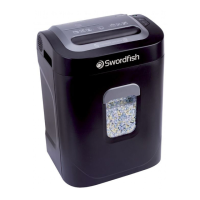
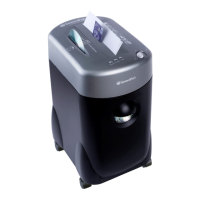
Operating Instructions
www.snopakebrands.com
Installation
• Make sure the waste bin is securely in place.
• Connect the electricity plug to any standard power socket
Operation
Turn on the Master on/o switch at the back of the shredder. Press the Auto switch on the front panel of the shredder and ready
light will illuminate
• Make sure the waste bin is fully inserted into the shredder housing or the machine will not operate
• Feed the paper/credit card into the appropriate slot and the machine will start automatically, and stop when shredding has
nished
• If you want to stop shredding or for emergency release - press & hold the reverse button
• After shredding, press the power button to turn o the shredder
Capacity
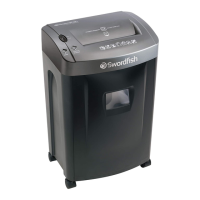
This Sword sh shredder will shred:
• up to 24 sheets of 80gsm paper with a max width of 220mm
• credit cards through the credit card slot in the middle of the paper feed opening
Continuous shredding should not last more than 30 minutes, after which the shredder should be allowed to cool down for 9
minutes before continuing.
In case of a minor paper jam:
The automatic paper reverse feature should activate and eject any minor paper jams when they occur. Make sure to remove the
un-shredded paper from the feed opening. The overload light should go out and normal shredding can resume. If for some reason
the automatic paper reverse does not activate, grasp the excess paper from the top and pull it out as you press the reverse button.
In case of a major paper jam:
The shredder will automatically switch itself o . After an auto power o , put the switch into the o position for 9 minutes before
turning the shredder back on. Grasp the excess paper from the top and pull it out as you press the reverse button.
Oiling Instructions
• To ensure proper operation and function, periodic oiling of the cutting system is required. Failure to oil your cutting system
could result in reduced sheet capacity performance, excess noise, paper jams and possibly machine failure.
• Oil your cutters every time you empty the bin. (See opposite)
•
Use only oil designed for use in shredders! Never use ammable or aerosol lubricants.
• Lubrication should always be done when the shredder is cold. Never add oil to a hot shredder.
• On no account should any aerosol product be used on or near this machine, as the propellants may be ammable.
Warning
• Do not place ngers too close to the feed slot as serious injury may occur
• Always disconnect the power plug before cleaning a Sword sh shredder
• Repairs must be carried out by a specialist. There are no user-serviceable parts inside a Sword sh shredder. Unauthorised
attempts to service the machine will invalidate the warranty
• Keep the waste bin emptied so that the shredder output is not impeded.
Failure to do so can cause serious damage
• Sword sh shredders should only be used within the de ned capacity
• Keep all loose articles of clothing, ties, jewellery, long hair or other loose objects away from opening
• Keep children away from the machine. This shredder is not a toy
• Do not pass paper clips or soft plastics through the shredder
• Shredders should be oiled on a regular basis and before any period of intensive shredding
• Lubrication should always be done when the shredder is cold. Never add oil to a hot shredder
•
Follow these operating instruction. Damage caused by misuse will not be covered by warranty
6
Disposal Information (WEEE)
Products and batteries marked with this symbol must not be
disposed of with normal household waste.
This symbol implies that the products contain materials that can be
recovered or recycled, reducing the demand for raw materials.
Please recycle electrical products according to your local regulations
and provisions
CE Mark
The CE Mark on the shredder indicates it’s
compliance with EU legislation. It con rms that the
shredder meets EU safety, health or environmental
requirements.
The Declaration of Conformity can be viewed at
www.snopakebrands.com.



 To Next Page
 Loading...