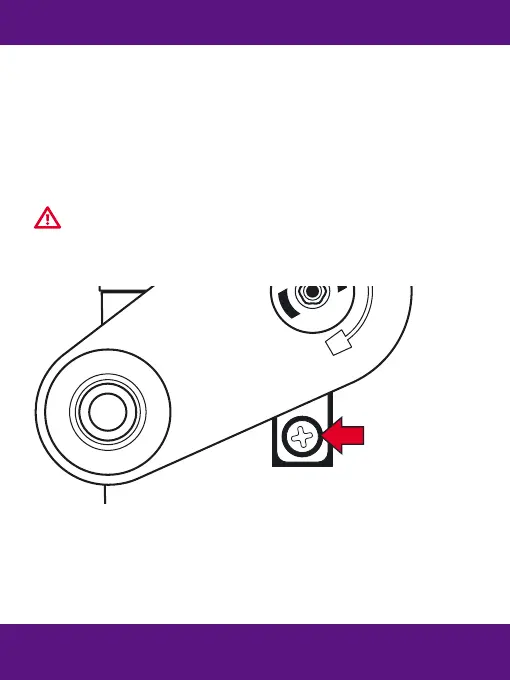
Clean or replace the blade assembly
WARNING - the edges of the helical blade are sharp!
●
Remove the shavings tray.
● Remove the screw indicated.
● Withdraw the blade assembly.
● Clean the helical blade with a sti brush.
● Clear any blockage with a thin sharp object.
● Replace the blade assembly (code 40306) when it becomes blunt.
Shavings Tray
● Pull the shavings tray forward to remove it from the sharpener.
● Do not allow the shavings tray to over- ll as this can cause
permanent damage to the sharpener mechanism.
For troubleshooting and product support,
please visit www.snopakebrands.com


 To Previous Page