Page 4 of 9 9/19/2012
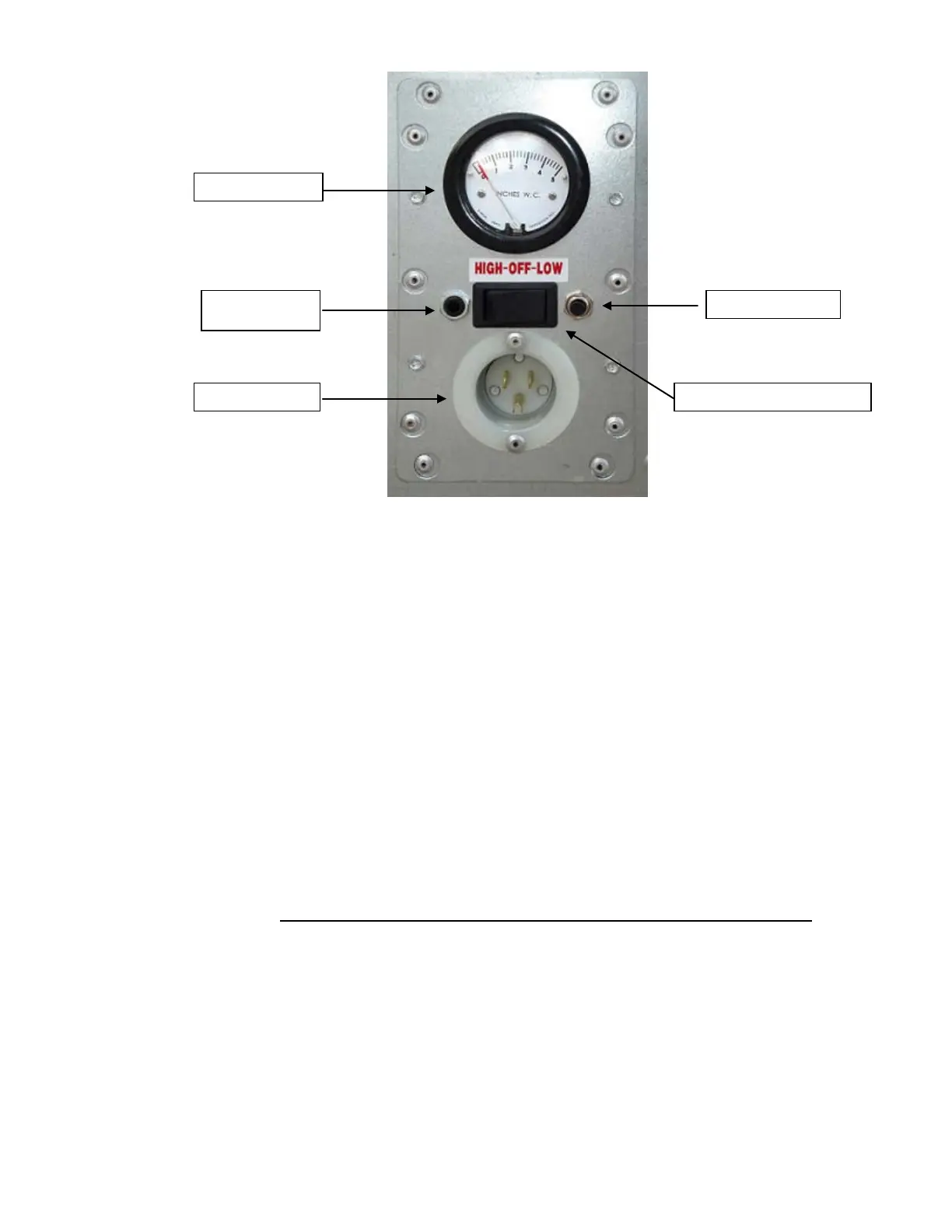
Fig. 1 Control Panel
3.3 Control Panel:
3.3.1 High-Off-Low Switch to start and select the speed of the unit
3.3.2 Push Button Breaker 20 Amp
3.3.3 Power Supply Receptacle
3.3.4 Pressure Gauge
3.3.5 Sensing Port
3.4 Turning unit On:
3.4.1 The switch must be in off position, before connecting the power supply.
3.4.2 The main switch is located on the control panel (see fig. 1) and is a three position
switch (High-Off-Low). Push the switch to the right to operate in low speed or to the
left to operate in high speed, the middle position is off.
3.5 Turning unit Off:
3.5.1 To turn the unit off, set the switch to the middle position.
Sensing Port



 To Next Page