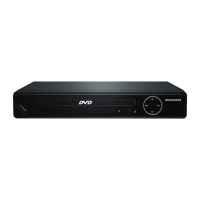
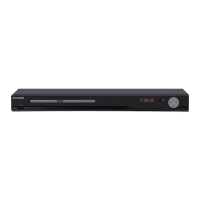
This document is a user manual for the Sylvania SDVD6670 DVD player, providing essential information for its safe operation, setup, and maintenance.
Function Description
The Sylvania SDVD6670 is a digital video medium player that supports the MPEG II format, offering a variety of entertainment capabilities. It provides an excellent picture with a minimum resolution of 500 lines on screen. The player supports up to 8 language soundtracks, 9 views from different camera angles, and 32 language subtitles, provided these features are supported by the DVD disc itself. In addition to DVDs, the player can handle various disc types including CD-DA, CD-MP3, Kodak Picture CD, CD-R, and CD-RW. It features multiple output options, including composite video, 2.0CH audio, component YUV (Y.Cb.Cr), coaxial digital signal, and HDMI, allowing for versatile connection to different display and audio systems. The device also includes a USB port for playing media from USB devices.
Usage Features
Remote Control Operation:
The DVD player is primarily controlled via its remote. The remote allows for basic functions such as powering on/off, opening/closing the disc tray, and playing/pausing media. Advanced features include:
- Title and Menu Navigation: Accessing DVD title menus or disc menus.
- On-Screen Display (OSD): Displaying current time, counter position, and other playback information.
- PBC (Playback Control): For VCD/SVCD playback, enabling or disabling PBC mode to navigate content.
- Numeric Keypad (0-10+): Directly inputting track, chapter, or title numbers, and selecting numeric items displayed on screen.
- Slow Motion Playback: Playing discs at various slow speeds (1/2, 1/4, 1/8, 1/16) during AVI, DVD, VCD, or SVCD playback.
- Previous/Next Track/Chapter: Navigating between chapters, titles, or tracks.
- Repeat Modes: Repeating tracks, chapters, titles, or all content. For VCD/CD playback, there are three modes: repeat track, repeat All, and Off. For AVI/DVD playback, there are three modes: repeat chapter, repeat title, repeat all, and Off.
- A-B Repeat: Repeating a specific section of a disc by setting start (A) and end (B) points.
- Fast Reverse/Forward: Playing discs in reverse or forward at accelerated speeds (2, 4, 8, 16, 32 times normal speed).
- Mute: Toggling audio on/off.
- R/L (Audio Channel Selection): Selecting audio output channels (Left, Right, Mix, Stereo) during VCD/SVCD playback.
- Clear: Deleting entered numbers during programming.
- Stop: Stopping playback, with a single press for pause/hold and a double press for complete stop.
- Return: For VCDs with PBC on, returning to the menu to make another selection.
- Zoom: Magnifying the image during VCD/SVCD/DVD/AVI playback at various levels (2X, 3X, 4X) and reducing it (1/2, 1/3, 1/4).
- Step: Advancing the picture frame by frame during AVI/DVD, VCD, SVCD disc playback.
- Setup Menu: Accessing a multi-level setup menu for various settings.
- Volume Control (VOL +/-): Adjusting the audio volume.
- Subtitle Selection: Choosing from up to 32 subtitle languages during DVD playback (disc-specific).
- Angle Selection: Viewing scenes from different camera angles during DVD playback (disc-specific).
- Language Selection: Choosing from up to 8 audio languages/formats during DVD playback, or up to 4 during SVCD playback.
- GOTO: Navigating to specific chapters, titles, or times on DVD discs, or tracks, times, or disc times on VCDs.
- Program (PROG): Programming desired songs when reading DVD & VCD (requires TITLE and MENU support on DVD).
System Connection:
The player offers various connection options:
- Audio/Video Cable: Connects to the TV using yellow (video), white (audio L), and red (audio R) terminals.
- Component YUV (Y.Cb.Cr) Output: For higher quality video connection.
- Coaxial Digital Signal Output: For digital audio output.
- HDMI Output: For high-definition audio and video connection to compatible TVs. Users need to set the TV mode to 'HDMI' and select the desired HDMI mode (480P, 576P, 720P, 1080i, 1080P) in the player's system setup.
USB Playback:
The unit supports USB devices. To use, power on the unit, insert a USB key, and the unit will automatically read the USB content. If a DVD is playing, the USB button on the remote can switch the input source between DISC and USB.
OSD Setup:
The player's setup menu allows users to customize various settings:
- General Setup: TV system (NTSC, PAL, AUTO), power resume, video output (Interlace-YUV, P-Scan YPBPR, 480I/576I, 480P/576P, 720P, 1080I, 1080P), HDMI settings, TV type (4:3PS, 4:3LB, 16:9), password, rating (KID SAFE to ADULT), and default settings.
- Language Setup: OSD language, audio language, subtitle language, menu language, and voice guide.
- Audio Setup: Audio output (SPDIF/OFF, SPDIF/RAW, SPDIF/PCM, AUTO, PCM) and key settings.
- Video Setup: Brightness, contrast, hue, saturation, and sharpness adjustments.
- Speaker Setup: Downmix (LT/RT, STEREO) and front speaker size (LARGE, SMALL).
- Audio Parameters: OP mode (LINE OUT, RF REMOD), dynamic range (FULL, 1/2, 1/4, OFF), and dual mono (STEREO, MONO L, MONO R, MIX MONO).
- Parental Control: Setting a desired rating with a default code of "0000". The password can also be changed.
- Voice Guide: Enabling or disabling voice guide in the language setup.
Maintenance Features
Safety Information:
The manual emphasizes crucial safety precautions to prevent fire, electric shock, and injury:
- Moisture Avoidance: Do not expose the unit to rain or moisture, and avoid using it near water sources like bathrooms, laundry areas, or swimming pools.
- Ventilation: Ensure ventilation slots are not blocked to prevent overheating. Do not place the product on soft surfaces or in enclosed spaces without proper ventilation.
- Power Cord Protection: Protect the power cord from being walked on or pinched.
- Servicing: Only qualified service personnel should perform servicing. Do not attempt to open or repair the unit yourself, as dangerous high voltages are present.
- Laser Safety: The compact disc player is a CLASS 1 LASER PRODUCT. Avoid direct exposure to the laser beam.
- Attachments/Accessories: Only use manufacturer-specified attachments and accessories.
- Lightning Storms: Unplug the apparatus during lightning storms or when unused for long periods.
- Battery Safety: Do not expose batteries to excessive heat.
- Environmental Considerations: Dispose of batteries according to government regulations.
Disc Care:
Proper handling of video discs is essential for longevity:
- Handling: Hold discs by the outer edge or center spindle hole; avoid touching the surface.
- Storage: Store discs vertically in a dry condition, away from direct sunlight, heat sources, and extreme humidity.
- Cleaning: Clean disc surfaces with a soft, dry cleaning cloth, wiping gently from the center toward the outer edge. Do not use thinners, alcohol, chemical solvents, or sprays, as these can permanently damage the disc.
Troubleshooting:
The manual provides a troubleshooting guide for common issues:
- No Power: Check power cord connection and main power switch.
- Does Not Play: Ensure a disc is loaded correctly (label side up), check disc region code, verify disc type compatibility, and inspect for damage or dirt. If moisture is condensed, leave the unit powered on for one to two hours.
- No Picture: Check TV power, ensure TV is set to the correct A/V input, verify system connections, and inspect cables for damage. Clean the disc if necessary.
- Picture Noise/Distorted: Clean damaged/dirty discs, reset the player's color system or TV settings, and try connecting the player directly to the TV instead of through other components.
- Picture Not Full Screen: Adjust screen format from the player's SETUP MENU or the DVD disc menu.
- Malfunction: If the player malfunctions, unplug it for 30 minutes, then power it on to reset.
- Cannot SKIP or SEARCH: Some discs are programmed to restrict these functions in certain sections. Single-chapter discs may not support SKIP.
- No Sound/Incomplete Sound Output: Check TV and amplifier power/settings, system connection, audio track selection (LANGUAGE button), and MUTE function. Note that there will be no sound during PAUSE/STEP/SLOW and SEARCH.
- MP3 Disc No Sound/Noisy: If PC program or data files are mixed with MP3 files on the same disc, the player may play non-MP3 files with noise. Check if all files are MP3s and try skipping files.
- Remote Control Not Functioning: Remove obstacles between the remote and player, point the remote directly at the sensor, check battery polarities, and replace batteries if needed.
The manual emphasizes reading all instructions carefully and retaining them for future reference to ensure safe and optimal use of the Sylvania SDVD6670 DVD player.

 Need help?
 General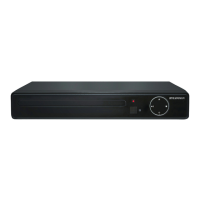


 To Next Page
