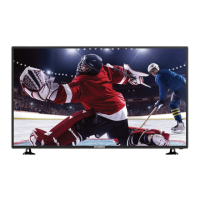
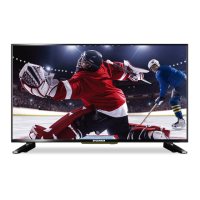
This document is a user manual for the Sylvania SLED5016A 50" LED TV. It provides comprehensive information on installation, operation, troubleshooting, and maintenance of the device.
Function Description:
The Sylvania SLED5016A is a 50-inch LED TV that functions as both a color television and a PC monitor. It supports various input sources, including antenna/cable, DVD players (Component YPbPr), Wii (Composite), HDMI devices, and PCs (VGA). The TV features a built-in tuner for NTSC/ATSC/QAM digital cable readiness, allowing it to receive digital broadcasts. It also includes a remote control for convenient operation and an On-Screen Display (OSD) menu for adjusting various settings.
Important Technical Specifications:
- Display Panel:
- Active Area/Screen Size: Diagonal 50 inches
- Aspect Ratio: Widescreen 16:9
- Pixel Pitch: 0.0955 (H) x RGB x 0.2865 (V) um per one triad
- Max. of Pixels (Resolution): FHD (1920x1080 Pixels) resolution
- Brightness: 300 nits (Typical)
- Contrast: 3000:1 (Typical) with Auto Contrast Enhancement
- Response Time: 8 ms (gray to gray)
- Viewing Angle: Typical 178/178 Degree (Horizontal/Vertical)
- Lamp Life of Backlight: > 30,000hrs
- TV Display:
- Dimension (without stand): 44.32" x 25.74" x 3.15"
- Dimension (with stand): 44.32" x 27.00" x 9.74"
- Weight: 31.90 lbs
- Power Input: AC 100-240V, 60/50 Hz, 3A (Max.)
- Video Function:
- De-interlace: 3D
- Frame recover: 3:2
- Noise reducing core technology: 3D
- Aspect ratio: Wide, Normal, Cinema, Zoom
- Gamma: Fixed Gamma
- Lamp adjust: Yes
- Picture mode: Standard / soft / Power Saving / User/Dynamic
- Video adjust: Brightness / Contrast / Color / Tint / Sharpness
- Audio Function:
- Sound Mode: Music/Standard/Movie/User/Sport
- Auto Volume Control: Yes
- Tone: 150Hz/500Hz/1KHz/5KHz/10KHz/Balance
- SPDIF Out: Yes (coaxial)
- Speakers: 6 watts per channel
- General:
- Hybrid TV Tuner: NTSC/ATSC/QAM (Digital Cable Ready)
- Channel auto scan: Yes
- Sleep timer: Off/5mins/10mins/15mins/30mins/60mins/90mins/120mins/180mins/240mins
- Standby power: Under 1W
- Timing support-Video: 480i/480p/720p/1080i/1080p
- Computer Calendar: 19201080@60 Hz (NATIVE), 1024768@60, 800600@60, 640480@60, 720x400@70
- NTSC/ATSC:
- Sound: Mono/Stereo/SAP
- Favorite Channel: Yes
- V-chip: Yes
- Closed caption: (CC1-CC4, Text 1-Text 4)
- Video input format: 1080i, 720p, 480p, 480i
- Analog closed caption: (CC1-CC4, Text 1-Text 4)
- Digital closed caption: (Service 1-Service 6)
- I/O:
- 1 x TV Tuner (NTSC/ATSC)
- 1 x AV input
- 1 x YPbPr input (audio shared with AV)
- 3 x HDMI/HDCP inputs (optional, HDCP audio shared with VGA audio in)
- 1 x VGA input
- 1 x VGA audio input
- 1 x Coaxial (digital audio) output
- 1 x Earphone output
- 1 x R/L audio input (RCA interface)
- 1 x USB input (only for service)
Usage Features:
- Installation: The manual provides detailed instructions for attaching and removing the stand, as well as guidelines for wall-mounting. It emphasizes proper ventilation and avoiding direct light or heat sources for optimal viewing and longevity.
- Remote Control: A comprehensive description of the remote control buttons is provided, covering power, mute, channel selection (0-9, -/--), previous channel, display information, volume adjustment, source selection, info, closed caption (CC), MTS/Audio, favorite list (FAV), OSD menu navigation (ENTER, MENU, EXIT), electronic program guide (EPG), sleep timer, F.LIST, C.LIST, aspect ratio (ASPECT), picture mode (PMODE), sound mode (SMODE), and auto picture adjustment for PC mode.
- On-Screen Display (OSD) Menu: The OSD menu allows users to adjust various settings for picture, sound, time, setup, lock, and channel.
- Picture Settings: Adjustments for Picture Mode (Standard, User/Dynamic, Soft, Power Saving), Brightness, Contrast, Color, Tint (NTSC only), Sharpness, Color Temperature, and Advanced Settings (Aspect Ratio, Noise Reduction, Dynamic Contrast).
- Sound Settings: Adjustments for Equalizer Settings (Equalizer Mode, 150Hz, 500Hz, 1KHz, 5KHz, 10KHz, Balance), MTS, Audio Language, Digital Audio Output, and AVL.
- Time Settings: Configuration for Sleep Timer, Time Zone, Daylight Saving Time, Time Format, Auto Clock, and Clock display.
- Setup Settings: Options for Menu Language, Transparent OSD, OSD Timeout, Closed Caption (CC Mode, Analog CC, Digital CC, Option for font style, size, edge style, colors, opacity), Source Label, Other Settings (Blue Screen, Audio Only), Restore Default, and Setup Wizard.
- Lock Settings: Features for setting and changing passwords, Input Block (TV, AV, Component, HDMI1, HDMI2, HDMI3, PC), US Rating (TV-Y, TV-Y7, TV-G, TV-PG, TV-14, TV-MA), Canada Rating (Canada English, Canada French), and RRT Setting.
- Channel Settings: Options for Air/Cable selection, Auto Scan, Favorite channels, Channel List, Show/Hide channels, Channel Number, and Channel Label.
- Connectivity: The manual details how to connect various external devices:
- Antenna/Digital Cable: Connects to the TV port for receiving broadcasts.
- DVD Player (Component YPbPr): Uses component video cables (green, blue, red) and RCA audio cables (white, red) for high-quality video and stereo audio.
- Wii (Composite): Uses a yellow video cable and RCA audio cables (white, red) for standard definition video and stereo audio.
- HDMI Devices: Connects via HDMI cables for high-definition video and audio. The TV supports NEC's universal remote code for HDMI devices.
- PC (VGA): Connects via a 15-pin D-Sub VGA cable for video and a 3.5 mm mini-jack for stereo audio. The TV's VGA port has a power-saving mode.
- Digital Audio Receiver (Coaxial): Connects via a coaxial cable to the LINE OUT port for digital audio output, supporting 5.1CH or PCM formats.
Maintenance Features:
- Cleaning:
- Safety First: Always remove the power cable from the socket before cleaning.
- Avoid Harsh Chemicals: Do not use volatile solvents like alcohol, rosin, or toluene, as they can damage the housing and LED glass.
- Bezel and Remote Control: Use a 100% cotton or micro-fiber cloth. For stubborn dirt, lightly dampen the cloth with clean water (ensure it's not dripping wet to prevent water from entering the electronics). Wipe with a dry cloth afterward.
- Screen: The LED screen glass is fragile. Use a 100% cotton or micro-fiber cloth. Do not scrape, press, or tap the screen. For dirt, lightly dampen the cloth with clean water and wipe, then dry with a clean micro-fiber cloth.
- Troubleshooting: A comprehensive troubleshooting guide is provided, addressing common issues such as no picture, abnormal colors, dark picture, audio-only picture, picture-only audio, remote control not working, insufficient channels, no color, weak signal, program symbol on screen, TV turning off automatically, dim picture, TV channels blocked, no sound on PC, HDCP issues, distorted picture, and image not covering the entire screen. Solutions range from checking cable connections and power to adjusting OSD settings and contacting cable companies.
- Battery Installation: Instructions for installing two AAA batteries in the remote control, emphasizing correct polarity and safety precautions (e.g., not mixing old and new batteries, proper disposal, keeping away from children/pets, removing for long storage).

 Need help?

 To Next Page
 General