EasyManua.ls Logo

Sylvania SMPK8099 - User Manual

Sylvania SMPK8099
27 pages
Print Icon
To Next Page IconTo Next Page
Loading...
User Manual - SMPK8099
Question and Answer IconNeed help?

Do you have a question about the Sylvania SMPK8099 and is the answer not in the manual?

Summary

Buttons Location and Usages

Software Utilities Installation

Connect & Charge

Transfer Files

Software Operation

Video Converter

Convert video files to .AVI format.

Media Manager

Manage songs from PC and player.

Basic Operation

Power On;Off and Lock

Switch the device on/off using the power button.

Main Interface

Access the main menu after powering on the device.

Operation of Music Mode

Now Playing

Resume playing the current song.

All Music

Browse and play your entire music library.

Artist

Browse and play songs categorized by artist.

Album

Browse and play songs categorized by album.

Genre

Browse and play songs categorized by genre.

My Music List

Access and play songs from your created playlists.

Record List

Play recorded audio files from FM or voice.

Music Player Interface

View the interface while a song is actively playing.

Previous; Next Controls

Navigate between songs and control fast forward/backward playback.

Play Option Menu

Access advanced playback settings like EQ, speed, and repeat options.

Select EQ

Choose from preset audio equalization settings for music.

Set Sound

Customize your own equalizer settings.

Replay Times

Set the number of times a song will repeat.

Repeat Intervals

Define specific intervals for song repetition.

Variable Speed

Adjust the playback speed of the audio.

Lyric Display

Enable or disable the display of song lyrics.

Add to MyList

Add selected songs to your personal playlists.

Delete the File

Remove media files from the device storage.

Operation of Video Mode

Basic Video Control

Control video playback: play, pause, rewind, fast-forward, volume.

Operation of Pictures Mode

Photo Browsing

Navigate through and view stored photos.

Menu Style

Select between list view and thumbnail view for photos.

Operation of Radio Mode

Radio Sub-menu

Access FM recording, gain, channel saving, and search functions.

Operation of Camera Mode

Basic Camera Control

Control basic camera functions like shooting and zooming.

Camera Sub-menu

Configure camera settings: path, resolution, timer, sound, date stamp.

Operation of Video Recorder Mode

Basic Video Recorder Control

Control video recording: start, pause, and save.

Video Recorder Sub-menu

Configure recorder settings: path, resolution, quality.

Operation of Others

Operation of Record Mode

Record audio, manage recordings, and adjust settings.

Operation of E-book

Navigate and read text files on the device.

Operation of Calculator

Operation of Setting Mode

Date and Time

Adjust the device's current date and time settings.

Display Setting

Configure screen backlight timeout duration.

Power Saving

Configure idle time to conserve battery power.

Sleep Time

Set the automatic sleep timer for the device.

Language

Select the desired user interface language.

Advance Info

Access player information, format memory, or reset the device.

Technical Specification

Trouble Shooting

Summary

Buttons Location and Usages

Software Utilities Installation

Connect & Charge

Transfer Files

Software Operation

Video Converter

Convert video files to .AVI format.

Media Manager

Manage songs from PC and player.

Basic Operation

Power On;Off and Lock

Switch the device on/off using the power button.

Main Interface

Access the main menu after powering on the device.

Operation of Music Mode

Now Playing

Resume playing the current song.

All Music

Browse and play your entire music library.

Artist

Browse and play songs categorized by artist.

Album

Browse and play songs categorized by album.

Genre

Browse and play songs categorized by genre.

My Music List

Access and play songs from your created playlists.

Record List

Play recorded audio files from FM or voice.

Music Player Interface

View the interface while a song is actively playing.

Previous; Next Controls

Navigate between songs and control fast forward/backward playback.

Play Option Menu

Access advanced playback settings like EQ, speed, and repeat options.

Select EQ

Choose from preset audio equalization settings for music.

Set Sound

Customize your own equalizer settings.

Replay Times

Set the number of times a song will repeat.

Repeat Intervals

Define specific intervals for song repetition.

Variable Speed

Adjust the playback speed of the audio.

Lyric Display

Enable or disable the display of song lyrics.

Add to MyList

Add selected songs to your personal playlists.

Delete the File

Remove media files from the device storage.

Operation of Video Mode

Basic Video Control

Control video playback: play, pause, rewind, fast-forward, volume.

Operation of Pictures Mode

Photo Browsing

Navigate through and view stored photos.

Menu Style

Select between list view and thumbnail view for photos.

Operation of Radio Mode

Radio Sub-menu

Access FM recording, gain, channel saving, and search functions.

Operation of Camera Mode

Basic Camera Control

Control basic camera functions like shooting and zooming.

Camera Sub-menu

Configure camera settings: path, resolution, timer, sound, date stamp.

Operation of Video Recorder Mode

Basic Video Recorder Control

Control video recording: start, pause, and save.

Video Recorder Sub-menu

Configure recorder settings: path, resolution, quality.

Operation of Others

Operation of Record Mode

Record audio, manage recordings, and adjust settings.

Operation of E-book

Navigate and read text files on the device.

Operation of Calculator

Operation of Setting Mode

Date and Time

Adjust the device's current date and time settings.

Display Setting

Configure screen backlight timeout duration.

Power Saving

Configure idle time to conserve battery power.

Sleep Time

Set the automatic sleep timer for the device.

Language

Select the desired user interface language.

Advance Info

Access player information, format memory, or reset the device.

Technical Specification

Trouble Shooting

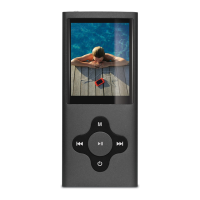
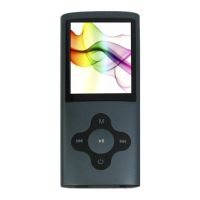
Sylvania SMPK8099 Specifications

General IconGeneral
Flash Memory128MB – 16GB
MP3 compressed rate supportedMP3(8 – 320 kbps) WMA(5-384kbps) OGG/ ACC/APE/WAV
Video format supportedFLV/ AVI
Display2” Color TFT display
Photo format supportedJPEG/BMP/GIF
Digital camera0.3 mega pixel
Battery3.7V Lithium rechargeable battery
InterfaceUSB2.0 high speed
Weight and Dimensions IconWeight and Dimensions
Weight40g
Dimensions41(W) * 8(D) * 94(H) mm

Related product manuals