7
AUX
AUX IN
AUX
M
I
N
O
N
.
O
F
F
M
A
X
VOLUME
M
I
N
O
N
.
O
F
F
M
A
X
VOLU ME
Listening to a Record
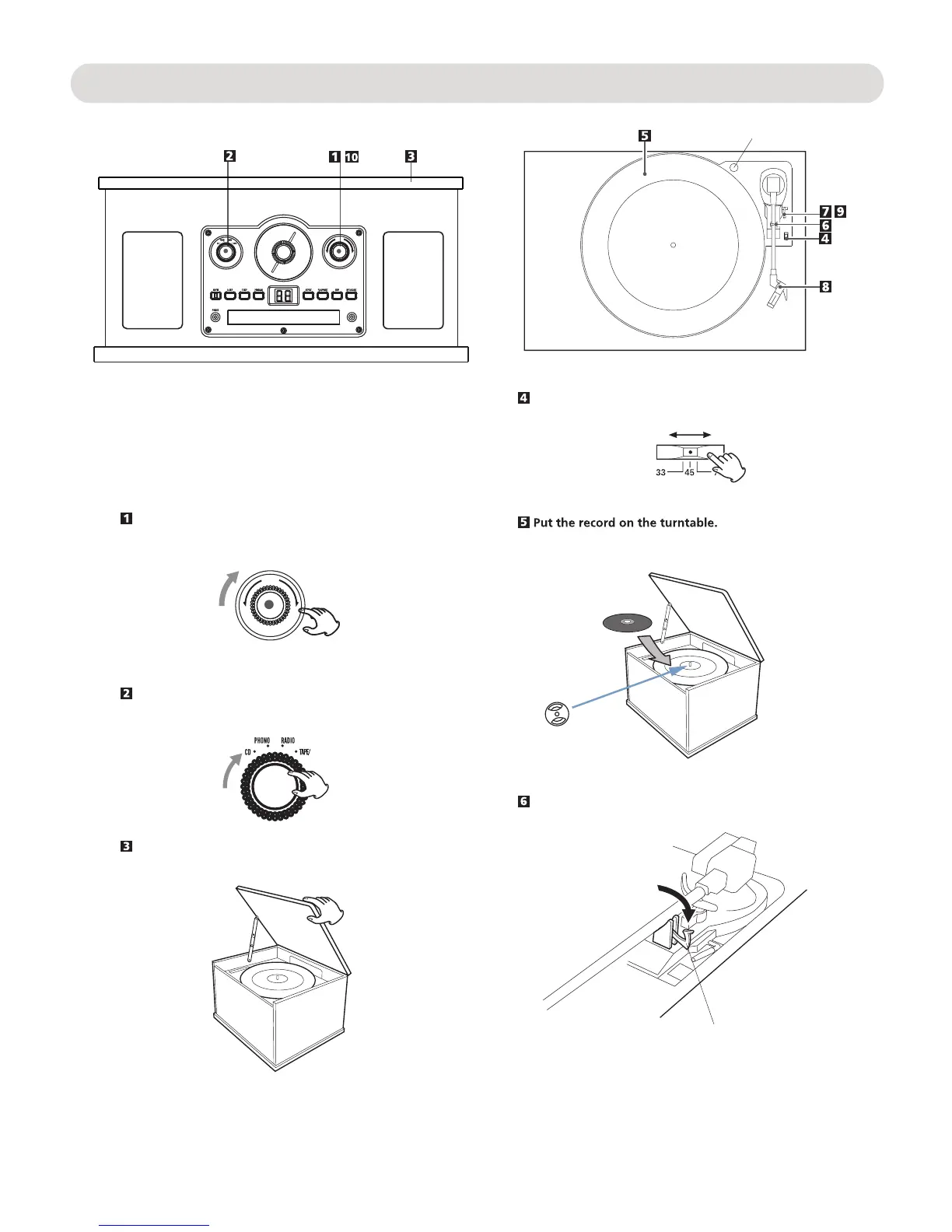
Before use, completely loosen the transportation screw by
turn it clockwise.
Take out the stylus guard (white plastic cover).
Turn the Power ON/OFF-VOLUME knob clockwise until a sound
click was heard to turn on the unit.
Turn the Function selector to the PHONO position.
Open the cover.
If plays the small size 45 rpm record, insert the supplied round
adaptor to the center spindle before place the record.
clip
Unlock the clip to release the tone arm as the figure below.
Transportation screw
"
"
Select the speed.
45 RPM adaptor
Step 1
Step 2


 To Next Page