EasyManua.ls Logo

Sylvania SRT2232S - User Manual

Sylvania SRT2232S
9 pages
Print Icon
To Next Page IconTo Next Page
Loading...
FEATURES
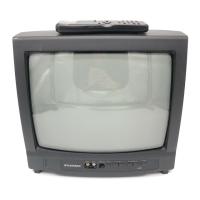
SYLVANIA
32 INCH
COLOR TELEVISION
SRT2232S
AV MEMORY
MTS/SAP Tuner
V-CHIP PASSWORD
181 Channel Selection- All VHFFUHF channels plus up to 125 cable channels.
PLL Frequency Synthesized Tuning- The latest PLL frequency synthesized electronic tun-
ing system provides free and easy channel selection, and lets you tune directly to any channel
using the channel number buttons (0-9 and +100-key) on the remote control.
On-Screen Function Display.
Full-Function Remote Control
Sleep Timer
Closed Caption Decoder- You may view specially labeled (cc) TV programs, movies, news,
prerecorded tapes, etc. with either a dialogue caption or text display added to the program.
Auto Shut Off Function- If there is no air signal input from the antenna terminal and no
user operation for 15 minutes, the TV will turn itself off automatically.
V-CHIP- Enables parents to prevent their children from watching inappropriate material on TV.
S-VIDEO Input- allows you to get better picture detail and clarity for the playback of S-VHS
VCR tapes or Video Discs.
PRECAUTIONS
Place your TV in a room with adequate ventilation.
Keep your TV set away from sources of direct heat, such as heat registers or direct sunlight.
Do not place your TV on soft surfaces, suct_ as rugs or blankets.
Leave enough room for air to circulate around the bottom, top and back of the set.
The serial number of this product may be found on the back of the TV. No others have the same
serial number as yours. You should record the number and other vital information here and retain
this book as a permanent record of your purchase to aid identification in case of theft.
Date of Purchase Dealer Phone No.
Dealer Purchase from Model No.
Dealer Address Serial No.
This Owner's Manual is made of recycled paper.

Other manuals for Sylvania SRT2232S

Question and Answer IconNeed help?

Do you have a question about the Sylvania SRT2232S and is the answer not in the manual?

Summary

TV Features

Safety Precautions

Important Safeguards

Operating Controls and Functions

Front Panel Controls

Overview of the television's front panel buttons and inputs.

Rear Panel Connections

Details on the various input/output jacks located on the rear panel.

Remote Control Overview

Explanation of buttons and functions on the remote control unit.

Installing Remote Batteries

Step-by-step instructions for inserting batteries into the remote control.

Using Audio;Video Input Jacks

Instructions on connecting external audio/video devices to the TV.

Preparation for Use

Language Selection

Guide to changing the on-screen menu language.

Channel Presetting

Procedure for tuning and memorizing TV channels.

MTS Sound System Setup

Instructions for selecting stereo, mono, or SAP audio modes.

Resume Function

TV Operations

Watching a TV Program

Basic steps for viewing television channels.

Setting the Sleep Timer

How to automatically turn off the TV after a set period.

Picture Adjustment

Guide to adjusting brightness, contrast, color, and tint.

Closed Caption Selection

Instructions for enabling and configuring closed captioning.

AV Memory Function

Explanation of how to use AV memory for different viewing modes.

Using the Game Button

How to activate Game mode and external input.

V-Chip Setup

MPAA Rating Setup

Configuring parental controls based on MPAA film ratings.

TV Rating Setup

Configuring parental controls based on TV broadcast ratings.

V-Chip Access Code

Instructions for changing or managing the V-Chip access code.

Troubleshooting Guide

Quick Service Check List

A checklist for common TV performance issues and remedies.

Maintenance

Cabinet Cleaning

Proper methods for cleaning the TV cabinet exterior.

Picture Tube Cleaning

Instructions for safely cleaning the TV screen.

Supplied Accessories

General Specifications

Other Specifications

Antenna and Cable Connections

Closed Caption Details

Caption Mode

Explanation of different closed caption display modes.

Text Mode

Description of the text display function for broadcasts.

Warranty Information

Summary

TV Features

Safety Precautions

Important Safeguards

Operating Controls and Functions

Front Panel Controls

Overview of the television's front panel buttons and inputs.

Rear Panel Connections

Details on the various input/output jacks located on the rear panel.

Remote Control Overview

Explanation of buttons and functions on the remote control unit.

Installing Remote Batteries

Step-by-step instructions for inserting batteries into the remote control.

Using Audio;Video Input Jacks

Instructions on connecting external audio/video devices to the TV.

Preparation for Use

Language Selection

Guide to changing the on-screen menu language.

Channel Presetting

Procedure for tuning and memorizing TV channels.

MTS Sound System Setup

Instructions for selecting stereo, mono, or SAP audio modes.

Resume Function

TV Operations

Watching a TV Program

Basic steps for viewing television channels.

Setting the Sleep Timer

How to automatically turn off the TV after a set period.

Picture Adjustment

Guide to adjusting brightness, contrast, color, and tint.

Closed Caption Selection

Instructions for enabling and configuring closed captioning.

AV Memory Function

Explanation of how to use AV memory for different viewing modes.

Using the Game Button

How to activate Game mode and external input.

V-Chip Setup

MPAA Rating Setup

Configuring parental controls based on MPAA film ratings.

TV Rating Setup

Configuring parental controls based on TV broadcast ratings.

V-Chip Access Code

Instructions for changing or managing the V-Chip access code.

Troubleshooting Guide

Quick Service Check List

A checklist for common TV performance issues and remedies.

Maintenance

Cabinet Cleaning

Proper methods for cleaning the TV cabinet exterior.

Picture Tube Cleaning

Instructions for safely cleaning the TV screen.

Supplied Accessories

General Specifications

Other Specifications

Antenna and Cable Connections

Closed Caption Details

Caption Mode

Explanation of different closed caption display modes.

Text Mode

Description of the text display function for broadcasts.

Warranty Information

Sylvania SRT2232S Specifications

General IconGeneral
BrandSylvania
ModelSRT2232S
CategoryCRT TV
LanguageEnglish

Related product manuals