PREPARATION FOR USE
I ILli,,"[HI_[H m,,"lmIli II[111_,
If you want to change the language of the on-screen menu, follow the proce-
dure below.
1) Connect the power cord to a standard AC outlet.
2) Press the POWER button to torn on the TV.
3) Press the MENU button so that the menu display appears on the TV
screen•
4) Press the CH(annel) • or • button to point to "[ENGLISH]".
5) Select "ENGLISH" or "ESPAi_OL" by using the VOL(ume) • or • but-
ton.
6) Press the MENU button to exit tile menu.
•PICTURE
CHANNEL SET
[ENGLISH] ESPA[qOL
V-CHIP SET UP
CAPTION [OFF]
PICTURE
CHANNEL SET
• [ENGLISH I ESPA_IOL
V_CHIP SET UP
CAPTION [OFFl
l_qL_ I Dl||_[ii[lh
NOTE:You MUST PRESET channels BEFORE using CHANNEL • or• button•
To preset a channel or to change a preset channel, follow the procedure below.
1) Press the POWER button to turn on the TV. r
2) Press the MENU button so that the menu display appears on the TV / •PICTURE
CHANNEL SET
screen. [ENGLISH l ESPA[qOL
3) Press the CH(annel) • or • button to point to "CHANNEL SET". V-CHIPSETUP
CAPTION [OFF]
Then, press the VOL(ume) • button•
4) Press the CH(annel) • or • button to point to "AUTO PRESET CH".
Then, press the VOL(ume) • button• PICTURE
The tuner scans and memorizes all active channels in your area. •CHANNELSET
[ENGLISH l ESPANOL
• The TV distinguishes between standard TV channels and cable channels. V*CHIPSETUP
• When AUTO PRESET CH action is completed, the lowest memorized CAPTtONiOFF]
channel reappears on the screen.
• When you press the CH(annel) • or • button after selecting AUTO PRE- I
SET CH, the tuner will stop at the memorized channels only. [ ADD/DELETE
• The TV may recognize TV channels to be CATV channels by the receiving • AUTOPRESETCH
conditions. In this case, try AUTO PRESET CH action again in the line
receiving conditions•
• When AUTO PRESET CH is activated where there is no TV signal input, "NO TV SIGNALS"
will appear on the display after the completion of the channel scanning.
[I U i i [[tii I I _ I mN'_li kll N1
[ADD/DELETE FUNCTION]
1) Press the MENU button so that the menu display appears on the TV
screen•
2) Press the CH(annel) • or • button to point to "CHANNEL SET".
Then, press the VOL(ume) • button•
PICTURE
• CHANNEL SgT
[ENGLISH] ESPANOL
V*CHIP SgT UP
CAPTION [OFF1
3) Press the VOL(ume) • button so that "ADD/DELETE" is selected• [
4) Use the CH(annel) • or • button to select the channel you wish to put • ADD/DELETE
into memory or to erase from memory. AUTOPRESETCH
Note: The_ display will relum to the screen in about I0 seconds.
Perform ADD/DELETE funct on wh e th s d sp ay appears on the screen.
• Press the VOL(ume) • or • button to light up the channel number in
LIGHT BLUE if you wish to add the channel into memory.
• Press the VOL(ume) • or • button to light up the channel number in LIGHT RED if you wish
to erase the channel from memory.
5) Press the MENU btuton to exit the menu.
It"the power fails or is disconnected while the TV is powered on, the TV will tam on automatical-
ly when the power resumes.
OPERATIONS
Jill| I[11111I_[llll II| 'dNIIII l_lll
1) Press the POWER button to turn on the TV.
2) Select the desired channel with the CH(annel) • or • button•
3) Adjust the volume to the desired listening level using the VOL(ume) • or • button.
4) Adjust picture controls lbe a natural looking image. (See "PICTURE ADJUSTMENT".)
The sleep timer lunction enables you to shut off the power without pressing [
the POWER button after a desired time period.
1) Press the POWER button to turn on the TV and press the SLEEP button on I
the remote control.
I
2) You may change the sleep time with pressing the SLEEP button on the [ SLEEP10
remote control repeatedly. The timer is set up to 90 minutes, 10
minutes each time the SLEEP button is pushed. (The timer dis- To cancel the sleep timer:
play counts up and sleep timer will be displayed on the screen Press tile SLEEP button
when you press the SLEEP button on the remote control.) repeatedly until "SLEEP 0"
Note: When you disconnect the unit from the AC outlet, or if is displayed.
you have a power failure, tile sleep time will be lost.
I
OPERATIONS (continued)
ii [O[_ MIII[1 'di [O]_ I 1 Ki i [I_
You may view specially labeled (cc) TV programs, movies, news, prerecorded tapes, etc. with
either a dialogue caption or text display added to the program•
1) Press the MENU button so that the menu display appears on the TV screen.
2) Press the CH(annel) • or • button to point to "CAPTION".
3) Press the VOL(ume) • or • button to select the mode you wish•
4) When done, press the MENU button to exit the menu•
_O- : Press the VOL(ume) • or • button.
PICTURE PICTU£E I=IOIURE pICTURE PICTURE
CHANNEL SET CHANNEL SET CHANNEL SET CHANNEL SET CHANNEL SET
[E NGL[SHI ESPA_OL _ [ENGUSH] ESPAf)OL IENGLJSH] ESPA[_OL [ENGLISH1ESPA_OL [ENGL[SH] ESPAf)OL
V-CHIP SET Up V_H[P SET UP V43 HIP SET Up V-CHIP SET UP V-CHIP SET UP
_*CAPTION [OFF] _*CAPTION I C11 _'CAPTION [ C2I _* CAPTION [ TI] _'CAPTION I T2I
! !
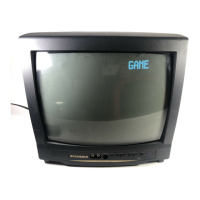
• To cancel the Game mode only, adjust the picture control. The Game mode will be set to [OFFI
automatically as explained in the previous section, In this case, "VIDEO'(external input mode)
instead of "GAME" appears on the TV screen,
• When you press the GAME button if the TV is off, the TV turns on and will be in the Game mode
and external input mode automatically.
: Press the CH(annel) • or • button.
_IFFGAME_,IODE I+] _ ['1 BRIGHT [+1 _ ['1 COntRAST [+1 _ Iq COLOR I+I _ H TINT [+1
t t
kl[| I I I 'JL_B I IIII'
l ) Press the MENU btuton so that the menu display appears on the TV screen.
2) Press the VOL(ume) • button so that "PICTURE" is selected.
3) Select the feature you wish to adjust with the CH(annel) • or • button and adjust it with the
VOL(ume) • or • button•
GAME MODE
Set to the most suitable position for TV
GAME.
[+1 : ON
[-] : OFF
BRIGHT
Adjust until the whitest parts of the picture are
as bright as you prelbr•
[+} : increase brightness
[-] : decrease brightness
CONTRAST
Adjust to increase or decrease contrast.
[+] : increase contrast
[-I : decrease contrast
COLOR
Adjust to be brilliant or pale color.
[+] : be brilliant color
[-] : be pale color
TINT
Adjust to obtain natural skin tones.
[+1 : greenish tone
[-] : reddish tone
Notes:
• "+" is achieved by pressing the VOL(mne)
• button and %" by pressing the VOL(ume)
• button.
• In the above steps, the picture adjustment
display will disappear from the TV screen
after about I0 seconds unless you press any
buttons, even though you may not be fin-
ished. Press the MENU and VOL(ume) •
button so that "PICTURE" is selected. Then,
press the CH(annel) • or • button repeat-
edly until the display returns to the screen.
• If you adjust the other Picture control al_er
you set the Game mode to [ONI, the Game
mode is set to [OFF] automatically.
[USING THE GAME BUTION]
You may also set the Game mode and external
input mode at the same time by pressing the
GAME button on the remote control, "GAME"
appears on the TV screen,
• To exit the Game mode and external input
mode, press the GAME button on the remote
control again.
V-CHIP enables parents to prevent their children from watching inappropriate material on TV.
V-CHIP reads the ratings for programming (except for news and sports programs, unedited
movies on premium cable channels, and Emergency Broadcast System signals), then denies access
to programming if the program's rating meets the limitations you select. In dtis case, "PROTECT-
ED PROGRAM by ..." message appears on the TV screen.
To block ratings, follow the steps below.
• Programming may be rated by the Motion Picture Association of America (MPAA) or accord-
ing to the Television Parental Guidelines. In order to block any inappropriate programming, set
your limits in both places (MPAA RATING and TV RATING). F
• You cannot access the menu when the "PROTECTED PROGRAM by .-" [ PICTURE
message appears. In this case, change to the unblocked channel, then press CHANNELSET
[ENGUSH 1ESPA_IOL
the MENU button. •V43HIPSETUP
[MPAA RATING SET UP] CAPTION[OFFl
I) Press the MENU button so that the menu display,appears on the TV screen. ¢
2) Press the CH(annel) • or • button to point to V-CHIP SET UP . / ACCESSCODE
Then. press the VOL(ume) • button, /
3) Use the number buttons to enter 4_digit access code. The default access /
code is 0000. If you have not set up your personal access code, you should /
use f)f_X/.
L
4) Press the CH(annel) • or • button to point to "MPAA RATING".
Then, press the VOL(ume) • buttom
5) Press the CH(annel) • or • button to point to your desired item,
Then, press the VOL(ume) • button to select [BLOCK] or IVIEW].
<Selection> <Rating Category Explanations>
• G: Genel_l Audience
• PC: Parenlal Guidance suggested.
: PC-13: Unsuitable for children under 13
: XN:C-17: Restricted;Noone ullderUnder17admitled17requir'es accompanying parenl or adult guardian
Malure audience only
I V RATING
• MPAA RATING
CHANGE CODE
IWEWl
• ,_aqa [VIEWl
[BLOCK1
047 [BLOCK]
[BLOCK]



 To Next Page
 Loading...