3
==>
3. Activate the back light – Press any button on the control panel to activate
the blue color back light. The light will automatically turn off if no button is
being pressed again.
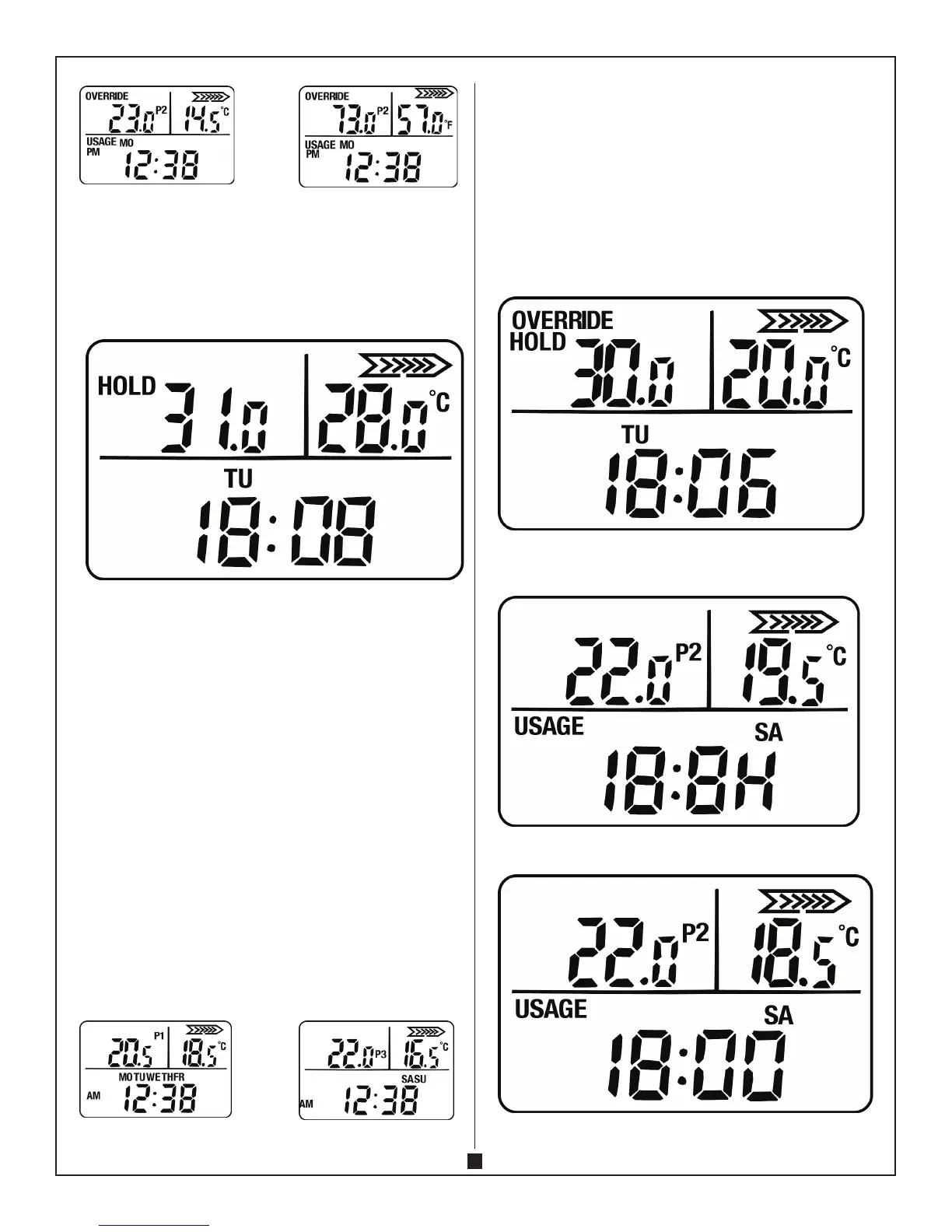
4. Work mode – Under this mode the convector will operate under the pre-set
temperature.PresstheMODEbutton,theconvectorisnowenteringtheHOLD
mode. Then press the UP or DOWN button to adjust the pre-set temperature.
The adjustable range of pre-set temperature is 5 – 40°C.
Under this mode, the programming mode will not be activated and the
convector is working under the pre-set temperature continuously.
5. Programming mode – There are 4 programmable setting (P1 to P4). The
convector is working under the preset temperature, time and cycling from P1
to P4 everyday of the week.
A. PresstheMODEbuttontoentertheHOLDmoderst.
B. PresstheMODEbuttonagaintoentertheprogrammingmode.The
displaywillshow“P1”ashing.
C. Press UP or DOWN button to adjust the pre-set temperature.
D. PresstheMODEbuttonagaintosetthe‘HOUR’ofbypressingtheUPand
DOWN button.
E. PresstheMODEbuttonagaintosetthe“MINUTE”oftimebypressingUP
and DOWN button.
F. PresstheMODEbuttonagainandrepeatthestepsin(C)to(E)tosetthe
temperature and time of P2 to P4.
E.g. P1 – Temperature 25°C; time 6:00 AM
P2 – Temperature 20°C; time 8:00 AM
P3 – Temperature 25°C; time 6:00 PM
P4 – Temperature 18°C; time 11:00 PM
The convector will work under the above preset time and temperature from P1
to P4 everyday.
Without pressing any button for 15 seconds, the controls will automatically
save the setting.
==>
6. Override mode – ThismodeallowsyoutotemporaryCHANGEthepreset
temperatureinWORKMODEorPROGRAMMINGMODE.
PressMODE+DOWNbutton,thedisplaywillash.PressUPorDOWNbutton
to set the override temperature.
PressMODE+DOWNbuttonorMODEagaintoentertheoverride
temperature.TheconvectorisnowworkingundertheOVERRIDEtemperature.
IftheOVERRIDEtemperatureissetunderthePROGRAMMINGMODE,the
convectorwillonlyworkatthatOVERRIDEtemperatureunderthecurrent
program (e.g. P1). When the program automatically proceed to the next
program(P1>>P2)theOVERRIDEMODEwillbecancelandreturntothe
preset temperature of current program (e.g. P2).
IfyouwanttocancelOVERRIDEmode,pressMODE+DOWNbuttonandthe
convectorwillreturntoWORKMODEorPROGRAMMINGMODE.
7. Query of continuous heating time–PressMODEbuttonfor5seconds,the
display will show the total heating time for the previous day.
PressMODEbuttonagainfor5seconds,thedisplaywillshowthetotalheating
time of the week.


 To Next Page
 Loading...