Need help?
Do you have a question about the Sylvox RT24R2GNDA and is the answer not in the manual?
Instructions for attaching to a wall mount, including screw length limits.
Guidelines for cleaning the TV and handling the LED display to prevent damage.
Warnings about high temperatures, humidity, and condensation affecting the TV.
Ensures clear ventilation slots and prevents small objects/liquids entry.
Precautions for moving the TV, repairs, and safe use of electric supply.
Instructions for battery recycling and safe handling.
Safe practices for using and handling the power cord to prevent electric shock.
Avoiding liquids, flames, heat sources, and ensuring proper placement.
Critical warnings regarding battery ingestion, children, and heat exposure.
Guidelines for securing the TV to prevent falls and related injuries.
Lists input terminals and outputs for connecting external devices.
Details the items provided with the TV, such as remote, manual, and cables.
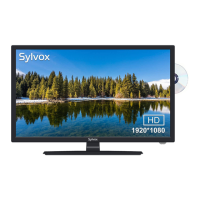
Technical details including model, size, resolution, power, and weight.
Identifies buttons and indicators on the front and sides of the TV.
Step-by-step guide for attaching the TV stand to the unit.
Details the various input/output ports on the rear of the TV.
Explains the purpose and operation of each button on the remote control.
Instructions for opening the battery compartment and inserting batteries.
Explains how to connect antennas using different cable types and converters.
Steps to connect a VCR using RF, Video, and Audio cables.
Guide for connecting DVD players or set-top boxes via component video and audio.
Instructions for connecting external digital audio devices via coaxial cable.
How to connect devices using an HDMI cable for digital audio/video.
Steps to connect a computer using VGA and audio cables.
Lists compatible input signals and their resolutions/frequencies for various inputs.
Procedure for powering the TV on, off, and standby, including status indicators.
Step-by-step initial setup for connecting antenna/cable and performing auto scan.
Explains how to access and modify picture settings like mode, contrast, brightness, and color.
Details how to adjust sound parameters such as bass, treble, balance, and volume.
Configuration options for sleep timer, time zone, and auto clock settings.
How to adjust menu language, transparency, zoom mode, and noise reduction.
Setting passwords and system locks for parental control and channel blocking.
Detailed steps for setting and confirming passwords for system lock.
Setting child-level ratings for TV programs based on MPAA and Canadian standards.
Procedures for locking or unlocking channels, requiring a password.
Options for auto scan, favorite channels, channel numbering, and DTV signal status.
How to scan for channels, select stations, and adjust backlight for FM radio.
Selecting cable system modes and initiating channel scans.
How to access the DVD setup menu for system, video, and password configurations.
Configuring TV system, video options, and TV aspect ratios for DVD playback.
Options for setting OSD, audio, subtitle, and menu languages for DVD playback.
Adjusting audio output, key settings, and video parameters like brightness and contrast.
Provides countermeasures for symptoms like no power, no picture, no sound, or remote issues.
Explains common picture defects like snowy, double images, wave patterns, and colored dots.

 To Next Page
 General