-4-
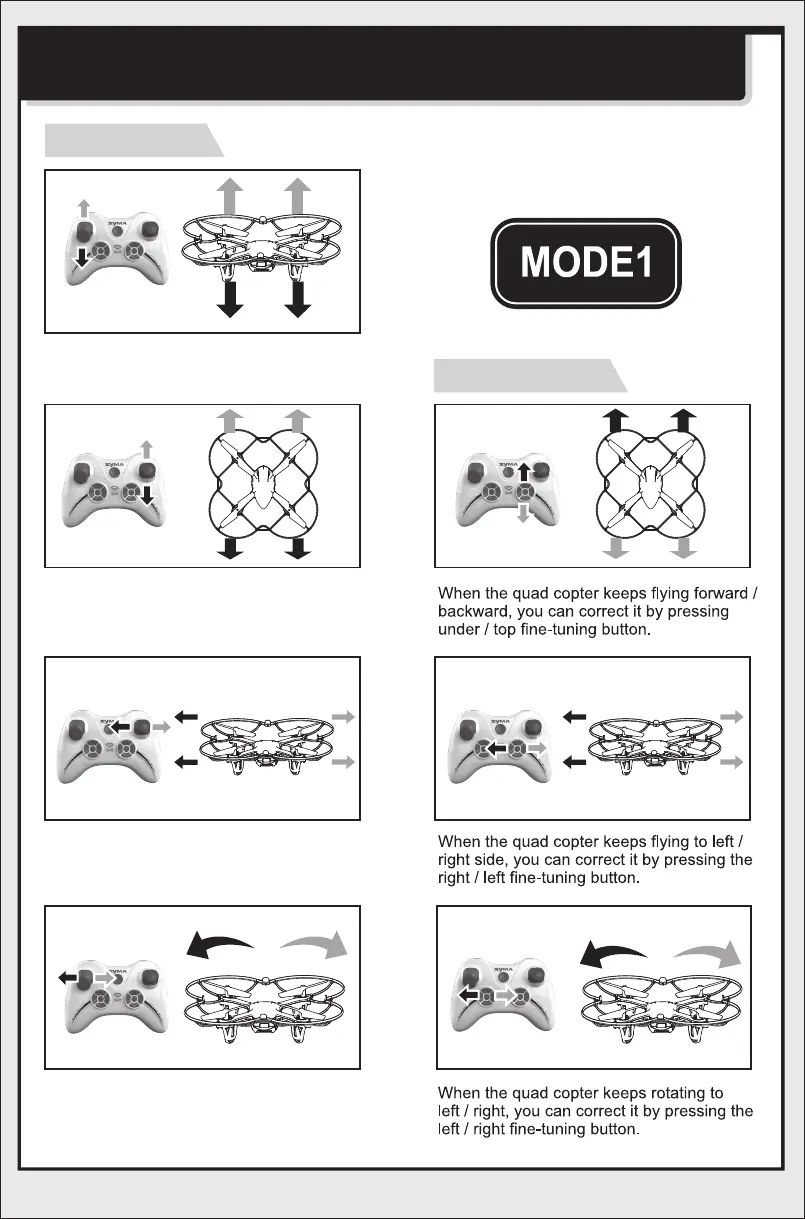
ILLUSTRATION ON CONTROLLING THE QUAD COPTER
(MODE 1, DEFAULTED MODE WHEN STARTING)
Operating direction
Push the throttle up or down, the quadcopter
flies upward or downward.
Push the direction lever up or down,the
quadcopter flies forward or backward.
Pull the direction lever left or right,the
quadcopter flies to left side or right side.
Pull the throttle left or right, the
quadcopter turns to left or right.
Fine-tuning operation


 To Next Page