40 41
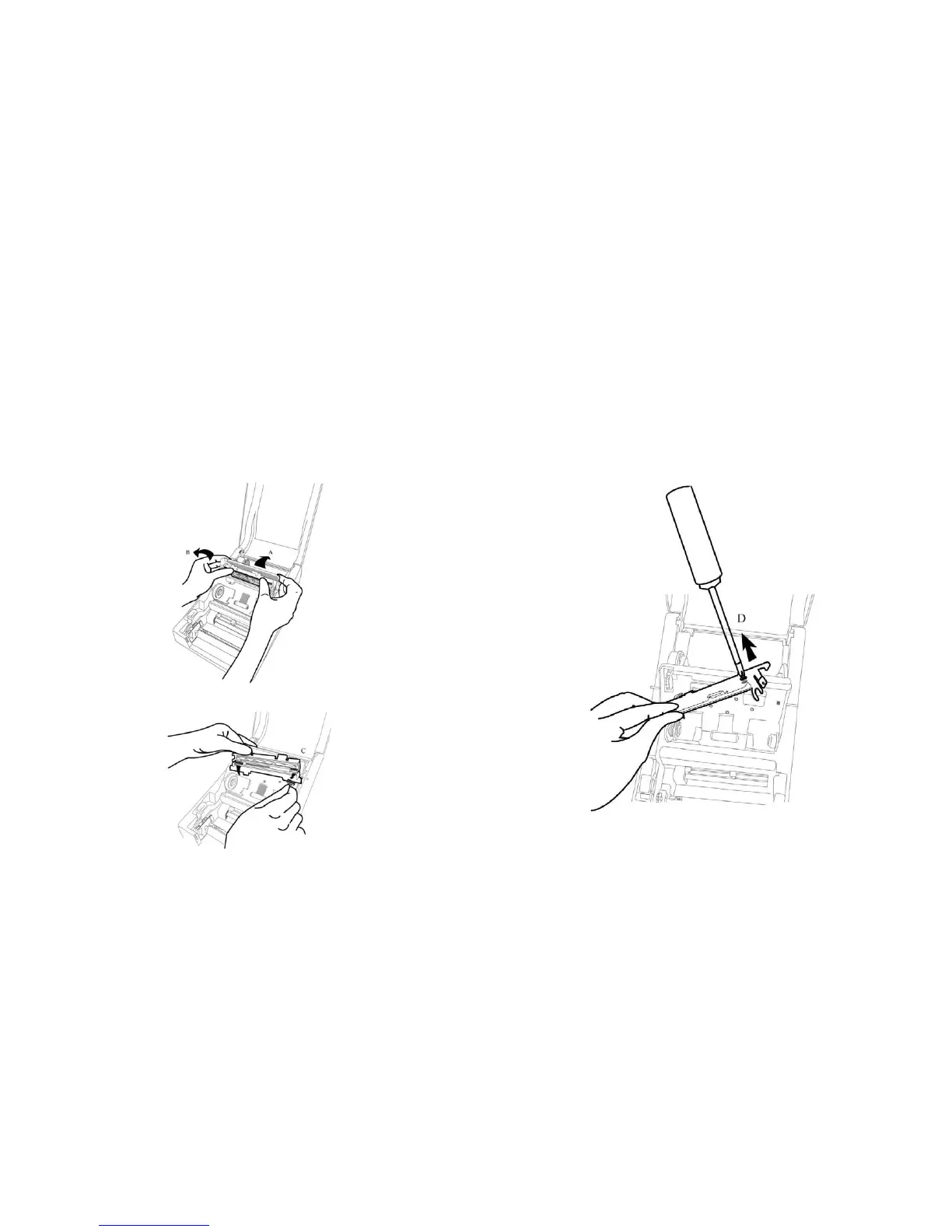
Replacing the Thermal Print Head
1. Switch off the power and wait for both LEDs to go off.
2. Unlatch the print head module.
3. Remove the ribbon.
4. Push the print head firmly into the casing and shift it to the
left. It will release from the module.
5. Disconnect the print head cable.
6. Disassemble the print head and the mounting bracket by
releasing screws.
7. Replace with a new print head. Reassemble the print head
module in reverse order. Be careful not to touch the print
head elements.



 To Next Page