18/26
User’s Guide
6200 Digital
Voice Processor
To download the latest version of 6200 Designer, a Windows GUI
application interface for the 6200, go to: www.airtoolsaudio.com
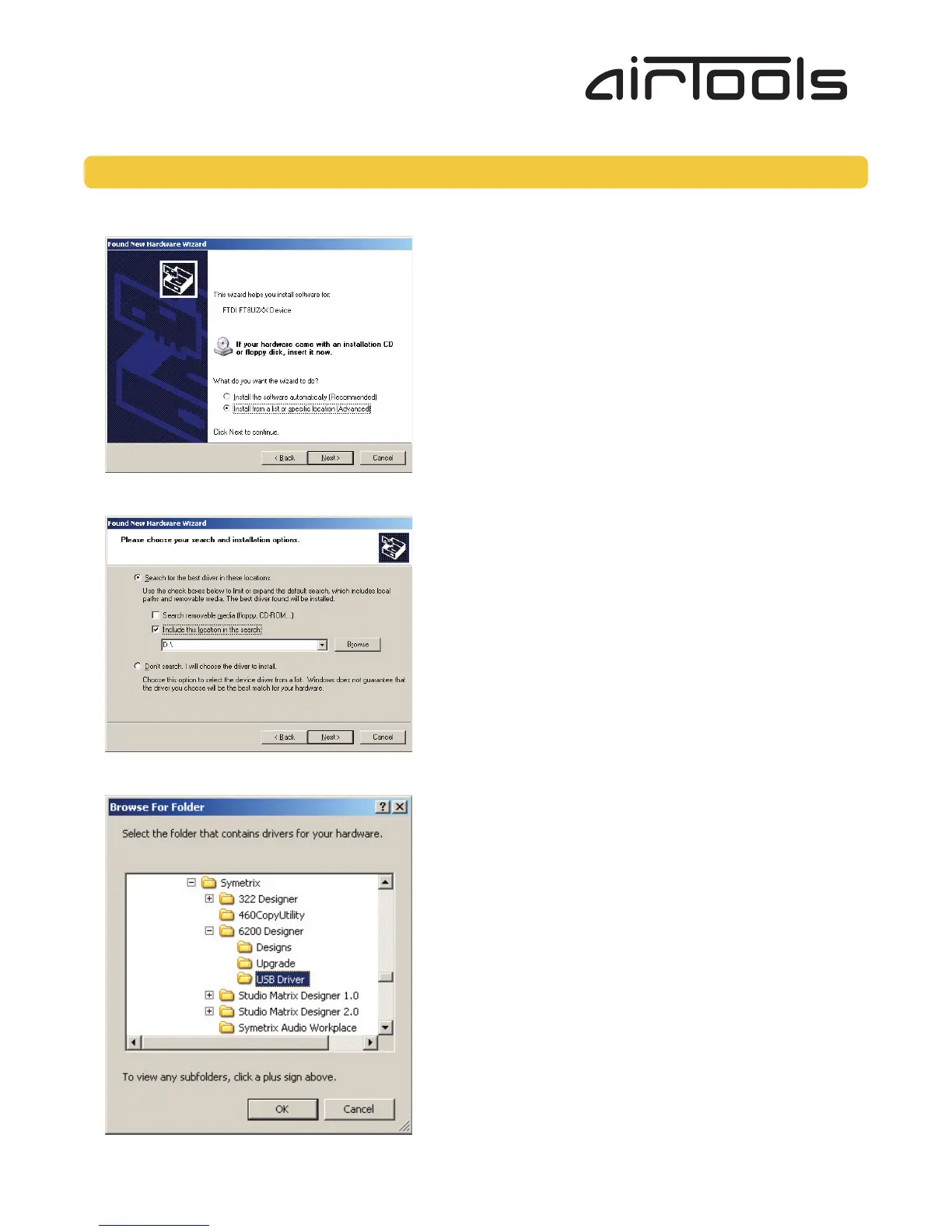
6. When prompted “What do you want the wizard to do?” choose the option “Install from a list or specific location (Advanced)”
and click the Next button.
7. In the next dialog, choose the option “Search for the best driver in these locations” and check the sub-option “Include this
location in the search:”.
Then click the Browse button and navigate to the 6200 Designer USB Driver directory (typically “C:\Program Files\
Symetrix\6200 Designer\USB Driver\”).
Select that directory and click the OK button.
USB Driver Installation... continued



 To Next Page