EasyManua.ls Logo

Symmetry Voyager - User Manual

Symmetry Voyager
18 pages
Print Icon
To Next Page IconTo Next Page
Loading...
USER GUIDE
Voyager
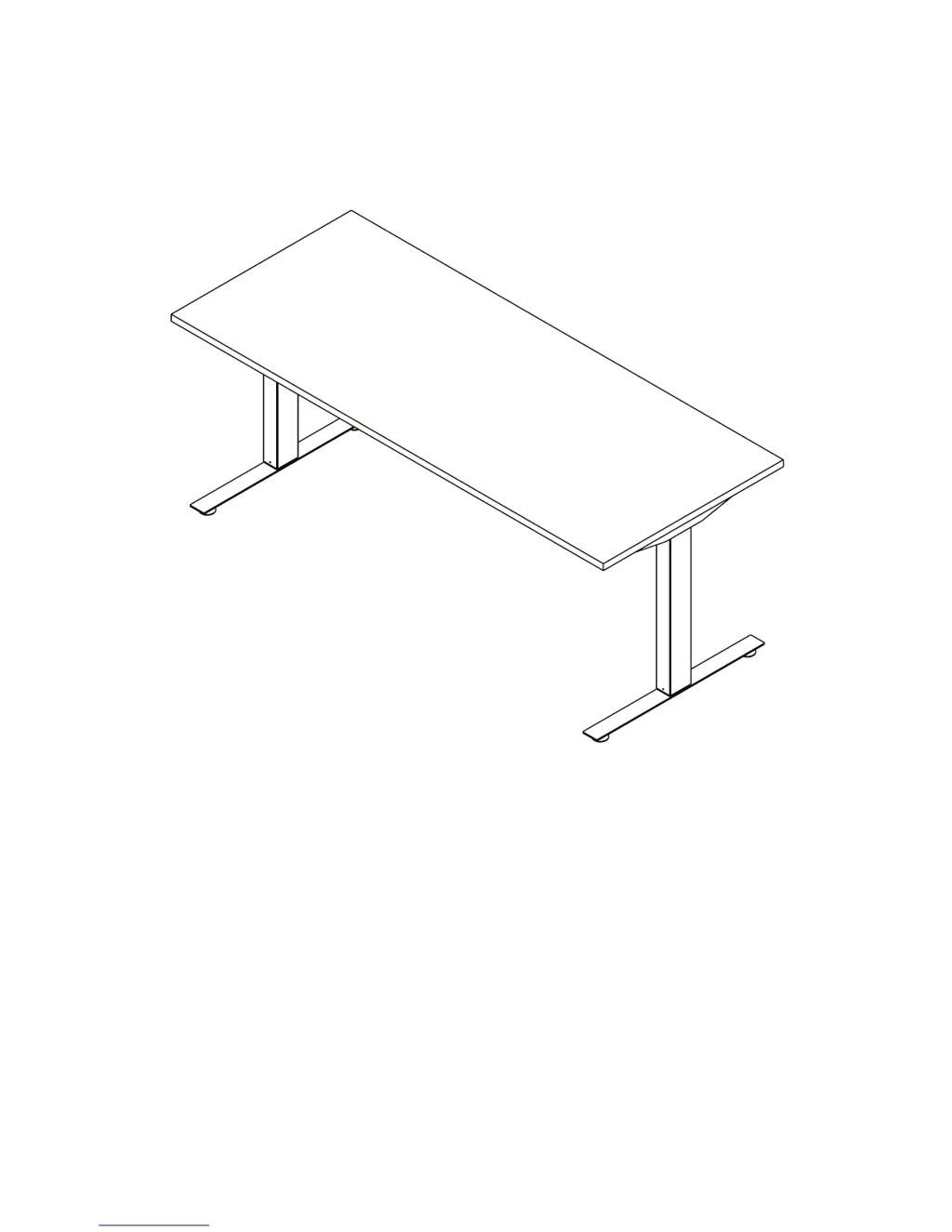
HEIGHT ADJUSTABLE TABLE

Other manuals for Symmetry Voyager

Questions and Answers

  • L
    Lori WilliamsAug 19, 2025
    What to do if Symmetry Indoor Furnishing table does not move?
    • C
      cynthia55Aug 19, 2025
      If your Symmetry Indoor Furnishing table isn't moving, there are several potential causes. First, ensure the power cord is properly plugged in or check the connection on the control box. Verify the motor cable and handswitch plug connections to the control box. Also, check that you haven't exceeded the maximum lifting capacity; if so, reduce the weight on the desktop. Note that the control is activated automatically after approximately 9 minutes, which could be the reason. If none of these solutions work, the drive or control box may be defective, in which case you should consider replacing the handset or contact customer service.
  • J
    jacquelinearcherAug 21, 2025
    Why does Symmetry Indoor Furnishing display ERROR CODE HOT?
    • M
      macdonaldkelseyAug 21, 2025
      The “HOT” display on your Symmetry Indoor Furnishing indicates that the control box has exceeded its duty cycle (time-controlled) or maximum temperature. To resolve this, wait until the “HOT” display disappears, which means the table is working properly again.
  • J
    johnnygoodAug 25, 2025
    What does E25 error mean on Symmetry Indoor Furnishing?
    • T
      Thomas McculloughAug 25, 2025
      The E25 error code on your Symmetry Indoor Furnishing indicates that the maximum load has been exceeded. Remove the excess load from the table.
  • T
    Tanya DavidsonAug 26, 2025
    What does E12 error mean on Symmetry Indoor Furnishing?
    • C
      Connor MarksAug 26, 2025
      The E12 error on your Symmetry Indoor Furnishing indicates a defect. Unplug the table. Correct any external short circuits and/or verify the cable to the drives. Plug the cables back into the control box and rerun the table.
  • C
    Cindy Clark DDSAug 28, 2025
    What does E24 error mean on Symmetry Indoor Furnishing?
    • M
      Mr. Anthony MaciasAug 28, 2025
      The E24 error code on your Symmetry Indoor Furnishing indicates an overcurrent. Resolve any collision issues if necessary.
  • J
    james67Aug 30, 2025
    What does E36 error mean on Symmetry Indoor Furnishing?
    • J
      John NormanAug 30, 2025
      The E36 error on your Symmetry Indoor Furnishing indicates that the motor is not connected. Check the cable and connector to the drive. Reset the table.
  • S
    Shannon SpenceSep 1, 2025
    What does E56 error mean on Symmetry Indoor Furnishing?
    • M
      Mary PaceSep 1, 2025
      The E56 error on your Symmetry Indoor Furnishing indicates that Drive 2 synchronization is lost. Reset the table.
  • A
    Austin HessSep 3, 2025
    What does E60 error mean on Symmetry Indoor Furnishing?
    • L
      Linda MooreSep 4, 2025
      The E60 error on your Symmetry Indoor Furnishing indicates a collision has been identified. Remove the source of the collision using the Option ISP function.
  • C
    Christian AllenSep 5, 2025
    What to do if Symmetry Indoor Furnishing table moves on one side only briefly and then stops?
    • D
      Dennis EatonSep 5, 2025
      If your Symmetry Indoor Furnishing table moves briefly on one side and then stops, verify the plug connections of the motor cable to the control box and reset the control box.
  • S
    Sarah TateSep 8, 2025
    What to do if Symmetry Indoor Furnishing table moves down at a slow rate?
    • P
      peter83Sep 8, 2025
      If your Symmetry Indoor Furnishing table moves down at a slow rate, the control box may expect a new reset. Reset the control box.

Summary

Product Overview

Parts Diagram: Independent Configuration

Independent Parts

Lists and illustrates all components for the Independent table configuration (up to 60").

Parts Diagram: Independent with HAT Channel

Independent with HAT Channel Parts

Lists and illustrates components for the Independent table with HAT Channel (up to 84").

Parts Diagram: Three-Leg Configuration

Three-Leg Parts

Lists and illustrates all components for the Three-Leg table configuration.

Safety Information

General Safety Precautions

Covers child safety, collision avoidance during adjustment, and proper moving procedures.

Load and Component Handling

Addresses desk overloading, electrical component servicing, and keeping the frame dry.

Assembly Instructions

Foot and Column Assembly

Instructions for assembling the foot to the column using M10x1.5 screws.

Beam and Top Support Assembly

Assembling the column to the beam and attaching the top support.

Cable Management and Routing

Routing motor cables through the HAT channel cutout for specific configurations.

Attaching the Frame to the Tabletop

Securely fastening the assembled table frame onto the table top.

Electrical Connections and Cable Securing

Connecting control box, handswitch, power cord, and securing all cables.

Operation Information

Initialization and Reset Procedure

Steps to initialize or reset the desk after assembly or power interruption.

Normal Handswitch Operation

Basic up/down control of the desk height using the handswitch.

Programmable Handswitch Functions

Using the display, saving/recalling positions, and changing units.

Troubleshooting

Unit Error Codes

Common unit errors like 'Table does not move' or 'moves slow', with sources and solutions.

Handswitch Display Error Codes

Troubleshooting specific handswitch error codes (HOT, E00-E61) and their causes.

Technical Data

General Specifications

Details power supply, operating temperature, protection class, and duty cycle.

Frame and Lift Capacity

Information on maximum lift capacity and adjustment range for frame types.

Customer Service and Support

Contact Information

Phone and fax numbers for inquiries and issues with the table base.

Standards and Certifications

Lists compliance with UL 962, CSA C22.2#68, and BIFMA standards.

Warranty Information

Guidance on contacting sales representatives for warranty-related queries.

Symmetry Voyager Specifications

General IconGeneral
BrandSymmetry
ModelVoyager
CategoryIndoor Furnishing
LanguageEnglish

Related product manuals