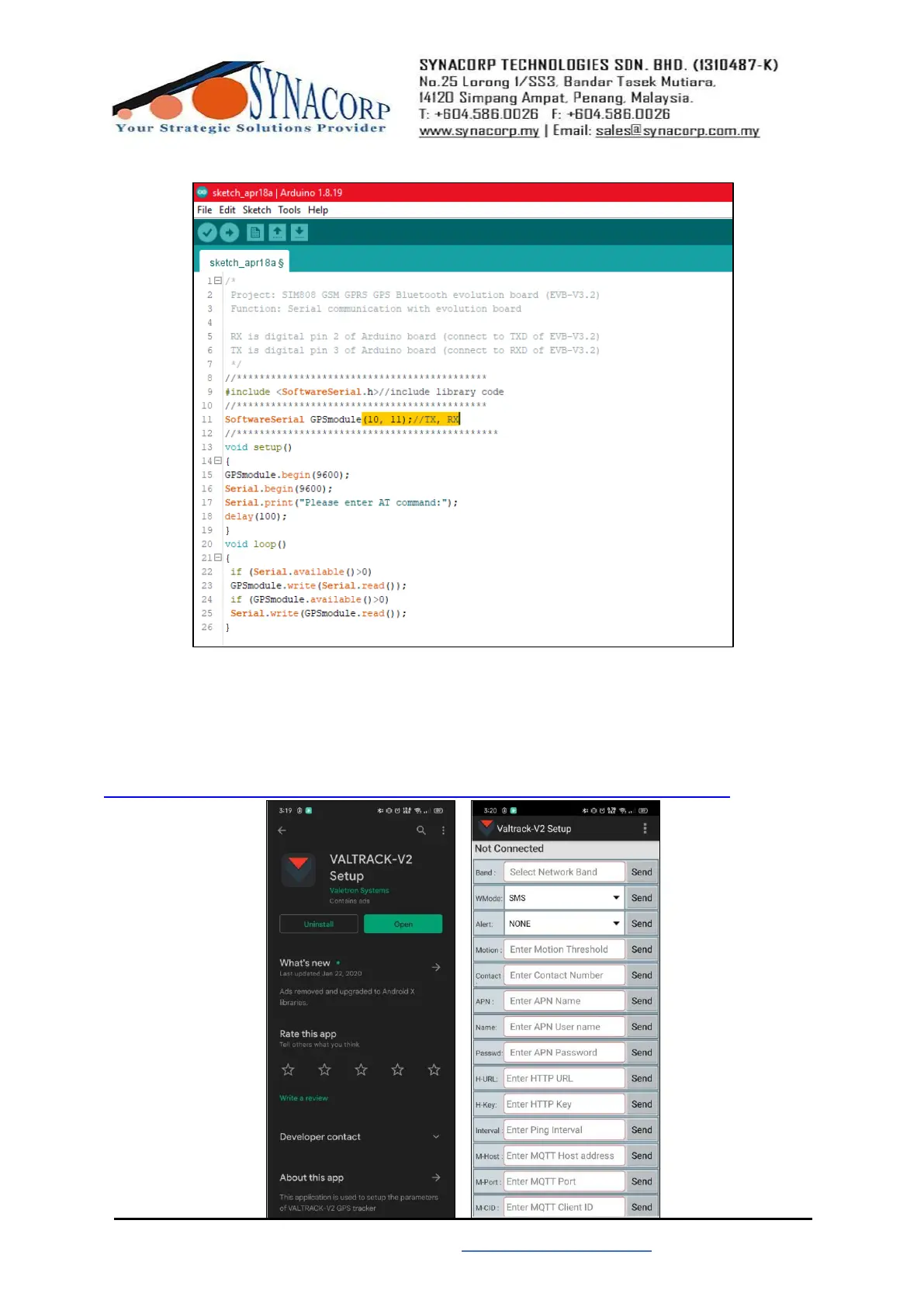
4. Edit a line of the code to be the same as the highlight line of code in the picture below.
5. When you finish edit the code, upload the new coding into your Arduino Uno.
6. Take out your smartphone and turn on the Bluetooth.
7. Open your app store in your smartphone to download and install this Valtrack app:
https://play.google.com/store/apps/details?id=com.valetron.valtrack&hl=en&gl=US.


 To Next Page