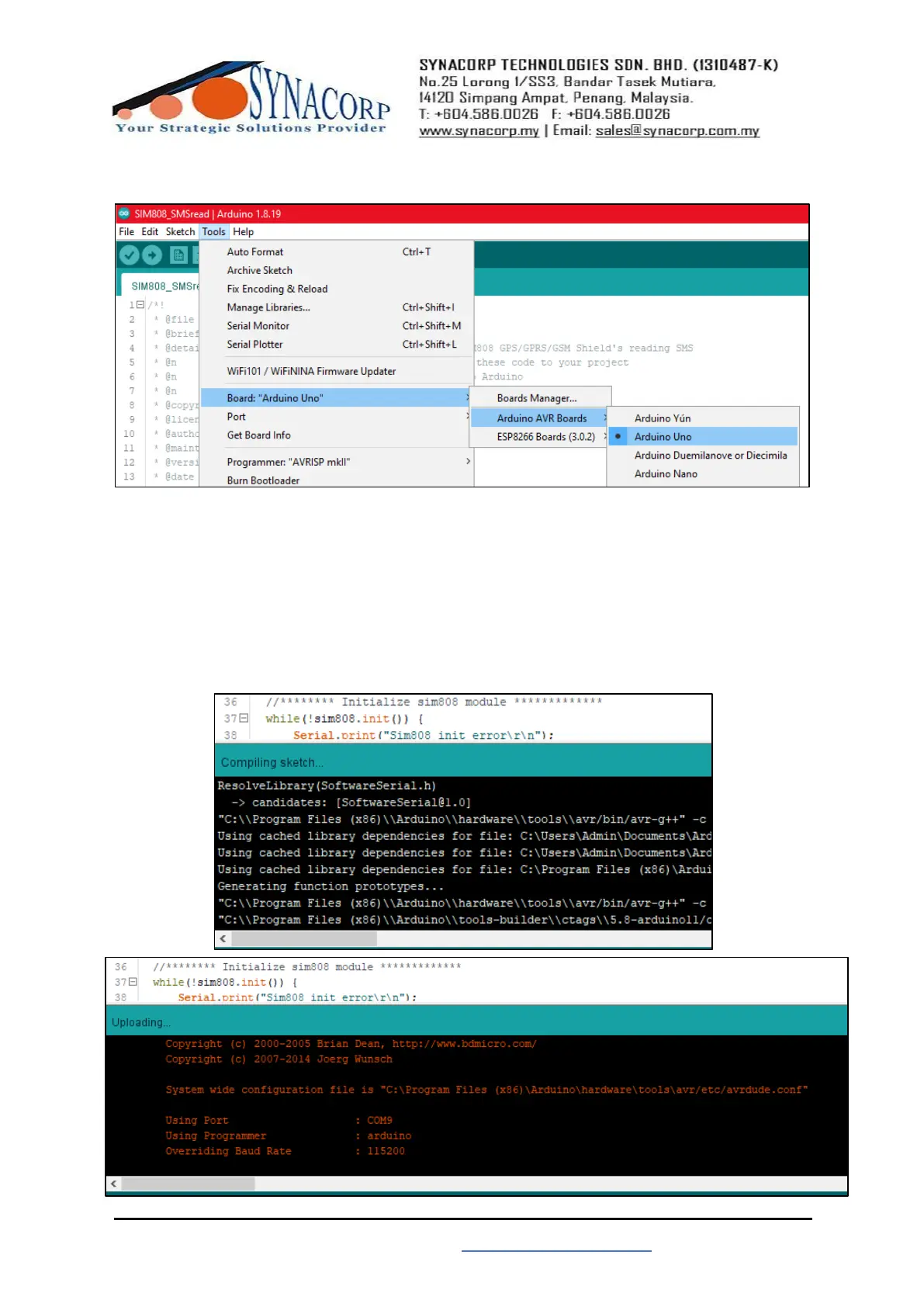
3. Make sure Arduino UNO already connected with PC. Select the right board for Arduino
UNO by navigate to Tools > Board: > Arduino AVR Boards > Arduino Uno.
4. After selecting board, make sure to select the right COM PORT for your Arduino Uno.
5. After selecting PORT, click on UPLOAD to start uploading the code into board. Wait until
done Uploading message appear.


 To Next Page