③
③②
①
④
⑤
⑤
⑥
①
②
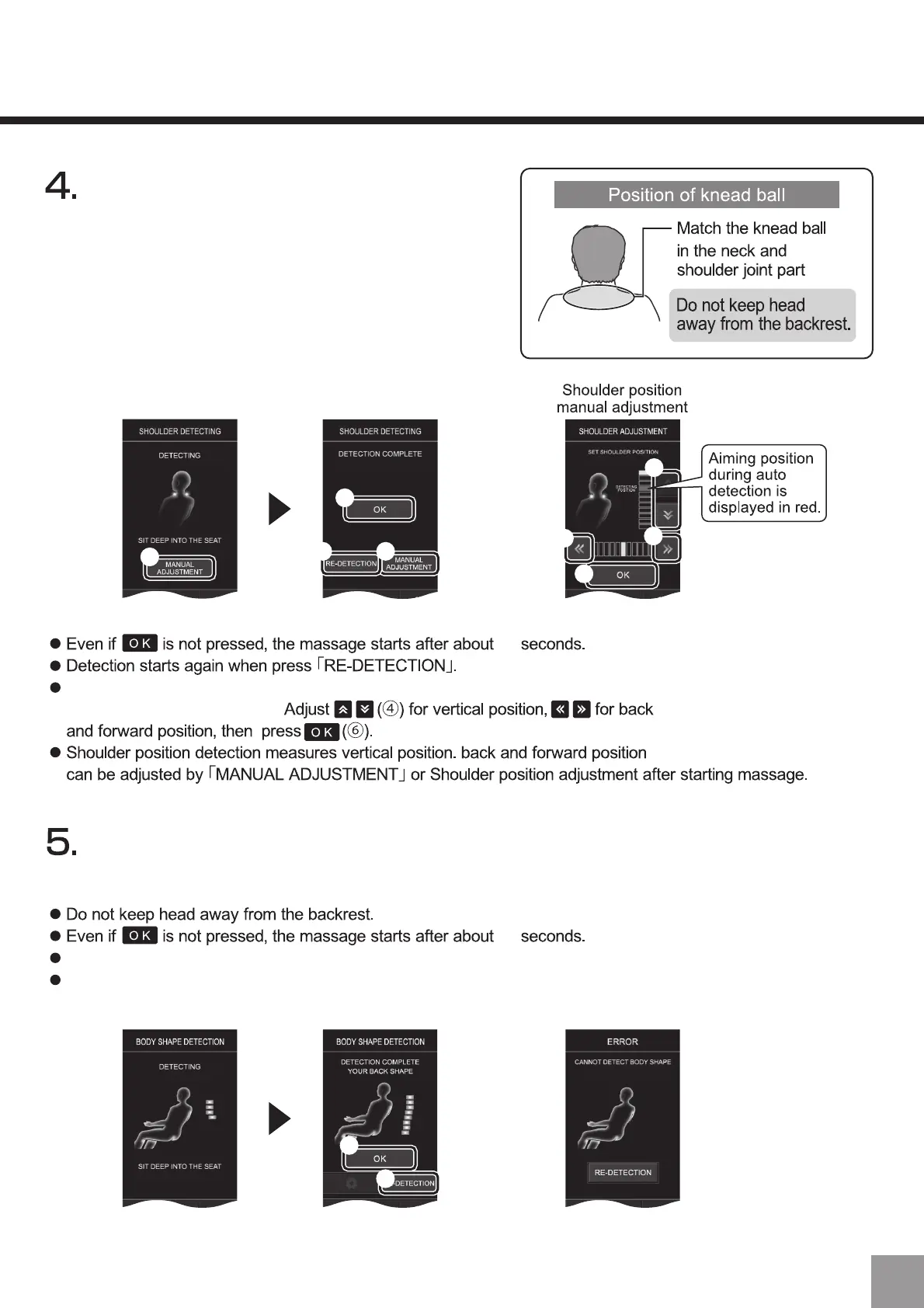
Press the “Re-detection (②)” key to detect the back line again.
In case of detection error, press “Re-detection”.
Error
Shoulder position can be adjusted by pressing [MANUAL ADJUSTMENT]
during or after the detection.
10
10
Automatic shoulder position detection starts.
After detection is complete, press the
“OK (①)” key. If it is inconsistent with the
actual shoulders position, please press
the "Re-detection" (②) key or the "Manual
Adjustment" (③) key to adjust.
After the shoulders position is detected, the back line detection starts.
After detection is complete, press the "OK" (①) key.
23



 To Next Page