To adjust the volume of voice guidance
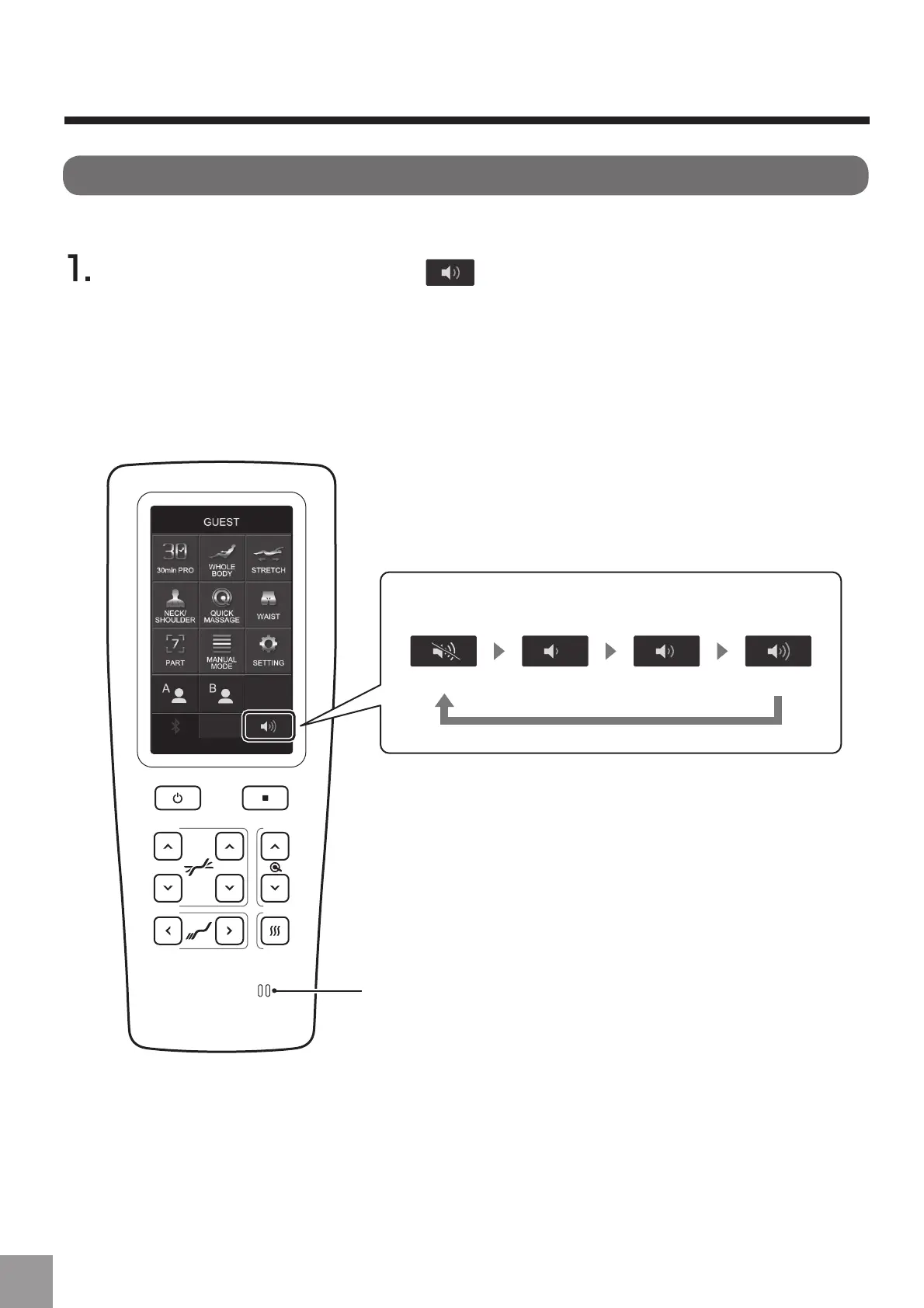
Press "Volume adjustment button " which is displayed on the lower right
of the screen.
Ɣ(DFKWLPH\RXSUHVVWKHEXWWRQLWFKDQJHVDVĺĺĺ2))
Ɣ:KHQ\RXFKDQJHWKHODQJXDJHVHWWLQJWKHODQJXDJHRIWKHYRLFHJXLGDQFHDOVRFKDQJHV
Display of volume adjustment button
Voice guide speaker
2)) Volume small Volume medium Volume large
About voice guidance
Voice guidance is the function to explaine how to operate and brief contents of course and movement.
48



 To Next Page