Need help?
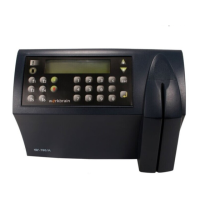
Do you have a question about the Synel SY-760 and is the answer not in the manual?
Details voltage, backup battery, and POE requirements.
Covers communication parameters and multiple terminal configuration.
Step-by-step instructions for securely mounting the terminal onto a wall.
Explains how to access the terminal's technician mode for setup.
Instructions on connecting the PC to the SY-65 communication adapter.
Offers solutions for common communication issues encountered with the terminal.
Monthly cleaning procedures for magnetic and barcode badge readers.
Instructions for cleaning and caring for the fingerprint sensor to ensure performance.
Steps to format the terminal's memory after a crash occurs.
 General
| Brand | Synel |
|---|---|
| Model | SY-760 |
| Category | Control Systems |
| Language | English |


 To Next Page