9 Chapter 2: Hardware Setup
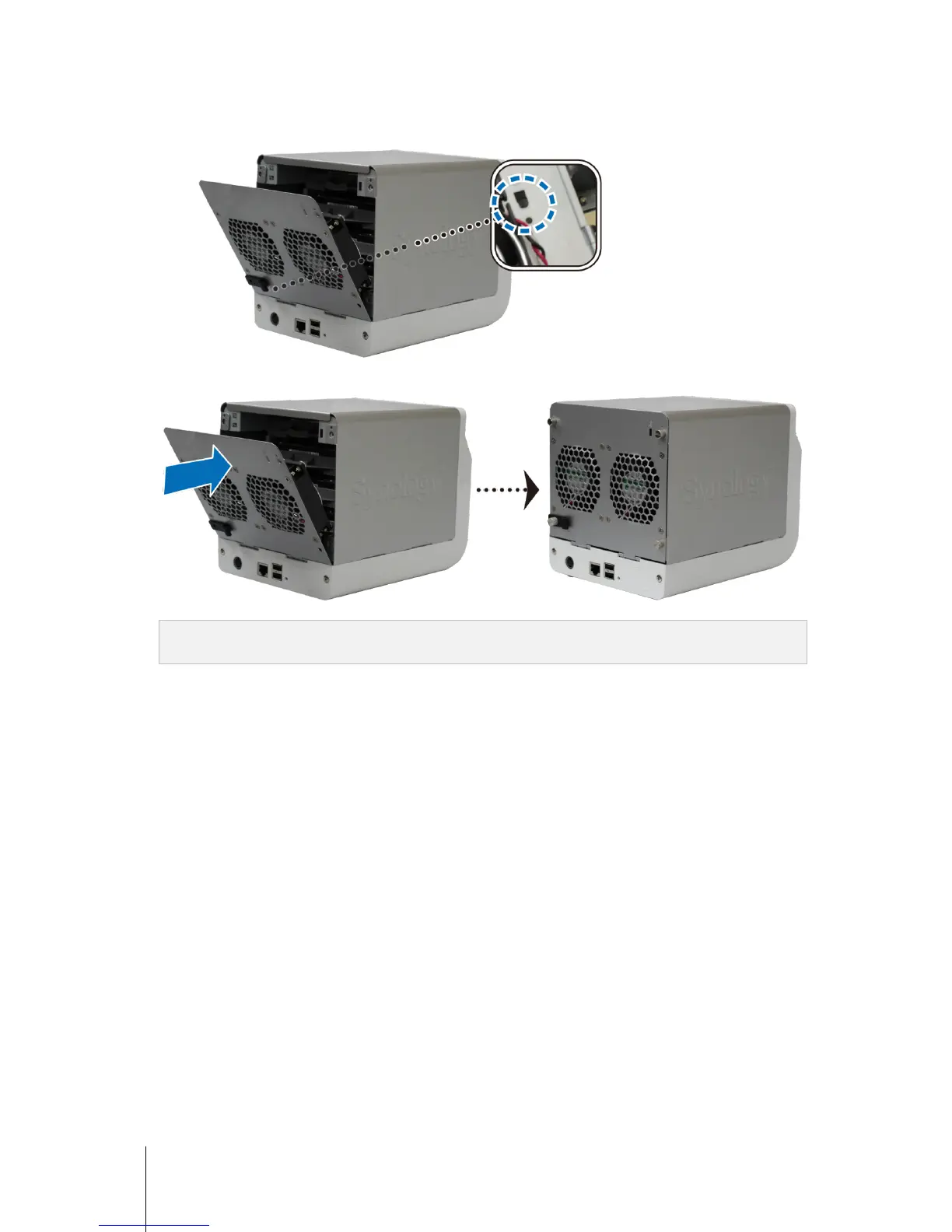
8 Attach the cable lock to the corresponding hole above the power port on the back cover. Make sure the cable
lock is hooked on the inner side of the back cover.
9 Close the back cover. Replace and tighten the 4 screws you removed in step 1.
Note: If you want to set up a RAID set, it is recommended that all installed hard disks are of the same size to make
the best use of hard disk capacity.













 To Next Page