EasyManua.ls Logo

Synology NAS SA3200D - User Manual

Synology NAS SA3200D
32 pages
Print Icon
To Next Page IconTo Next Page
Loading...
Synology NAS SA3200D
Hardware Installation Guide
Question and Answer IconNeed help?

Do you have a question about the Synology NAS SA3200D and is the answer not in the manual?

Summary

Chapter 1: Before You Start

Package Contents

Lists all items included in the product package.

Synology SA3200 D Component Overview

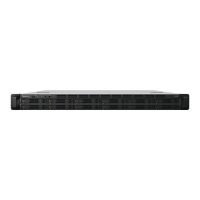
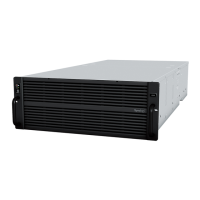
Identifies and describes the front and back panel components of the Synology NAS.

Hardware Specification

Details the technical specifications of the SA3200D, including dimensions, capacity, and ports.

Optional Accessories: Memory and PCIe Cards

Details available memory modules and PCIe add-in cards for system expansion.

Optional Accessories: Expansion, Rail Kits, and Spare Parts

Lists expansion units, rail kits, and spare parts available for the Synology NAS.

Safety Instructions

Provides essential safety precautions and guidelines for using the Synology NAS.

Chapter 2: Hardware Setup

Tools and Parts for Component Installation

Lists the necessary tools and parts required for hardware installation.

Install Drives

Step-by-step guide for installing 3.5" and 2.5" SAS drives into the drive trays.

Install Memory Modules

Instructions for installing, checking, or removing RAM modules on the SA3200D.

Install PCIe Add-in Cards

Guide for installing network interface cards into the PCIe expansion slot.

Install and Remove Rail Kits

Instructions on how to install and remove rail kits for rack mounting the NAS.

Expansion Unit Deployment and Topology

Details on connecting Synology expansion units to the SA3200D.

Start up Your Synology NAS

Step-by-step process to power on the Synology NAS and connect it to a network.

LED Indicator Table

Explains the meaning of different LED indicators on the NAS for status monitoring.

Chapter 3: System Maintenance

Replace System Fan

Procedure for replacing a malfunctioning system fan in the SA3200D controller.

Replace Power Supply Unit (PSU)

Steps to replace a malfunctioning power supply unit (PSU) or its fan.

Initial Troubleshooting Guide

A collection of helpful articles for initial troubleshooting of common NAS issues.

Chapter 4: Initialize DSM on Synology NAS

Initialize DSM with Web Assistant

Guide to initializing DiskStation Manager (DSM) using the Web Assistant tool.

Learn More

Information on where to find additional resources and online help for the Synology NAS.
Summary

Chapter 1: Before You Start

Package Contents

Lists all items included in the product package.

Synology SA3200 D Component Overview

Identifies and describes the front and back panel components of the Synology NAS.

Hardware Specification

Details the technical specifications of the SA3200D, including dimensions, capacity, and ports.

Optional Accessories: Memory and PCIe Cards

Details available memory modules and PCIe add-in cards for system expansion.

Optional Accessories: Expansion, Rail Kits, and Spare Parts

Lists expansion units, rail kits, and spare parts available for the Synology NAS.

Safety Instructions

Provides essential safety precautions and guidelines for using the Synology NAS.

Chapter 2: Hardware Setup

Tools and Parts for Component Installation

Lists the necessary tools and parts required for hardware installation.

Install Drives

Step-by-step guide for installing 3.5" and 2.5" SAS drives into the drive trays.

Install Memory Modules

Instructions for installing, checking, or removing RAM modules on the SA3200D.

Install PCIe Add-in Cards

Guide for installing network interface cards into the PCIe expansion slot.

Install and Remove Rail Kits

Instructions on how to install and remove rail kits for rack mounting the NAS.

Expansion Unit Deployment and Topology

Details on connecting Synology expansion units to the SA3200D.

Start up Your Synology NAS

Step-by-step process to power on the Synology NAS and connect it to a network.

LED Indicator Table

Explains the meaning of different LED indicators on the NAS for status monitoring.

Chapter 3: System Maintenance

Replace System Fan

Procedure for replacing a malfunctioning system fan in the SA3200D controller.

Replace Power Supply Unit (PSU)

Steps to replace a malfunctioning power supply unit (PSU) or its fan.

Initial Troubleshooting Guide

A collection of helpful articles for initial troubleshooting of common NAS issues.

Chapter 4: Initialize DSM on Synology NAS

Initialize DSM with Web Assistant

Guide to initializing DiskStation Manager (DSM) using the Web Assistant tool.

Learn More

Information on where to find additional resources and online help for the Synology NAS.
Synology NAS SA3200D Specifications

General IconGeneral
BrandSynology
ModelNAS SA3200D
CategoryServer
LanguageEnglish

Related product manuals