
 Need help?
Do you have a question about the Synology RackStation RS3614xs+ and is the answer not in the manual?
Lists all items included in the product package for initial setup.
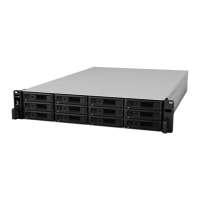
Visual guide to the RackStation's front and back panel components.
Essential safety guidelines to prevent damage and ensure user safety.
Specifies necessary tools and parts for installing storage drives.
Step-by-step instructions for inserting and securing 3.5" and 2.5" drives.
Guide on how to install or replace RAM modules to expand system memory capacity.
Procedures for verifying new memory installation and removing existing RAM modules.
Instructions for adding a network interface card for enhanced LAN connectivity.
Steps to safely replace a faulty cooling fan to maintain system temperature.
Connects power and network cables, and powers on the RackStation.
Guide to using the Web Assistant tool for installing DiskStation Manager (DSM).
Resources for advanced settings, management, and online support.
 General
| Model | RS3614xs+ |
|---|---|
| Maximum RAM | 32 GB |
| Drive Bays | 12 |
| Hot Swappable HDD | Yes |
| Link Aggregation | Yes |
| Warranty | 5 years |
| Operating System | DiskStation Manager (DSM) |
| RAM | 4 GB DDR3 |
| Maximum Internal Raw Capacity | 96 TB (with 8 TB drives) |
| External Ports | 2 x USB 3.0, 2 x USB 2.0 |
| LAN | Gigabit x 4 |
| Form Factor | 2U Rackmount |
| Expansion Units | RX1214 |
| RAID Support | 0, 1, 5, 6, 10, JBOD |
| PCIe Expansion | 1 x PCIe 3.0 x8 |
| Power Supply | 500W |
| Dimensions (H x W x D) | 88 mm x 482 mm |







 To Next Page