
 Need help?
Do you have a question about the Synology RS2423+ and is the answer not in the manual?
Lists items included in the Synology NAS package for verification.
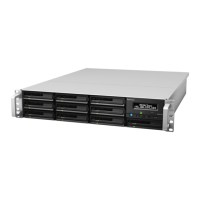
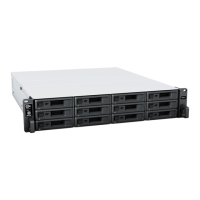
Provides a visual overview and description of the Synology RS2423+ hardware components.
Defines various system modes and their corresponding LED indicator states.
Explains the meaning of different LED indicators beyond system modes.
Details the technical specifications of the Synology RS2423+ hardware.
Lists available spare parts for the Synology RS2423+ system.
Describes optional accessories that can enhance the functionality of the Synology NAS.
Lists the necessary and optional tools for hardware installation.
Outlines safety precautions to be taken before and during hardware installation.
Steps to take before beginning any internal hardware work on the NAS.
Steps to take after completing internal hardware work on the NAS.
Guidelines to prevent damage from electrostatic discharge during handling.
Provides essential safety instructions for operating and handling the device.
Guidelines to ensure proper cooling, airflow, and system reliability.
Step-by-step instructions for installing hard drives into the Synology NAS.
Instructions on how to install a PCIe add-in card, such as a network interface card.
Detailed steps for installing or replacing memory modules in the Synology NAS.
Steps to verify if the installed memory modules are recognized by the Synology NAS.
Instructions on how to properly remove a RAM module from the Synology NAS.
Guidance on deploying and connecting Synology expansion units to the NAS.
Steps to properly power on the Synology NAS for initial setup.
Guide to installing the DiskStation Manager (DSM) operating system using Web Assistant.
Points to additional resources and tutorials for Synology NAS features.
Instructions for replacing a faulty fan in the Synology NAS system.
A checklist to help identify potential causes of hardware issues with the Synology NAS.
Discusses common problems and their resolutions for the Synology NAS.
Steps to resolve issues where the Synology NAS fails to recognize installed hard drives.
Steps to resolve network connectivity problems with the Synology NAS.
Steps to troubleshoot issues with external USB devices connected to the NAS.
Steps to resolve problems with the Synology expansion unit not being recognized.
Troubleshooting steps for issues with PCIe network cards.
Guidance for troubleshooting when the Alert LED is continuously blinking.
Steps to troubleshoot power-on issues after installing RAM modules.
Troubleshooting steps for when the NAS fails to power on completely, indicated by a blinking power LED.
Steps to troubleshoot power-on failures when no drives are installed in the NAS.
Steps to troubleshoot if the NAS shows no signs of power after the power button is pressed.
Troubleshooting steps for power-on issues when a UPS is connected.
Information and steps to take before contacting Synology Technical Support for assistance.
Details on how to contact Synology Technical Support for warranty and technical issues.
Information on accessing additional documentation, help, and support resources.


 To Next Page
 General