TV Installation and Connection Guide
Identifying Front and Rear Panels
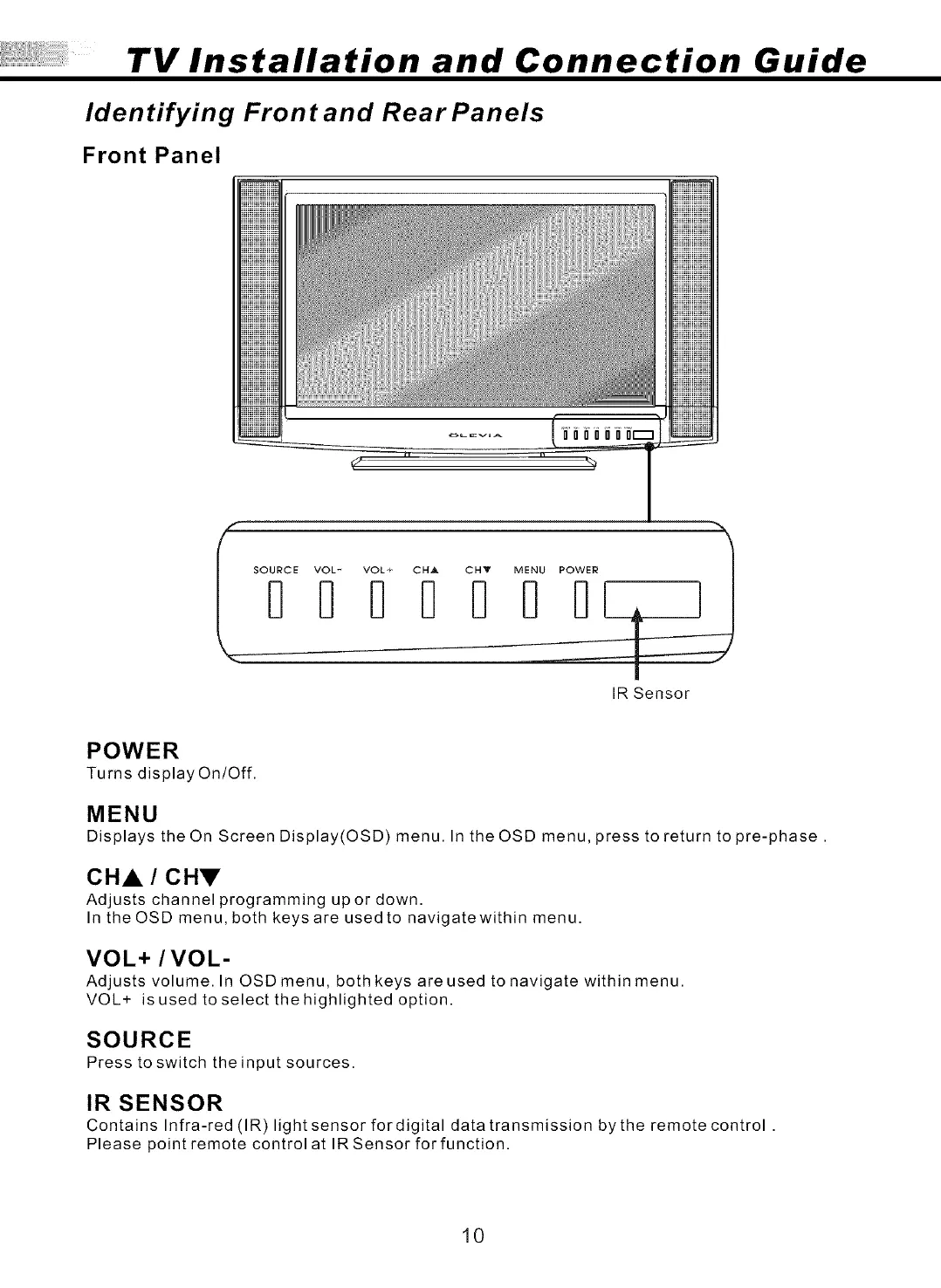
Front Panel
SOURCE VOL- VOL+ CH_ CHY MENU POWER
I
IR Sensor
POWER
Turns display On/Off.
MENU
Displays the On Screen Display(OSD) menu. In the OSD menu, press to return to pre-phase.
CHA / CHV
Adjusts channel programming upor down.
In the OSD menu, both keys are used to navigatewithin menu.
VOL+ / VOL-
Adjusts volume. In OSD menu, both keys are used to navigate within menu.
VOL+ is used to select the highlighted option.
SOURCE
Press to switch the input sources.
IR SENSOR
Contains Infra-red (IR)light sensor for digital data transmission by the remote control .
Please point remote control at IRSensor forfunction.
10



 To Next Page