TV Installation and Connection Guide
Connecting to an Antenna or Video Equipment
with Antenna outlet
Disconnect all power sources before making any connection.
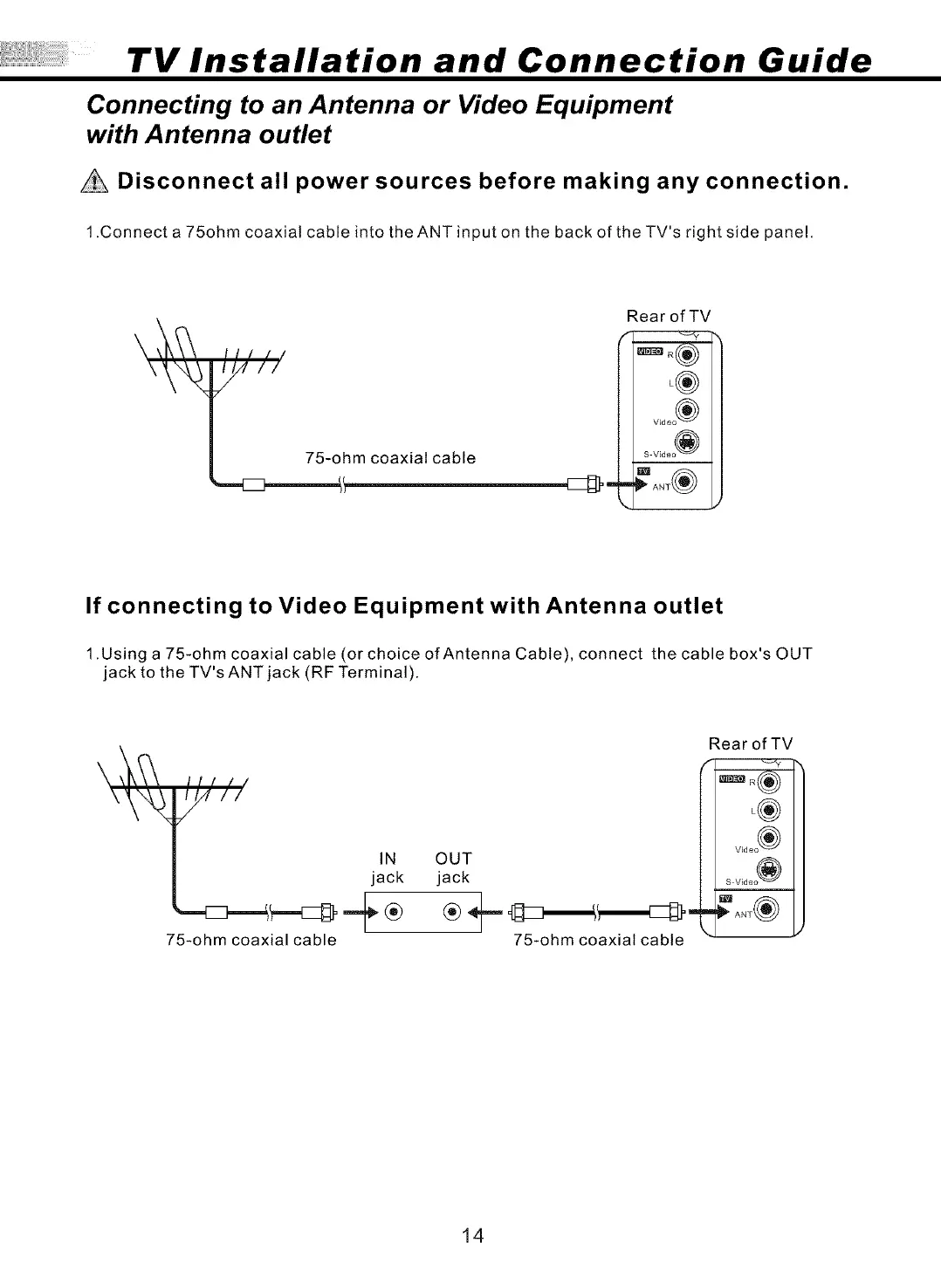
1.Connect a 75ohm coaxial cable into the ANT input on the back of theTV's right side panel,
\ //(/
/
75-ohm coaxial cable
Rear of TV
_ V_d e°_)
If connecting to Video Equipment with Antenna outlet
1.Using a 75-ohm coaxial cable (or choice of Antenna Cable), connect the cable box's OUT
jack to the TV's ANT jack (RF Terminal).
Itl //
1/_ II
/
IN
jack
75-ohm coaxial cable
Rear of TV
L®
V_deo ®
OUT
jack
75-ohm coaxial cable
14



 To Next Page