Need help?
Do you have a question about the Syrp Genie and is the answer not in the manual?
Lists all included components and accessories provided with the Genie device.
Covers precautions for fire, electric shock, and general handling of the device and accessories.
Safe practices for device placement, ventilation, and temperature limits during operation and charging.
Guidance on cleaning, avoiding shock, magnetic fields, heat, condensation, and chemical storage safety.
Safeguards against fire, excessive heat, chemical leaks, and explosions, focusing on battery safety.
Precautions against water, dust, magnetic fields, radio interference, flammable gases, and device handling.
Guidelines for safe AC adapter use, power connector insertion, cord handling, and avoiding damage.
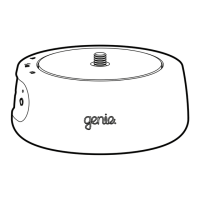
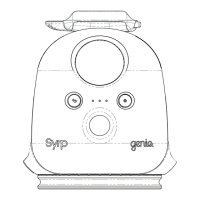
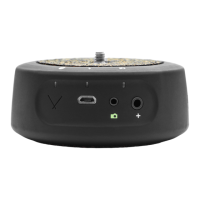
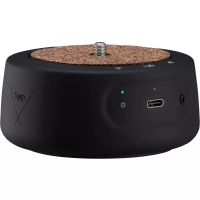
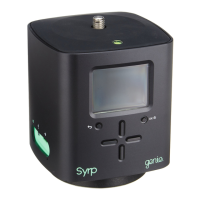
Identifies and describes the main physical components and ports of the Genie device.
Showcases compatible accessories such as panning and linear mounts, and rope attachments.
Guides through initial setup procedures, including charging and basic configuration of the Genie.
Instructions on how to securely mount the Genie's panning accessory onto a tripod.
Step-by-step guide to setting up and executing a first timelapse using the panning shot.
Instructions for setting up and recording a first video sequence using the panning shot.
Details on connecting the Genie to a slider or dolly for linear motion.
Guide to creating a timelapse using linear movement, including setup and execution.
Instructions for recording a video sequence with linear motion using the Genie.
Explains settings for creating custom timelapses: Rec time, Play time, Interval, and Movement.
Sets a countdown timer before the recording starts, allowing for delayed activation.
Sets specific dates and times for the Genie to automatically begin recordings.
Adjusts delay for camera shake and enables day-to-night timelapse exposure changes.
Configures HDR shooting and smooths movement start/end for timelapses and videos.
Accesses support, device info, firmware version, and camera connection settings.
Manages power-down, speaker, regional time/date, units, and video frame rate settings.
Configures signal timing for camera shutter activation and auto-focus settings.
Resets settings to factory parameters and provides instructions for exiting the menu.
 General
| Connectivity | Bluetooth |
|---|---|
| Type | Motion Controller |
| Mounting | 3/8"-16 female thread, 1/4"-20 female thread |
| Power Source | Rechargeable Lithium-ion Battery |
| Control | Smartphone App |
| App Features | Time-lapse |

 To Next Page