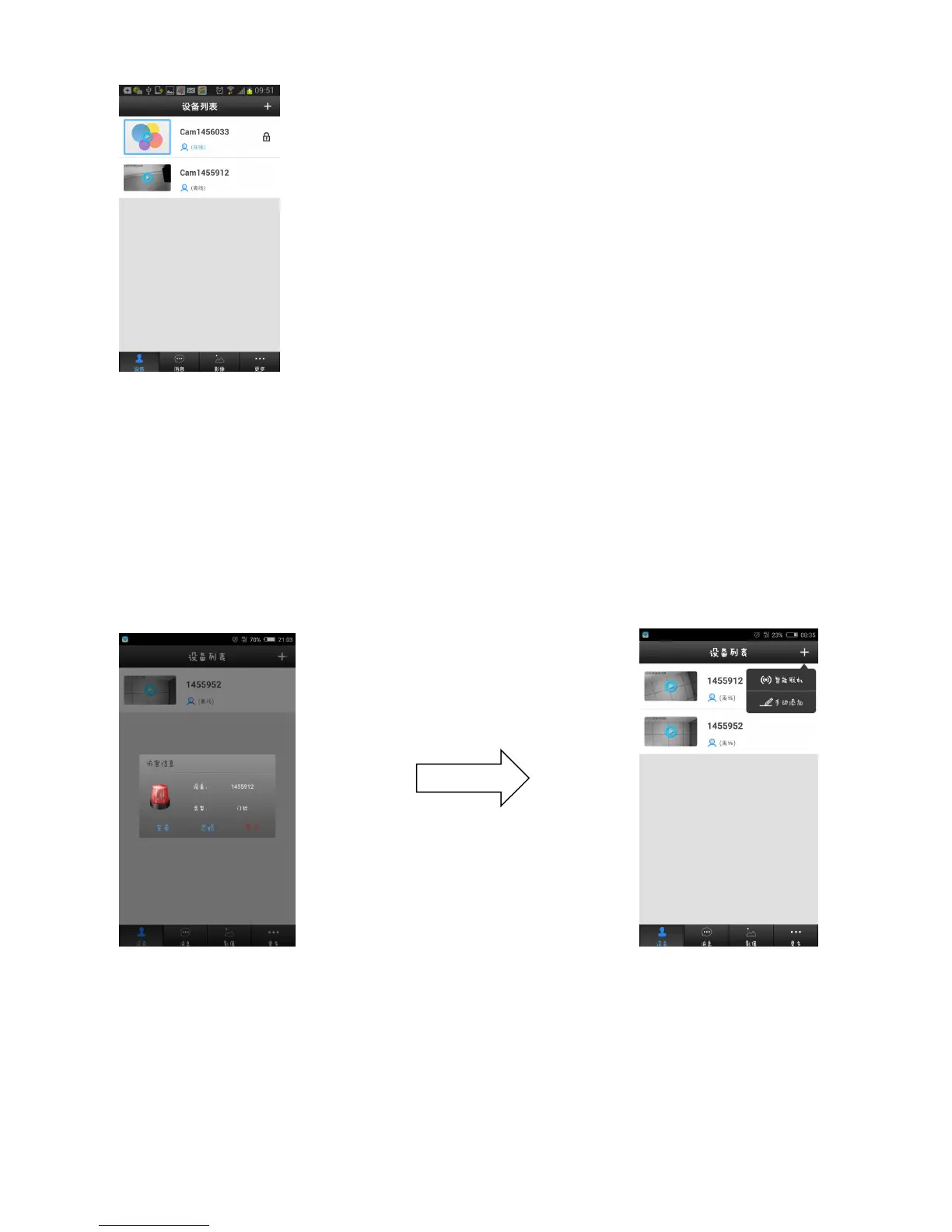
6. If no “ New equipment list “,can select “Manual Add”.Press the calling
button of outdoor unit,then can view the visitor information on mobile
device,click “ignore”,then click “+” to select “Manual Add”,input the device ID
(it is the number just you saw),device name (any one is ok),password ( the
default password 123),like as picture:


 To Next Page