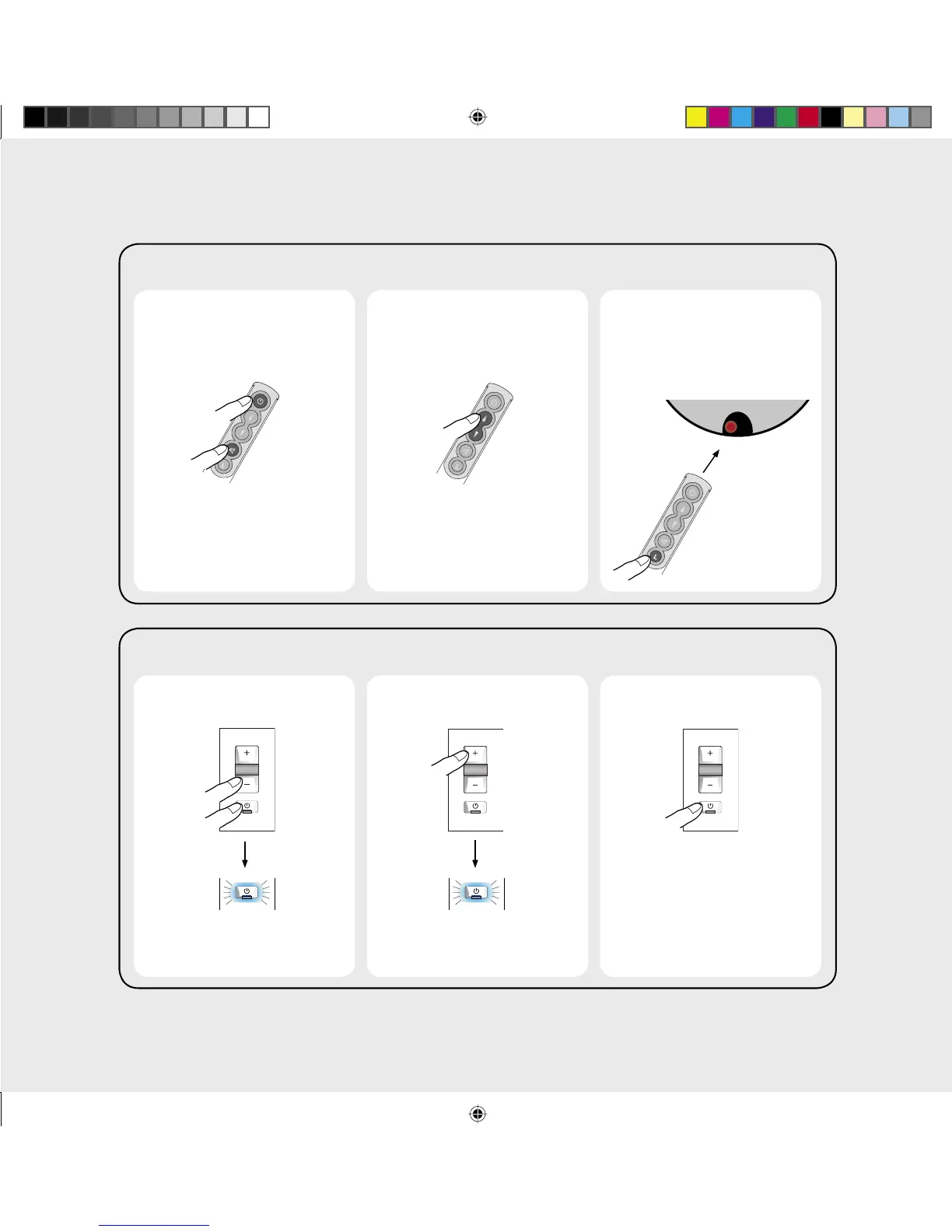
3. Put back to normal
operation
2. Change the remote
control address
1. Reset the remote
control address
3. Put back to normal
operation and set the
speaker to the same
address
2. Change the remote
control address
1. Reset the remote
control address
Flash Blue
Each press increments the
address 2, 3, etc.
To set the speaker and keypad address*
Blue fl ash twice
This resets the address to 1
Note: Set the remote control and
keypad to the same address
To set the speaker and remote control address*
*Address change is not normally required
Hold 1
second
Press to
increment
Hold 1
second
Press to
increment
Red
Each press increments the
address 2, 3, etc.
This resets the address to 1
Point at speaker


 To Previous Page